How to clip gradients in PyTorch
Optimizer updates can become dominated by one batch when the combined parameter-gradient norm spikes. A norm ceiling limits that update without changing the loss calculation or the backward pass that produced the gradients.
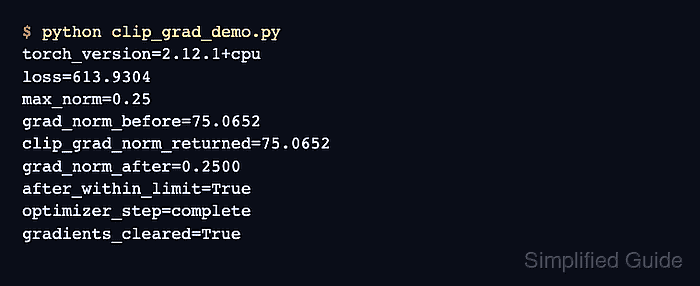
Global norm clipping in PyTorch uses torch.nn.utils.clip_grad_norm_(). The function computes one total norm across the supplied parameter gradients, modifies those gradients in place, and returns their total norm before clipping.
The clipping call belongs after loss.backward() has populated the .grad buffers and before optimizer.step() consumes them. Mixed-precision training must unscale the optimizer's gradients first, while gradient accumulation must finish every microbatch for the upcoming optimizer step before the norm is clipped.
Related: How to run a training loop in PyTorch
Related: How to debug NaN loss in PyTorch
Related: How to enable mixed precision in PyTorch
Steps to clip PyTorch gradients:
- Create the model section in clip_grad_demo.py.
- clip_grad_demo.py
import torch
from torch import nn
from torch.nn.utils import clip_grad_norm_

torch.manual_seed(7)

model = nn.Sequential(
    nn.Linear(4, 8),
    nn.ReLU(),
    nn.Linear(8, 1),
)
- Append the optimizer and high-loss batch to clip_grad_demo.py.
- clip_grad_demo.py
optimizer = torch.optim.SGD(model.parameters(), lr=0.05)
loss_fn = nn.MSELoss()
inputs = torch.tensor(
    [
        [1.0, 0.5, -1.0, 2.0],
        [0.0, -1.5, 2.0, 1.0],
        [2.0, 1.0, 0.5, -0.5],
        [-1.0, 2.0, 1.5, 0.0],
    ]
)
target = torch.full((4, 1), 25.0)
max_norm = 0.25
The target is intentionally far from the initial predictions so the backward pass produces a norm above max_norm.
- Append a combined gradient-norm helper to clip_grad_demo.py.
- clip_grad_demo.py
def gradient_norm(module: nn.Module) -> float:
    parameter_norms = [
        parameter.grad.detach().norm(2)
        for parameter in module.parameters()
        if parameter.grad is not None
    ]
    return torch.linalg.vector_norm(torch.stack(parameter_norms), 2).item()
- Append the clipped optimizer step to clip_grad_demo.py.
- clip_grad_demo.py
weights_before = model[0].weight.detach().clone()
optimizer.zero_grad(set_to_none=True)
loss = loss_fn(model(inputs), target)
loss.backward()

norm_before = gradient_norm(model)
returned_norm = clip_grad_norm_(
    model.parameters(),
    max_norm=max_norm,
    error_if_nonfinite=True,
)
norm_after = gradient_norm(model)
optimizer.step()

print(f"max_norm={max_norm:.2f}")
print(f"grad_norm_before={norm_before:.4f}")
print(f"clip_grad_norm_returned={returned_norm.item():.4f}")
print(f"grad_norm_after={norm_after:.4f}")
print(f"clipped_within_limit={norm_after <= max_norm + 1e-6}")
print(f"parameters_updated={not torch.equal(weights_before, model[0].weight)}")
error_if_nonfinite=True raises an error when the total norm is NaN or infinite. Mixed-precision loops require scaler.unscale_(optimizer) once after gradient accumulation and before this clipping call.
- Run the completed clipping script to confirm the norm ceiling and parameter update.
$ python clip_grad_demo.py
max_norm=0.25
grad_norm_before=75.0652
clip_grad_norm_returned=75.0652
grad_norm_after=0.2500
clipped_within_limit=True
parameters_updated=True
The returned value matches the norm measured before clipping, the post-clip norm meets the configured ceiling, and the parameter change confirms that the clipped gradients still reached the optimizer.