How to install Python on macOS
Installing Python on macOS provides a user-managed interpreter for scripts, virtual environments, local automation, and package-driven tooling. Using Homebrew keeps that runtime under the package manager's control instead of depending on Apple-managed components or an interpreter bundled privately by another app.
Homebrew maps brew install python to its maintained Python 3 formula and exposes the runtime as python3 plus pip3. Unversioned python, pip, and related helper shims stay in $(brew --prefix python)/libexec/bin so the main shell path stays centered on explicit Python 3 commands.
The Homebrew workflow assumes brew already works in the current shell. Recent macOS releases may also expose Apple's own /usr/bin/python3 for developer tools, and Homebrew Python 3.12 and newer follow PEP 668, so third-party packages should normally go into a virtual environment rather than the base interpreter.
Related: How to install Homebrew on macOS
Steps to install Python with Homebrew on macOS:
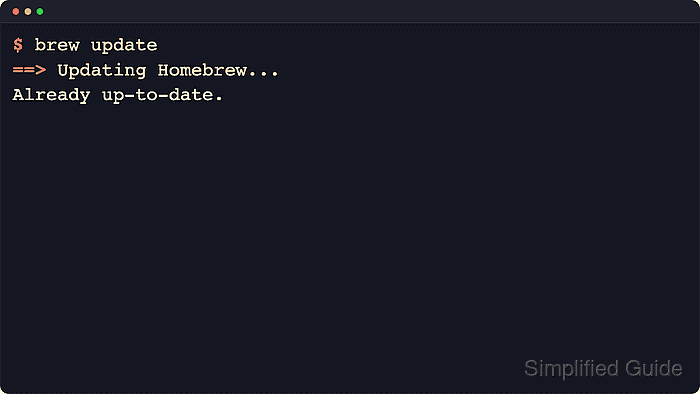
- Refresh Homebrew metadata before resolving the current Python formula.
$ brew update
==> Updating Homebrew...
Already up-to-date.
- Install the maintained Python 3 formula from Homebrew.
$ brew install python
==> Fetching downloads for: python@3.14
##### snipped #####
==> Installing python@3.14
==> Caveats
Python is installed as
  /opt/homebrew/bin/python3
Homebrew treats python, python3, and python@3 as aliases for the selected python@3.y formula. The internal target can change when Homebrew moves to a newer supported minor release.
- Verify that the installed interpreter answers from the Homebrew runtime.
$ python3 --version
Python 3.14.5
The exact patch release changes over time. A Python 3 version line confirms the interpreter is available.
- Verify that the bundled pip module belongs to the same interpreter.
$ python3 -m pip --version
pip 26.1.1 from /opt/homebrew/lib/python3.14/site-packages/pip (python 3.14)
Use python3 -m pip when installing packages so the package operation targets the same interpreter that answered python3 --version.
Starting with Python 3.12, Homebrew follows PEP 668 for the base environment. Install third-party packages into a virtual environment instead of modifying the base interpreter directly.
- List the python3 commands visible in the current shell so the Homebrew runtime appears ahead of Apple's copy.
$ type -a python3
python3 is /opt/homebrew/bin/python3
python3 is /usr/bin/python3
Apple Silicon Macs usually expose Homebrew from /opt/homebrew/bin, while Intel Macs commonly use /usr/local/bin. Confirm a Homebrew path appears before Apple's /usr/bin/python3.
Related: How to check Python version
- Inspect the optional unversioned command shims that Homebrew installs outside the main PATH.
$ ls -1 "$(brew --prefix python)/libexec/bin"
idle
pip
pydoc
python
python-config
wheel
Homebrew keeps python3 and pip3 in the main prefix, while plain python, pip, and related helpers stay under $(brew --prefix python)/libexec/bin unless the shell path is adjusted deliberately.