How to install Python packages from a requirements file
Installing packages from a requirements file is the normal way to rebuild an application's tested dependency set after cloning a repository, recreating a virtual environment, or preparing a CI job. Reading the package list from one maintained file keeps development, automation, and deployment environments aligned with the versions the project expects.
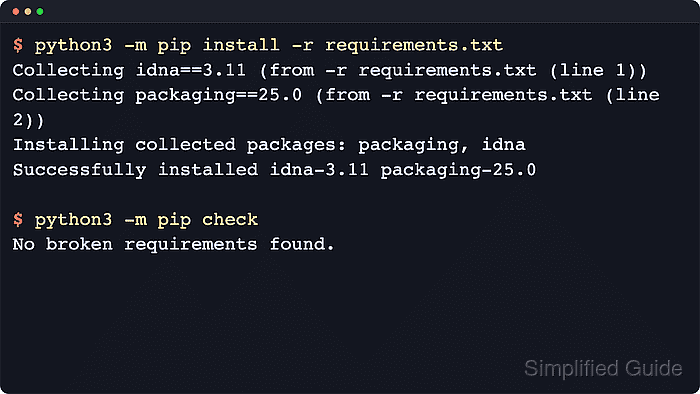
The install is driven by python3 -m pip install -r requirements.txt. The -r option tells pip to read install arguments from a file instead of treating requirements.txt as a package name. pip requirements files can contain package specifiers, nested -r includes, constraints, URLs, local paths, and selected install options, so review files from untrusted projects before running them.
Interpreter selection is the most common failure point. Many distro-managed Python installations are marked as externally managed, and package-source settings can also come from pip configuration, environment variables, or entries inside the requirements file itself. The examples use a POSIX shell with an active virtual environment and python3; on Windows, activate the intended environment first and use py when the launcher is the normal entry point.
Steps to install Python packages from a requirements file with pip:
- Activate the project virtual environment and confirm that the selected interpreter is the one that should receive the packages.
$ source .venv/bin/activate
$ python3 -m pip --version
pip 25.1.1 from /srv/apps/acme-api/.venv/lib/python3.14/site-packages/pip (python 3.14)
The path after from should point at the expected virtual environment or interpreter prefix before the install starts.
If the path points at an operating-system-managed Python, move the install into a virtual environment instead of forcing packages into the system interpreter.
Use .\.venv\Scripts\activate and py -m pip --version on Windows when the py launcher is the normal entry point.
- Review the target requirements file before installing from it.
$ cat requirements.txt
idna==3.11
packaging==25.0
requirements.txt
is conventional rather than required; keep the actual relative or absolute path after -r when the project uses another filename.
Requirements files can contain package specifiers, comments, nested -r includes, constraints with -c, and supported global options such as --index-url.
- Install the packages declared in the requirements file.
$ python3 -m pip install -r requirements.txt
Collecting idna==3.11 (from -r requirements.txt (line 1))
  Downloading idna-3.11-py3-none-any.whl.metadata (8.4 kB)
Collecting packaging==25.0 (from -r requirements.txt (line 2))
  Downloading packaging-25.0-py3-none-any.whl.metadata (3.3 kB)
Downloading idna-3.11-py3-none-any.whl (71 kB)
Downloading packaging-25.0-py3-none-any.whl (66 kB)
Installing collected packages: packaging, idna

Successfully installed idna-3.11 packaging-25.0
pip resolves the full requirement set and installs any additional dependencies the declared packages need; the exact install order can vary with the resolved dependency graph.
If pip reports that no matching distribution could be found for a package that should exist, inspect the active package index, proxy, and authentication settings before changing the pinned version.
Related: How to configure a pip index URL
Related: How to configure a proxy for pip - Verify that one package from the file landed in the expected environment.
$ python3 -m pip show idna
Name: idna
Version: 3.11
Summary: Internationalized Domain Names in Applications (IDNA)
Home-page:
Author:
Author-email: Kim Davies <kim+pypi@gumleaf.org>
License-Expression: BSD-3-Clause
Location: /srv/apps/acme-api/.venv/lib/python3.14/site-packages
Requires:
Required-by:
The Location field confirms whether the install landed in the project environment, a user-site directory, or another interpreter context.
- Run pip check after the install to catch unsatisfied or conflicting dependencies in the active environment.
$ python3 -m pip check
No broken requirements found.
If pip check reports broken requirements, fix the package source or version pins before treating the environment as reusable.