How to get a hostname from an IP address in Python
Reverse lookup checks turn an IP address from connection logs, firewall hits, or audit records into the hostname published for that address. That name can make a record easier to triage, but it remains DNS evidence rather than proof of ownership.
Python exposes reverse lookups through the socket module. socket.gethostbyaddr() asks the system resolver for reverse DNS data and returns a tuple containing the primary hostname, any aliases, and the address list associated with that result.
Reverse DNS is optional, so a valid IPv4 or IPv6 address can still return no hostname when no PTR record exists for it. Validating the input with ipaddress.ip_address() keeps malformed input separate from a missing reverse record, and socket.herror remains the expected failure when the address is valid but no reverse name is available.
Related: Get an IP address from a hostname
Related: Get a hostname from a URL
Tool: Reverse DNS (PTR) Checker
Steps to get a hostname from an IP address in Python:
- Start the Python 3 interpreter.
$ python3
Python 3.14.3
Type "help", "copyright", "credits" or "license" for more information.
>>>
- Import the socket module.
>>> import socket
- Resolve the target IP address with socket.gethostbyaddr() and inspect the returned tuple.
>>> result = socket.gethostbyaddr("198.51.100.24")
>>> result
('resolver-01.edge.example.net', [], ['198.51.100.24'])
The tuple format is (hostname, aliaslist, ipaddrlist), so the first value is the primary hostname returned by the resolver.
Use socket.getfqdn("198.51.100.24") when you only need the resolved display name instead of the full tuple.
- Create a reusable script that validates one address argument and prints the reverse lookup result.
- ip-to-hostname.py
#!/usr/bin/env python3

import ipaddress
import socket
import sys

if len(sys.argv) != 2:
    raise SystemExit(f"Usage: {sys.argv[0]} <ip-address>")

try:
    address = str(ipaddress.ip_address(sys.argv[1]))
except ValueError as exc:
    raise SystemExit(f"Invalid IP address: {exc}")

try:
    hostname, aliases, addresses = socket.gethostbyaddr(address)
except socket.herror as exc:
    raise SystemExit(f"No reverse DNS hostname found for {address}: {exc}")

print(f"IP address: {address}")
print(f"Primary hostname: {hostname}")

if aliases:
    print("Aliases:")
    for alias in aliases:
        print(f"  {alias}")

print("Resolved addresses:")
for resolved in addresses:
    print(f"  {resolved}")
ipaddress.ip_address() accepts both IPv4 and IPv6 strings and raises ValueError for malformed input before the lookup runs.
- Run the script with an address that has a working reverse DNS record.
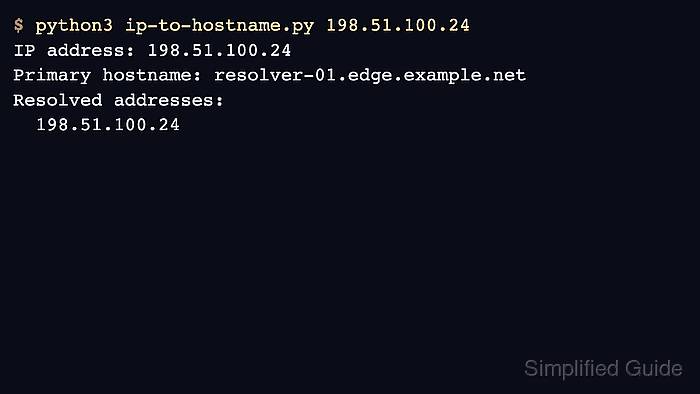
$ python3 ip-to-hostname.py 198.51.100.24
IP address: 198.51.100.24
Primary hostname: resolver-01.edge.example.net
Resolved addresses:
  198.51.100.24
The published examples use masked documentation IP addresses and hostnames, so your live resolver output will differ. The same script works with IPv6 addresses such as 2001:db8:100::24 when a reverse record exists.
- Run the script with an address that has no reverse record to confirm the failure path.
$ python3 ip-to-hostname.py 192.0.2.1
No reverse DNS hostname found for 192.0.2.1: [Errno 1] Unknown host
Documentation, lab, and many private addresses have no PTR record, so a valid address can still fail reverse lookup.
- Run the script with malformed input to confirm validation stops before the resolver query.
$ python3 ip-to-hostname.py 999.0.2.1
Invalid IP address: '999.0.2.1' does not appear to be an IPv4 or IPv6 address