How to increase maximum execution time for Python scripts
Long-running Python jobs can be interrupted by an application or wrapper timeout even while the interpreter is still making forward progress. Raising the correct execution limit keeps imports, crawlers, report builders, and other batch work from being cut off before the real job is complete.
Regular Python script execution does not have one interpreter-wide wall-clock timeout. The effective limit usually comes from the code that waits for completion, such as asyncio.wait_for(), asyncio.timeout(), signal.alarm(), or a parent process that starts the script with subprocess.run(..., timeout=...).
The reliable fix is to find the timeout that actually aborts the run and raise that boundary there instead of removing limits blindly. asyncio.timeout() requires Python 3.11 or newer, signal.alarm() is Unix only and supports only one pending alarm per process, and outer launchers such as service managers, schedulers, or queue workers can still stop the script after the Python-side timeout is increased.
Related: How to check Python version
Related: How to increase memory limit for Python scripts
Steps to increase maximum execution time for Python scripts:
- Check the active interpreter before changing timeout logic.
$ python3 --version
Python 3.14.5
asyncio.timeout() is available in Python 3.11 and newer, while asyncio.wait_for() works across current supported Python branches.
- Search the project for the code path that currently enforces the cutoff.
$ rg -n "asyncio\\.(wait_for|timeout)|signal\\.alarm|timeout=" .
./cleanup_guard.py:2:signal.alarm(600)
./report_worker.py:12:        await asyncio.wait_for(export_batch(), timeout=10)
./nightly_export_runner.py:2:subprocess.run(["python3", "report_worker.py"], timeout=900, check=True)
Common limits come from asyncio.wait_for(), asyncio.timeout(), signal.alarm(), or a parent wrapper that passes timeout= to subprocess.run() or Popen.communicate().
- Inspect the file on the failing execution path and confirm the exact limit that aborts the job.
$ cat report_worker.py
#!/usr/bin/env python3
import asyncio


async def export_batch():
    await asyncio.sleep(12)
    print("batch export completed")


async def main():
    try:
        await asyncio.wait_for(export_batch(), timeout=10)
    except TimeoutError:
        print("batch export timed out after 10 seconds")


asyncio.run(main())
The relevant timeout is the one on the path that actually fails, not a different helper or parent process that is not firing for this run.
- Raise the timeout in that same call so the normal runtime fits inside the new limit.
- report_worker.py
async def main():
    try:
        await asyncio.wait_for(export_batch(), timeout=30)
    except TimeoutError:
        print("batch export timed out after 30 seconds")
For asyncio.timeout(), raise the value passed to the context manager. When a parent wrapper uses subprocess.run(..., timeout=...), raise the timeout in the parent because subprocess.run() kills the child, waits for it to terminate, and then re-raises TimeoutExpired.
signal.alarm() is Unix only, and scheduling a new alarm replaces any earlier pending alarm in the same process.
- Run the script again under the same launcher path and confirm that it no longer stops at the old boundary.
$ python3 report_worker.py
batch export completed
If the timeout is enforced by a wrapper, queue worker, or service unit, repeat the test through that same launcher instead of running the child script directly.
- Measure the elapsed run time to confirm that the new limit really covers the workload.
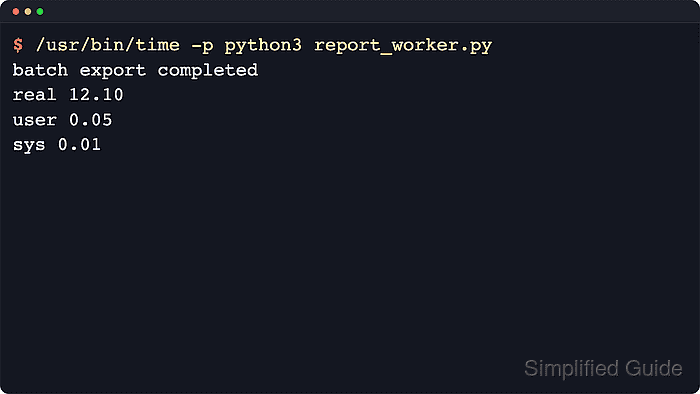
$ /usr/bin/time -p python3 report_worker.py
batch export completed
real 12.06
user 0.04
sys 0.01
A successful run that exceeds the previous 10-second cutoff confirms that the correct timeout was raised. With asyncio.wait_for(), total wall-clock time can exceed the numeric timeout slightly because cancellation waits for the wrapped task to finish.
- Keep the timeout documented next to the call that enforces it and review any outer runtime limits.
Use the smallest timeout that fits normal workload duration so genuine hangs still fail predictably.
Service managers, schedulers, container orchestrators, and job runners can apply separate execution limits that must be raised independently when they are the component terminating the script.