Large Python jobs that parse big files, build in-memory indexes, or batch-process data can fail with MemoryError when the process inherits an address-space limit that is lower than the workload requires. Raising the correct limit lets the interpreter finish normal allocations instead of stopping at an inherited ceiling.
On Linux, a Python process inherits resource limits from the shell, wrapper, service manager, or container that launches it. The resource module exposes those limits inside Python through resource.getrlimit() and resource.setrlimit(), and resource.RLIMIT_AS maps to the same virtual-address-space limit that bash shows with ulimit -v, except that Python reports the value in bytes.
An address-space limit is not the same as total host RAM and not the same as a cgroup memory cap. For systemd services, MemoryMax= constrains cgroup memory while LimitAS= changes the process address-space rlimit; raising the Python soft limit only works when the inherited hard limit or service/container cap is already high enough. The resource module is Unix only and is not available on Windows.
Steps to increase Python script memory limits in Linux:
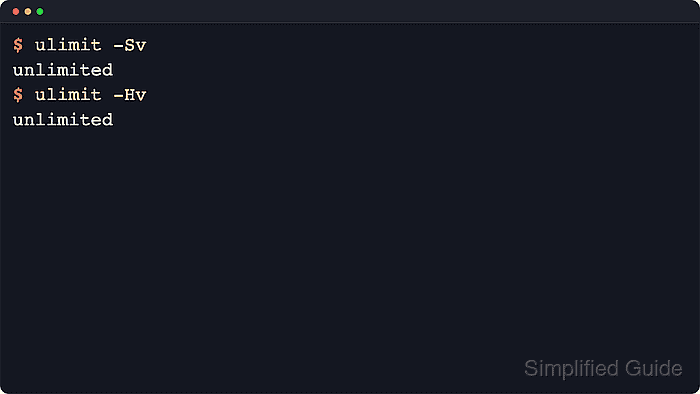
- Check the current shell soft and hard virtual-memory limits before changing the Python process.
$ ulimit -Sv
unlimited
$ ulimit -Hv
unlimited
In bash, ulimit -v uses 1024-byte increments and applies to the current shell plus every process started from it.
- Read the inherited address-space limit from Python so the script and the launcher are compared against the same value.
$ python3 - <<'PY'
import resource
soft, hard = resource.getrlimit(resource.RLIMIT_AS)
print(f"soft={soft}")
print(f"hard={hard}")
PY
soft=-1
hard=-1
Compare against resource.RLIM_INFINITY in code instead of hard-coding -1 ; on Linux, an unlimited RLIMIT_AS is commonly reported as -1 .
- Lower the shell soft limit temporarily and confirm the larger allocation fails under that ceiling.
$ ulimit -Sv 262144
$ python3 - <<'PY'
import resource
soft, hard = resource.getrlimit(resource.RLIMIT_AS)
print(f"soft={soft}")
print(f"hard={hard}")
try:
    data = bytearray(300 * 1024 * 1024)
except MemoryError:
    print("allocation_status=memory_error")
else:
    print("allocation_status=success")
    print(f"allocated_bytes={len(data)}")
PY
soft=268435456
hard=-1
allocation_status=memory_error
262144 means 262144 KiB, which becomes a 268435456-byte soft RLIMIT_AS value inside Python.
- Raise the Python soft limit with resource.setrlimit() when the current hard limit is already high enough.
$ python3 - <<'PY'
import resource

soft, hard = resource.getrlimit(resource.RLIMIT_AS)
print(f"python_soft={soft}")
print(f"python_hard={hard}")

resource.setrlimit(resource.RLIMIT_AS, (536870912, hard))

soft, hard = resource.getrlimit(resource.RLIMIT_AS)
print(f"raised_soft={soft}")
print(f"raised_hard={hard}")

try:
    data = bytearray(300 * 1024 * 1024)
except MemoryError:
    print("allocation_status=memory_error")
else:
    print("allocation_status=success")
    print(f"allocated_bytes={len(data)}")
PY
python_soft=268435456
python_hard=-1
raised_soft=536870912
raised_hard=-1
allocation_status=success
allocated_bytes=314572800
The requested soft limit must stay at or below the current hard limit, and the change must happen before the workload allocates the larger objects.
- Move the limit change to the top of the real script so the larger address space is available before imports or data loads expand memory usage.
- memory-limit-raise.py
#!/usr/bin/env python3
import resource

TARGET_AS = 512 * 1024 * 1024

soft, hard = resource.getrlimit(resource.RLIMIT_AS)

if hard != resource.RLIM_INFINITY and TARGET_AS > hard:
    raise RuntimeError(
        f"Hard limit too low for {TARGET_AS} bytes: {hard}"
    )

if soft != resource.RLIM_INFINITY and soft < TARGET_AS:
    resource.setrlimit(resource.RLIMIT_AS, (TARGET_AS, hard))

# Import or allocate after the limit check or raise.
data = bytearray(300 * 1024 * 1024)
print(f"allocated_bytes={len(data)}")
Keeping the guard against a low hard limit makes the failure explicit instead of leaving the script to hit MemoryError later in the run.
Only raise the soft limit when it is actually lower than the target. Leaving an already higher or unlimited soft limit unchanged avoids accidentally lowering the process ceiling.
- Run the updated script under the same launcher path and confirm that the larger allocation now succeeds.
$ ulimit -Sv 262144
$ python3 memory-limit-raise.py
allocated_bytes=314572800
A successful allocation that previously failed confirms that the process limit was raised early enough for the workload.
- Raise the launcher limit instead of the Python soft limit when the hard limit or service/container cap is already lower than the requested value.
$ ulimit -Hv
262144
A non-root process cannot raise a hard limit above its current value. For systemd services, inspect unit-level limits and cgroup settings such as MemoryMax=, and raise or remove LimitAS= if the unit explicitly sets it; for containers, raise the runtime or orchestration memory limit instead of expecting Python alone to bypass it.

Mohd Shakir Zakaria is a cloud architect with deep roots in software development and open-source advocacy. Certified in AWS, Red Hat, VMware, ITIL, and Linux, he specializes in designing and managing robust cloud and on-premises infrastructures.


