How to extract a public key from an SSH private key using PuTTYgen on Windows
Recovering a missing SSH public key matters when remote systems already trust a known private key, but the matching public key file has been misplaced. Extracting the public key from the existing private key avoids unnecessary key rotation and prevents avoidable access changes on servers and services.
Public-key authentication uses a key pair where the private key stays on the client and the public key is installed on the server, commonly as a single line in the OpenSSH authorized_keys file. Since the public key is derived from the private key, loading the private key into PuTTYgen reveals the corresponding public key without generating a new pair.
The private key remains a password-equivalent secret and should only be opened on a trusted Windows system, with the passphrase handled carefully if the key is encrypted. Key files may be in .ppk or OpenSSH formats, and PuTTYgen can load either when the correct file filter is selected.
Steps to extract a public key from an existing SSH private key using PuTTYgen:
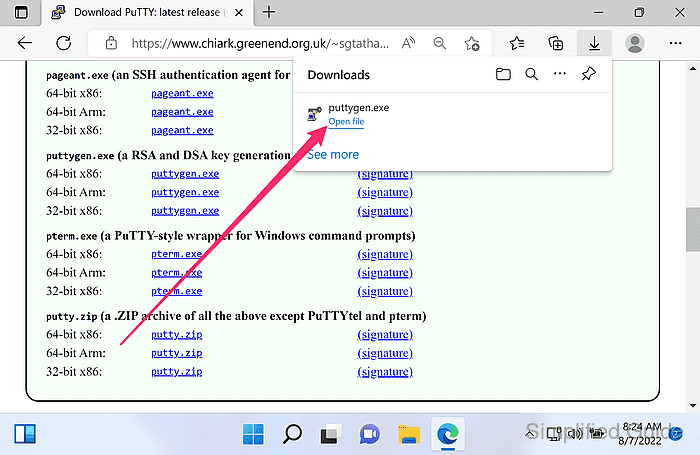
- Download PuTTY Key Generator (puttygen.exe) from the official website.
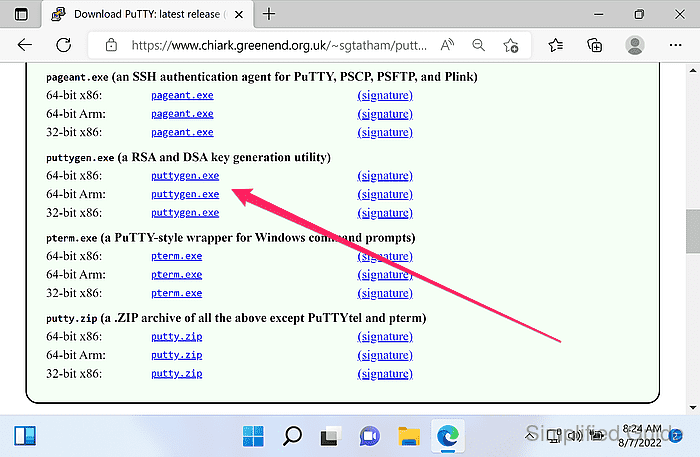
https://www.chiark.greenend.org.uk/~sgtatham/putty/latest.html
- Launch PuTTYgen.
- Click Load.
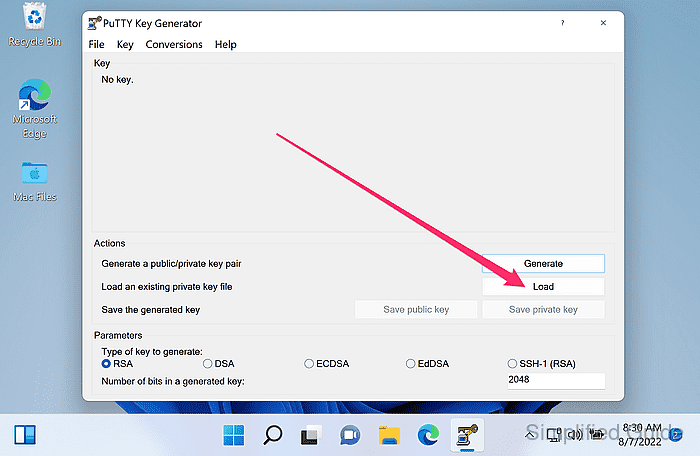
- Select the private SSH key file and click Open.
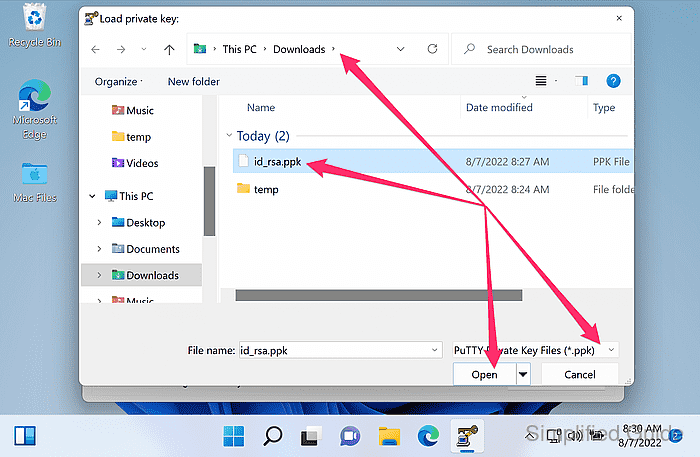
PuTTYgen filters to .ppk by default; set the file type to All Files (*.*) to load OpenSSH private keys.
Opening a private key on an untrusted system risks credential exposure; treat the file as highly sensitive.
- Enter the key passphrase when prompted.
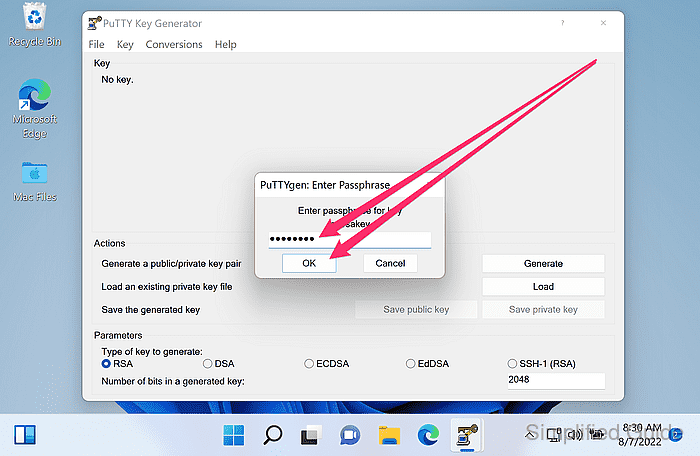
- Confirm the public key is displayed in the Public key for pasting into OpenSSH authorized_keys file field.
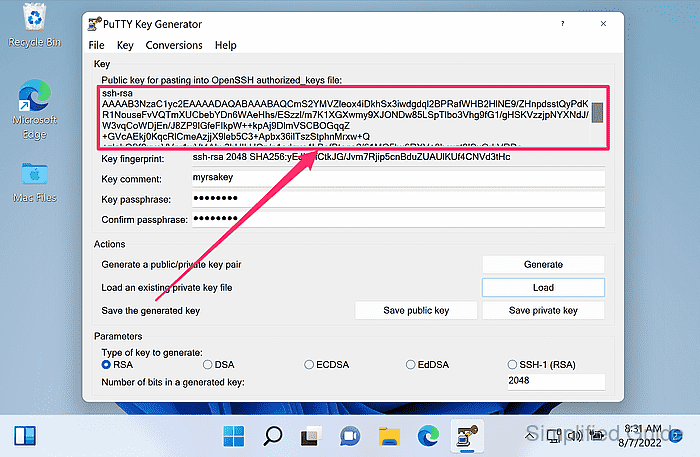
- Copy the public key text from the Public key for pasting into OpenSSH authorized_keys file field (Ctrl+C).
The copied value is a single line intended for ~/.ssh/authorized_keys on OpenSSH servers.
- Click Save public key to save the public key to a file.
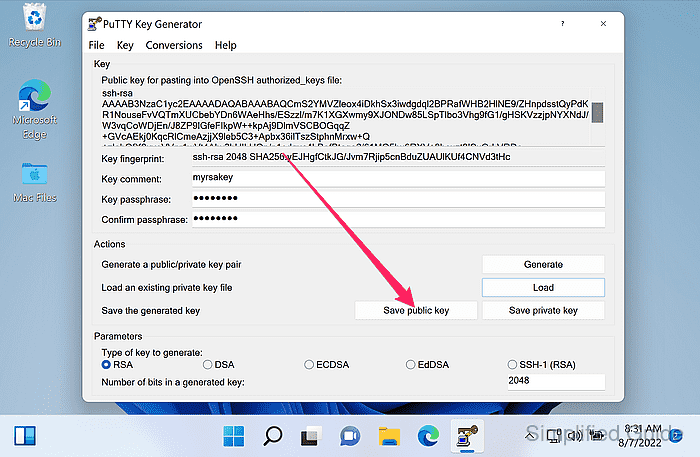
The Save public key output for SSH-2 keys is in the SSH-2/RFC 4716 file format, while the on-screen OpenSSH authorized_keys field provides the one-line format for authorized_keys entries.
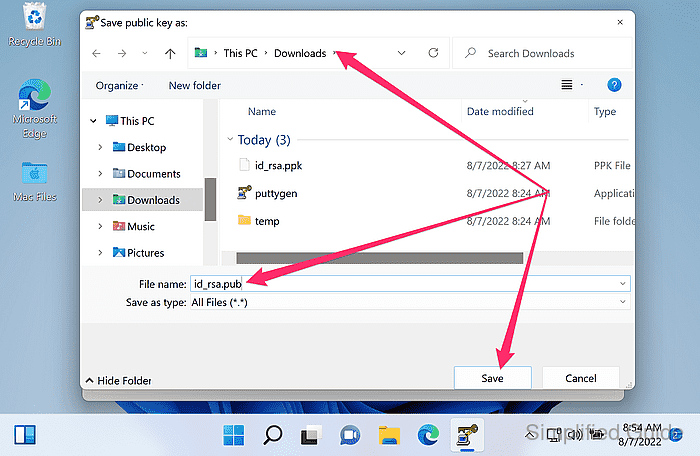
- Select the save location and file name, and click Save.