How to convert a PEM key to PPK using PuTTYgen on Windows
SSH private keys are often distributed as .pem files for Linux servers and cloud instances, but PuTTY on Windows expects a .ppk key file for key-based authentication. Converting the key avoids password logins while keeping the same server-side authorization.
A .pem file commonly contains an OpenSSH private key encoded in PEM text, optionally protected by a passphrase. PuTTY stores private keys in its own .ppk format, and PuTTY Key Generator (PuTTYgen) can import the OpenSSH key material and re-save it as a .ppk file that PuTTY can load.
The converted .ppk represents the same private key as the original .pem, so both files must be treated as secrets. Saving an unencrypted key makes it usable by anyone who can read the file, and a forgotten passphrase cannot be recovered. Import failures are commonly caused by outdated PuTTYgen builds, so using a current PuTTY release reduces format-compatibility issues.
Steps to convert a PEM key to PPK using PuTTYgen:
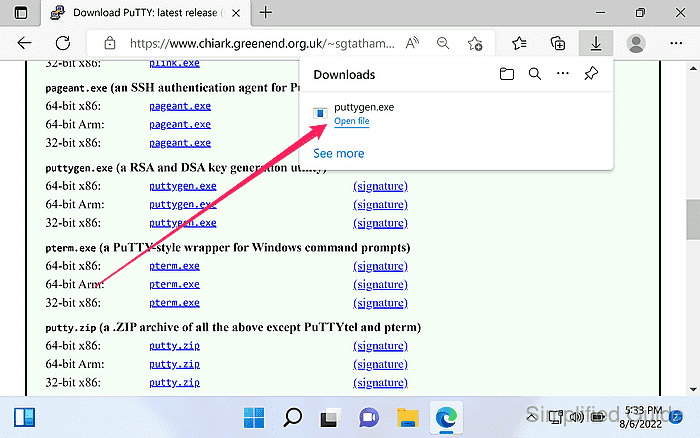
- Download PuTTY Key Generator (puttygen.exe) from the official PuTTY download page.
https://www.chiark.greenend.org.uk/~sgtatham/putty/latest.html
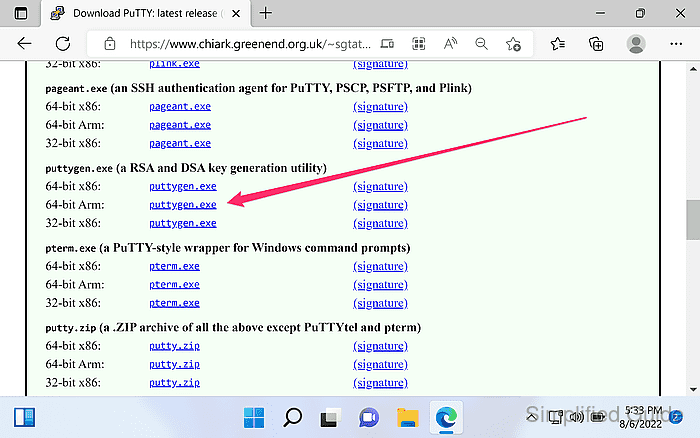
- Launch PuTTYgen.
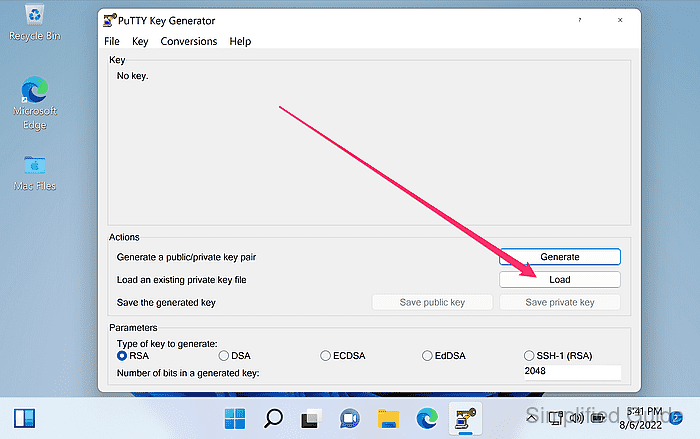
- Click Load in the main PuTTYgen window.
- Set the Files of type filter to All Files (*.*).
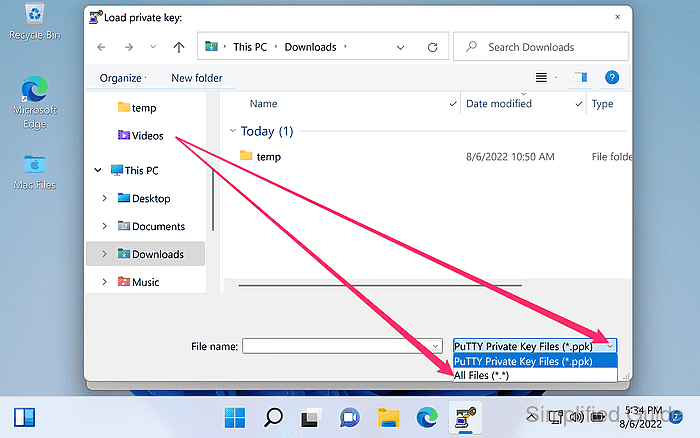
PuTTYgen filters for .ppk files by default, so .pem keys may not appear until the filter changes.
- Select the .pem private key file and click Open.
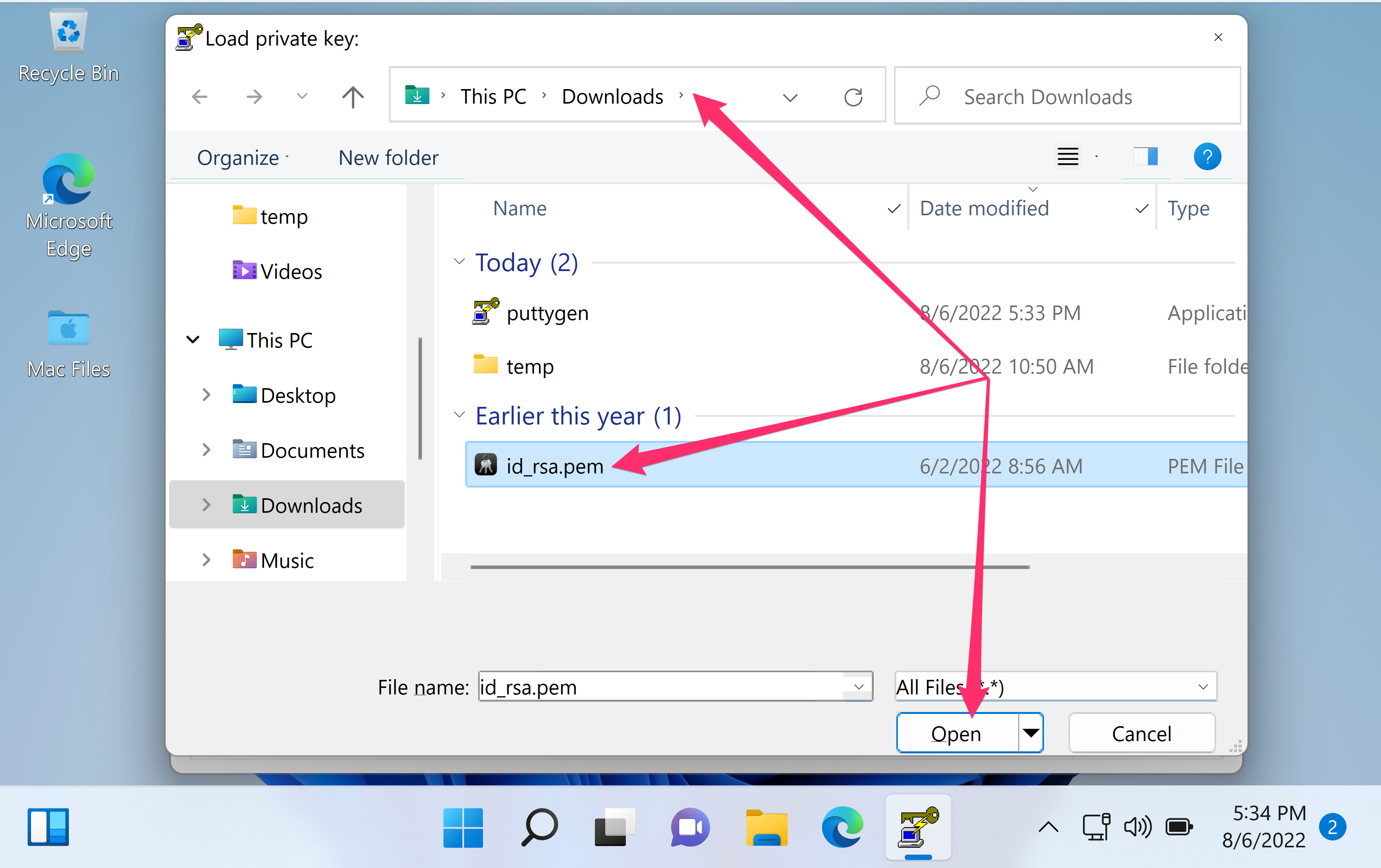
Certificate or public-key-only .pem files cannot be saved as a private-key .ppk; inspect the PEM block type first if the file origin is unclear.
Tool: PEM Bundle Extractor
- Enter the private-key passphrase when prompted and click OK.
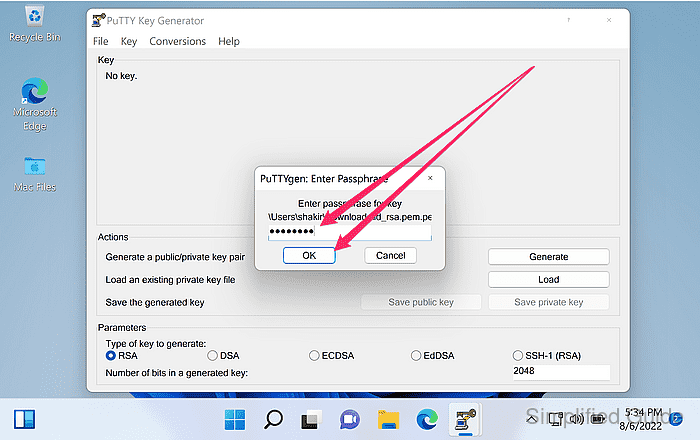
- Click OK on the successful import notification.
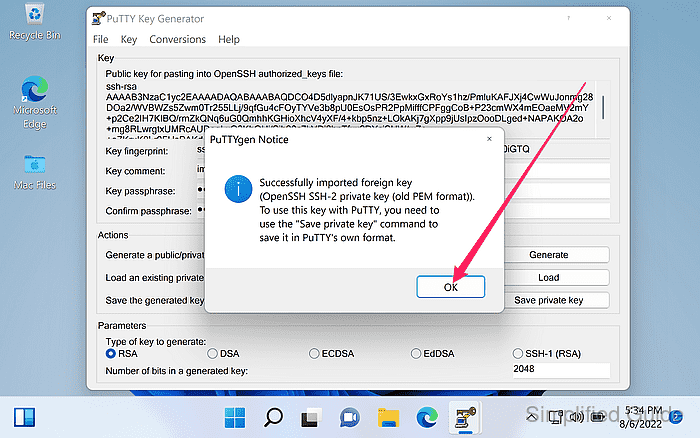
- Confirm the key fingerprint and key type are displayed in PuTTYgen.
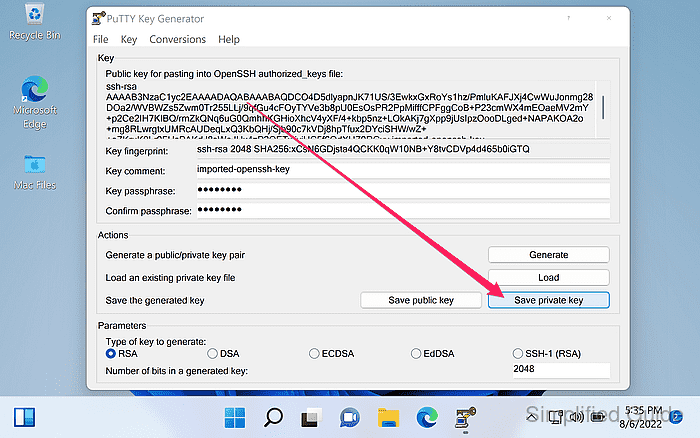
Importing and saving does not change the server authorization, so the same public key remains valid on the server.
- Set a passphrase in the Key passphrase fields.
A passphrase protects the private key at rest and reduces exposure if the .ppk file is copied.
- Click Save private key.
- Click Yes if warned about saving the key without a passphrase.
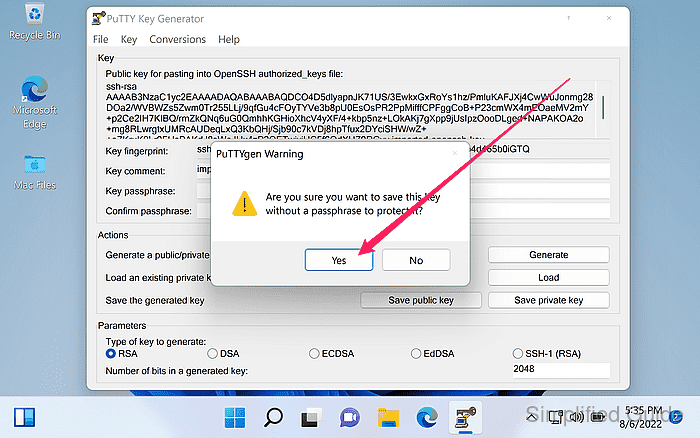
Saving an unencrypted private key makes the .ppk immediately usable by anyone who can read the file.
- Choose a filename ending in .ppk and click Save.
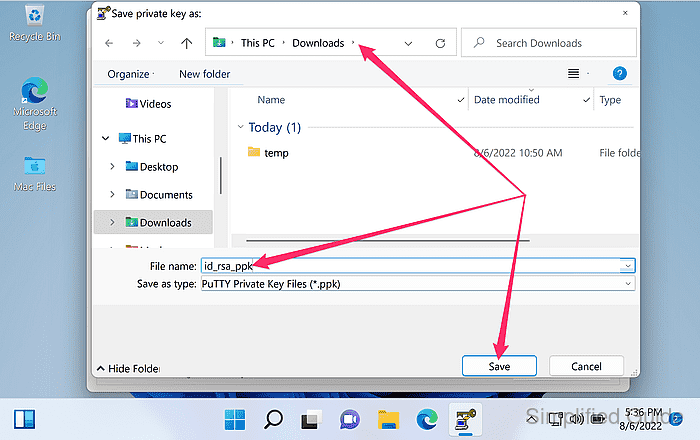
Storing keys outside shared folders reduces accidental exposure through sync or file sharing.
- Load the saved .ppk file in PuTTYgen to confirm it imports without errors.