How to set Prometheus retention
Prometheus retention controls how long local TSDB samples stay on disk and how much block storage Prometheus is allowed to keep. Setting retention prevents old metrics from filling the Prometheus data volume while preserving enough history for dashboards, alerts, and incident review.
For Prometheus builds that keep retention as startup arguments, set --storage.tsdb.retention.time and optionally --storage.tsdb.retention.size in the service command. Time retention removes fully expired blocks, size retention removes the oldest blocks when the retained block storage crosses the limit, and when both are set Prometheus uses whichever limit is reached first.
Changing startup arguments requires a service restart, so plan for a short scrape gap or run a redundant Prometheus pair when this instance must stay available. Keep the TSDB path on a local filesystem and leave disk headroom because the write-ahead log and head chunks can still occupy space while block cleanup catches up.
Steps to set Prometheus retention with systemd:
- Choose the retention time and optional size limit for the Prometheus data volume.
Use a time value such as 30d, 12w, or 1y. Use a size value such as 80GB or 2TB only when the local disk has enough free space; Prometheus recommends setting the size limit below the full disk capacity so old blocks are removed before the volume fills.
- Check the current runtime retention value before changing the service.
$ curl -s http://127.0.0.1:9090/api/v1/status/runtimeinfo {"status":"success","data":{"storageRetention":"15d","reloadConfigSuccess":true,"corruptionCount":0}} - Inspect the current Prometheus service command.
$ systemctl cat prometheus
# /etc/systemd/system/prometheus.service
[Service]
ExecStart=/usr/local/bin/prometheus --config.file=/etc/prometheus/prometheus.yml --storage.tsdb.path=/var/lib/prometheus
Use the binary path, data path, listen address, console paths, and other flags from your own service output in the override. Dropping an existing flag can change how Prometheus starts.
- Open a systemd override for the prometheus service.
$ sudo systemctl edit prometheus
- Replace the service command with a complete ExecStart that includes the retention flags.
[Service]
ExecStart=
ExecStart=/usr/local/bin/prometheus \
  --config.file=/etc/prometheus/prometheus.yml \
  --storage.tsdb.path=/var/lib/prometheus \
  --storage.tsdb.retention.time=30d \
  --storage.tsdb.retention.size=80GB \
  --web.listen-address=0.0.0.0:9090
Prometheus documentation also describes a reloadable storage.tsdb.retention configuration block for builds that support it. Validate that YAML path with the installed promtool check config before replacing service startup arguments.
- Validate the Prometheus configuration file before restarting the service.
$ promtool check config /etc/prometheus/prometheus.yml
Checking /etc/prometheus/prometheus.yml
 SUCCESS: /etc/prometheus/prometheus.yml is valid prometheus config file syntax
promtool check config validates the YAML configuration file. The service restart is what validates the full startup command and retention flags.
- Reload systemd so it reads the new override file.
$ sudo systemctl daemon-reload
- Restart Prometheus to apply the changed startup arguments.
$ sudo systemctl restart prometheus
Prometheus cannot change startup retention flags through a normal configuration reload. Restart the service after updating ExecStart.
- Confirm the service started after the restart.
$ systemctl is-active prometheus
active
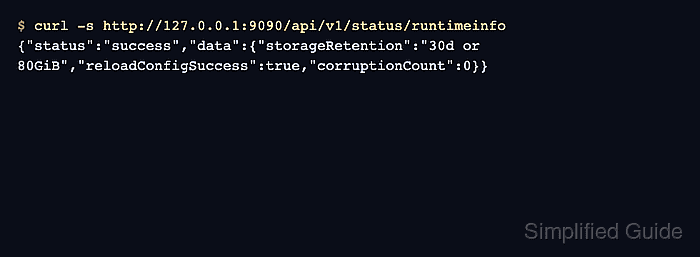
- Confirm the runtime API reports the new retention policy.
$ curl -s http://127.0.0.1:9090/api/v1/status/runtimeinfo
{"status":"success","data":{"storageRetention":"30d or 80GiB","reloadConfigSuccess":true,"corruptionCount":0}}
Expired block deletion runs in the background. Old blocks may remain until they are fully outside the retention window and Prometheus completes the next cleanup cycle.