How to configure Prometheus remote write
Prometheus remote write sends scraped samples from a local Prometheus server to a remote storage endpoint such as a central Prometheus-compatible backend. Configure it when local scraping should continue, but long-term retention, cross-cluster querying, or centralized reporting belongs outside the local time series database.
The remote_write list lives in the active Prometheus configuration file. Each entry has a remote URL, optional authentication, its own send queue, and a name value that appears in remote-storage metrics and logs.
Set a stable external_labels block before sending samples so the receiving system can identify the source Prometheus server. A bearer token file keeps the secret out of the main YAML, and the default prometheus.WriteRequest message remains the safest starting point; switch to io.prometheus.write.v2.Request only after the remote storage provider confirms support.
Steps to configure Prometheus remote write:
- Confirm the active Prometheus configuration file from the service unit.
$ sudo systemctl cat prometheus
# /etc/systemd/system/prometheus.service
[Service]
ExecStart=/usr/local/bin/prometheus --config.file=/etc/prometheus/prometheus.yml --storage.tsdb.path=/var/lib/prometheus
Use the path named by --config.file. Package installs often use /etc/prometheus/prometheus.yml, but custom services can point to another file.
- Create a file for the remote write bearer token.
$ sudo install -o prometheus -g prometheus -m 0600 /dev/null /etc/prometheus/remote-write-token
Do not place remote storage tokens directly in /etc/prometheus/prometheus.yml. A leaked token can allow another sender to write metrics into the remote backend.
- Paste the bearer token into the token file.
$ sudo vi /etc/prometheus/remote-write-token
Skip the token file and the authorization block when the remote endpoint is intentionally unauthenticated or uses another supported method such as basic_auth or sigv4.
- Open the active Prometheus configuration file.
$ sudo vi /etc/prometheus/prometheus.yml
- Add the external labels and remote write destination.
- /etc/prometheus/prometheus.yml
global:
  external_labels:
    cluster: prod-eu1
    replica: prometheus-01

remote_write:
  - name: central_metrics
    url: https://metrics.example.net/api/v1/write
    authorization:
      type: Bearer
      credentials_file: /etc/prometheus/remote-write-token
    remote_timeout: 30s
    queue_config:
      capacity: 10000
      max_samples_per_send: 2000
      max_shards: 5
Merge this block with existing global, scrape_configs, rule_files, and alerting sections instead of replacing the whole file. The name must be unique when the file contains multiple remote_write entries.
Start with a modest max_shards value for a new remote endpoint. Prometheus can increase shards up to that limit when the queue falls behind, and each shard adds memory and receiver load.
- Check the Prometheus configuration syntax.
$ promtool check config /etc/prometheus/prometheus.yml
Checking /etc/prometheus/prometheus.yml
 SUCCESS: /etc/prometheus/prometheus.yml is valid prometheus config file syntax
Related: How to test Prometheus configuration
- Reload Prometheus.
$ curl --request POST http://localhost:9090/-/reload
The lifecycle reload endpoint requires --web.enable-lifecycle. If that flag is disabled, reload with SIGHUP or the host's service manager.
Related: How to reload Prometheus configuration
Related: How to manage the Prometheus service with systemctl - Check that the remote write queue sends samples.
$ promtool query instant http://localhost:9090 'prometheus_remote_storage_samples_total{remote_name="central_metrics"}'
prometheus_remote_storage_samples_total{instance="localhost:9090", job="prometheus-self", remote_name="central_metrics", url="https://metrics.example.net/api/v1/write"} => 634
The remote_name label comes from the name field in the remote_write block. A growing value means Prometheus is sending samples to that queue.
- Check that Prometheus has not recorded failed remote write samples.
$ promtool query instant http://localhost:9090 'prometheus_remote_storage_samples_failed_total{remote_name="central_metrics"}'
prometheus_remote_storage_samples_failed_total{instance="localhost:9090", job="prometheus-self", remote_name="central_metrics", url="https://metrics.example.net/api/v1/write"} => 0
If failed samples increase or prometheus_remote_storage_samples_pending keeps growing, check the remote URL, token, receiver limits, and network path from the Prometheus host.
- Query the remote backend for a labeled sample when it exposes a PromQL-compatible API.
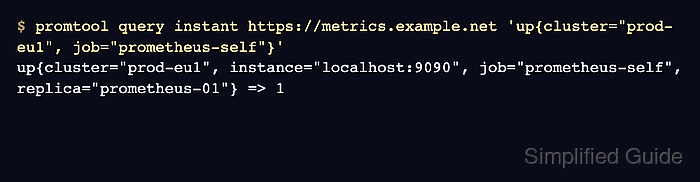
$ promtool query instant https://metrics.example.net 'up{cluster="prod-eu1", job="prometheus-self"}'
up{cluster="prod-eu1", instance="localhost:9090", job="prometheus-self", replica="prometheus-01"} => 1
Use the remote storage UI or query API that matches the backend. The returned cluster and replica labels prove the sample came through remote write, not from a separate scrape.