How to reload Prometheus configuration
Reloading Prometheus configuration applies saved YAML changes without stopping the server. Operators use it after adding scrape jobs, changing relabeling rules, or loading rule files while the running server should keep scraping and answering queries.
Prometheus can reload its configuration file and configured rule files at runtime. The HTTP lifecycle endpoint accepts a POST or PUT request to /-/reload only when the server was started with --web.enable-lifecycle; otherwise send SIGHUP through the service manager.
Validate the edited file with promtool before sending the reload request. If Prometheus rejects a malformed reload, the previous running configuration remains active, but checking first keeps the parse error visible before monitoring changes reach production.
Related: How to load a Prometheus rule file
Steps to reload Prometheus configuration:
- Confirm Prometheus is ready before changing its configuration.
$ curl --silent --show-error http://127.0.0.1:9090/-/ready
Prometheus Server is Ready.
- Open the active Prometheus configuration file.
$ sudo vi /etc/prometheus/prometheus.yml
Replace /etc/prometheus/prometheus.yml with the path from the running service or container --config.file flag when your deployment uses a different file.
- Save the YAML change that should be loaded by the running server.
scrape_configs:
  - job_name: prometheus
    static_configs:
      - targets:
          - localhost:9090

  - job_name: prometheus-reloaded
    static_configs:
      - targets:
          - localhost:9090
The second self-scrape job gives an immediate up{job="prometheus-reloaded"} signal after reload. Use your real scrape job, rule file reference, relabeling rule, or other intended config change in production.
- Check the updated configuration with promtool.
$ promtool check config /etc/prometheus/prometheus.yml
Checking /etc/prometheus/prometheus.yml
 SUCCESS: /etc/prometheus/prometheus.yml is valid prometheus config file syntax
promtool check config also reads referenced rule files. Validate standalone rule files separately when you are changing rule syntax or unit-test fixtures.
Related: How to test Prometheus rule files
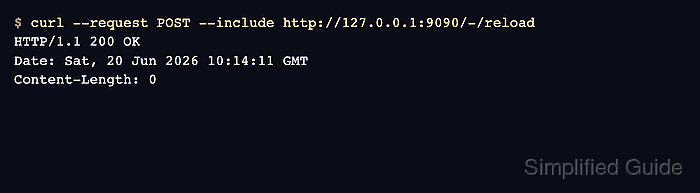
- Send the lifecycle reload request to Prometheus.
$ curl --request POST --include http://127.0.0.1:9090/-/reload
HTTP/1.1 200 OK
Date: Sat, 20 Jun 2026 10:14:11 GMT
Content-Length: 0
A Lifecycle APIs are not enabled response means the server was not started with --web.enable-lifecycle. Use the service manager to send SIGHUP or update the startup flags during a maintenance window.
- Query a metric that depends on the reloaded configuration.
$ promtool query instant http://127.0.0.1:9090 'up{job="prometheus-reloaded"}'
up{instance="localhost:9090", job="prometheus-reloaded"} => 1 @[1781950603.06]
For a rule-file change, query the new recording rule or alert state instead. For a scrape-config change, confirm the affected target appears with the expected job label.
Related: How to check Prometheus targets