How to install node exporter on Linux
Installing node exporter on a Linux host exposes CPU, memory, filesystem, network, and kernel metrics for Prometheus. It is the usual first exporter to add when a server needs host-level monitoring instead of only application metrics.
Ubuntu and Debian repositories provide the prometheus-node-exporter package for managed Linux installs. That package installs the exporter binary, ships a systemd unit named prometheus-node-exporter.service, and keeps updates under the operating system package manager instead of a manually copied upstream tarball.
By default, node exporter listens on port 9100 and serves metrics from /metrics. Keep that endpoint reachable only from Prometheus or a trusted monitoring network, then add the scrape configuration after the local endpoint returns host metrics.
Steps to install node exporter on Linux:
- Open a terminal with sudo privileges.
- Refresh the package index.
$ sudo apt update
- Install the node exporter package.
$ sudo apt install prometheus-node-exporter
Ubuntu and Debian package the service as prometheus-node-exporter. The upstream Prometheus download page may list a newer tarball release, but the distro package keeps the service unit and security updates under APT.
- Enable and start the packaged service.
$ sudo systemctl enable --now prometheus-node-exporter
- Confirm the service is active.
$ systemctl is-active prometheus-node-exporter
active
If the service is not active, inspect sudo journalctl -u prometheus-node-exporter before changing the Prometheus scrape configuration.
- Check the installed binary version.
$ prometheus-node-exporter --version
node_exporter, version 1.10.2 (branch: debian/sid, revision: 1.10.2-1)
  build user:       team+pkg-go@tracker.debian.org
  build date:       20251231-00:04:52
  go version:       go1.25.0
  platform:         linux/amd64
  tags:             unknown
The exact version and platform line depend on the distribution release and CPU architecture.
- Check the local metrics endpoint response.
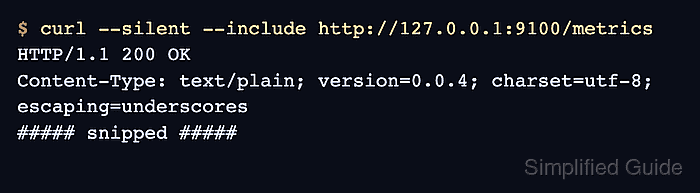
$ curl --silent --include http://127.0.0.1:9100/metrics
HTTP/1.1 200 OK
Content-Type: text/plain; version=0.0.4; charset=utf-8; escaping=underscores
##### snipped #####
- Confirm node metrics appear in the endpoint body.
$ curl http://127.0.0.1:9100/metrics
# HELP go_gc_duration_seconds A summary of the wall-time pause duration in garbage collection cycles.
# TYPE go_gc_duration_seconds summary
go_gc_duration_seconds{quantile="0"} 0.00001175
go_gc_duration_seconds{quantile="0.25"} 0.00001175
go_gc_duration_seconds{quantile="0.5"} 0.000014874
##### snipped #####
node_uname_info{domainname="(none)",machine="x86_64",nodename="linux-host",release="6.12.76",sysname="Linux",version="#1 SMP Wed May 13 14:27:36 UTC 2026"} 1
A local 200 OK response and node_ metrics confirm that node exporter is ready for a Prometheus scrape job. Allow inbound TCP 9100 only from the Prometheus server or monitoring network when remote scraping is required.
Related: How to configure Prometheus to scrape node exporter