How to manage extensions in PostgreSQL
Extension changes in PostgreSQL affect only the database currently connected to psql, so a command that works in one database can leave another database without the same functions, types, operators, or index support. Managing extensions from the database shell keeps the available server files, installed catalog entry, version, schema, and removal risk visible before application code depends on them.
CREATE EXTENSION loads a server-provided extension into the current database and records the objects it creates. pg_available_extensions shows extension control files available on the server, while pg_extension and \dx show extensions installed in the connected database.
The examples below use uuid-ossp because it is a compact extension with an easy function test. Use a role that can create the extension objects, review the target schema before installation, and avoid DROP EXTENSION CASCADE unless dependent application objects are meant to be removed. Some extensions also need server configuration such as shared_preload_libraries plus a restart before the database-level command is enough.
Steps to manage extensions in PostgreSQL:
- Connect to the target PostgreSQL database using psql.
$ psql -d appdb -c "SELECT current_database();"
 current_database
------------------
 appdb
(1 row)
- List extensions already installed in the current database.
$ psql -d appdb -c "\dx"
                          List of installed extensions
  Name   | Version | Default version |   Schema   |         Description
---------+---------+-----------------+------------+------------------------------
 plpgsql | 1.0     | 1.0             | pg_catalog | PL/pgSQL procedural language
(1 row)
\dx reports extensions enabled in the connected database only.
- Check whether the extension files are available on the server.
$ psql -d appdb -c "SELECT name, default_version, installed_version, comment FROM pg_available_extensions WHERE name IN ('citext','pg_trgm','uuid-ossp') ORDER BY name;"
   name    | default_version | installed_version |                              comment
-----------+-----------------+-------------------+-------------------------------------------------------------------
 citext    | 1.8             |                   | data type for case-insensitive character strings
 pg_trgm   | 1.6             |                   | text similarity measurement and index searching based on trigrams
 uuid-ossp | 1.1             |                   | generate universally unique identifiers (UUIDs)
(3 rows)
A blank installed_version means the extension is available on the server but not installed in this database.
- Create the extension in the current database.
$ psql -d appdb -c "CREATE EXTENSION IF NOT EXISTS \"uuid-ossp\";"
CREATE EXTENSION
Many extensions require elevated privileges. Extension names with hyphens, such as uuid-ossp, must be double-quoted in SQL.
- Verify the installed extension version.
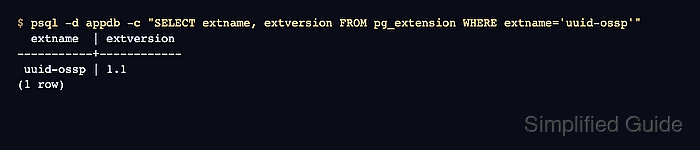
$ psql -d appdb -c "SELECT extname, extversion FROM pg_extension WHERE extname='uuid-ossp'"
  extname  | extversion
-----------+------------
 uuid-ossp | 1.1
(1 row)
- Test an object provided by the extension.
$ psql -d appdb -c "SELECT uuid_generate_v4();" uuid_generate_v4 -------------------------------------- f412c316-dad9-4b98-932c-f97f2a4c0bbd (1 row) - Update the extension to the default version available on the server.
$ psql -d appdb -c "ALTER EXTENSION \"uuid-ossp\" UPDATE;"
NOTICE:  version "1.1" of extension "uuid-ossp" is already installed
ALTER EXTENSION
Use ALTER EXTENSION … UPDATE TO '<version>' when a staged upgrade needs a specific target version.
- Drop the extension when its objects are no longer required.
$ psql -d appdb -c "DROP EXTENSION IF EXISTS \"uuid-ossp\";"
DROP EXTENSION
DROP EXTENSION removes objects owned by the extension. Adding CASCADE can also remove dependent application objects.
- Confirm the extension is no longer installed in the database.
$ psql -d appdb -c "\dx"
                          List of installed extensions
  Name   | Version | Default version |   Schema   |         Description
---------+---------+-----------------+------------+------------------------------
 plpgsql | 1.0     | 1.0             | pg_catalog | PL/pgSQL procedural language
(1 row)