How to save Playwright storage state for authentication
Modern browser tests often need a signed-in account before the page under test becomes reachable. Playwright storage state captures the cookies and local storage produced by a login run so later browser contexts can open authenticated pages without repeating the UI login in every spec.
Playwright Test can run a dedicated setup project before the application browser project. The setup project signs in once, writes playwright/.auth/user.json, and the dependent project loads that file through storageState before each authenticated test starts.
The saved state file can contain session cookies, local storage tokens, and IndexedDB data when that option is enabled. Keep it out of source control, generate it from a dedicated test account or CI secrets, and refresh it whenever the session expires or the application changes its login policy.
Related: How to configure Playwright global setup
Related: How to run Playwright tests
Steps to save Playwright storage state for authentication:
- Create the auth state directory in the Playwright project root.
$ mkdir -p playwright/.auth
- Ignore saved authentication files in Git.
$ printf "\nplaywright/.auth/\n" >> .gitignore
The storage state file can include active session cookies or tokens. Do not commit it or attach it to public CI logs.
- Create the authentication setup test.
- tests/auth.setup.ts
import { test as setup, expect } from '@playwright/test';
import path from 'node:path';

const authFile = path.join(__dirname, '../playwright/.auth/user.json');

setup('authenticate', async ({ page }) => {
  const user = process.env.E2E_USER;
  const password = process.env.E2E_PASSWORD;

  if (!user || !password) {
    throw new Error('Set E2E_USER and E2E_PASSWORD before running authentication setup.');
  }

  await page.goto('/login');
  await page.getByLabel('Email').fill(user);
  await page.getByLabel('Password').fill(password);
  await page.getByRole('button', { name: 'Sign in' }).click();
  await expect(page.getByRole('heading', { name: 'Dashboard' })).toBeVisible();
  await page.context().storageState({ path: authFile });
});
Set E2E_USER and E2E_PASSWORD as shell variables or CI secrets before running the setup project. If the app stores authentication in IndexedDB, save it with await page.context().storageState({ path: authFile, indexedDB: true });.
- Add a setup project and a dependent browser project to playwright.config.ts.
- playwright.config.ts
import { defineConfig, devices } from '@playwright/test';

export default defineConfig({
  testDir: './tests',
  use: {
    baseURL: 'http://127.0.0.1:4173'
  },
  webServer: {
    command: 'npm run serve',
    url: 'http://127.0.0.1:4173/login',
    reuseExistingServer: false
  },
  projects: [
    {
      name: 'setup',
      testMatch: /auth\.setup\.ts/
    },
    {
      name: 'chromium',
      use: {
        ...devices['Desktop Chrome'],
        storageState: 'playwright/.auth/user.json'
      },
      dependencies: ['setup']
    }
  ]
});
Replace baseURL and webServer with the command and URL for your app under test. If the app already runs before Playwright starts, keep the baseURL setting and remove the webServer block.
Related: How to set base URL in Playwright tests - Run the setup project to save the signed-in state.
$ npx playwright test --project=setup --reporter=line

Running 1 test using 1 worker

  1 passed (1.2s)
- Check that the storage state file was created.
$ ls -lh playwright/.auth/user.json
-rw-r--r-- 1 user user 413 Jul  7 01:19 playwright/.auth/user.json
- Write an authenticated test that starts on a protected route.
- tests/dashboard.spec.ts
import { test, expect } from '@playwright/test';

test('dashboard opens from saved auth state', async ({ page }) => {
  await page.goto('/dashboard');
  await expect(page.getByRole('heading', { name: 'Dashboard' })).toBeVisible();
});
- Run the browser project to confirm it reuses the saved state.
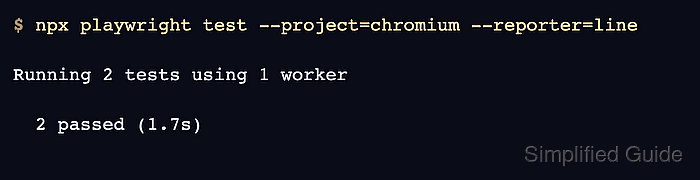
$ npx playwright test --project=chromium --reporter=line

Running 2 tests using 1 worker

  2 passed (1.7s)
The setup project appears in the count because chromium declares it as a dependency. If the application has several roles, save each role to a separate file and assign the matching file to the project or test that needs it.