Playwright browser tests often move between local, staging, and preview hosts while exercising the same application routes. Keeping the host in one baseURL option lets test files navigate with route paths such as /dashboard instead of repeating a full origin in every test.
The baseURL option belongs in the use section of playwright.config.ts for a Playwright Test project. Playwright applies it when URL-aware APIs such as page.goto() receive a path, so /login resolves against the configured origin before the browser navigates.
Use one base URL for the environment that the test run should exercise, and keep exceptions close to the project or test file that needs them. A file-level override with test.use() is better than hiding several unrelated hosts behind conditional strings inside individual test bodies.
Related: How to run Playwright tests
Related: How to run specific Playwright tests
Steps to set Playwright base URL:
- Open playwright.config.ts at the Playwright project root.
- Set baseURL in the shared use section.
- playwright.config.ts
import { defineConfig } from '@playwright/test';

export default defineConfig({
  use: {
    baseURL: 'http://127.0.0.1:4173'
  },
  webServer: {
    command: 'npm run serve -- --port 4173',
    url: 'http://127.0.0.1:4173',
    reuseExistingServer: false
  }
});
The webServer block is included when Playwright should start the local app before the test run. If another process already owns the test environment, keep only the use.baseURL setting and point it at that existing URL.
- Navigate with a relative path in the test file.
- tests/home.spec.ts
import { test, expect } from '@playwright/test';

test('home page shows ready state', async ({ page }) => {
  await page.goto('/');
  await expect(page).toHaveURL('http://127.0.0.1:4173/');
  await expect(page.getByRole('heading', { name: 'Playwright fixture ready' })).toBeVisible();
});
Use a leading slash for routes that should resolve from the origin root. When baseURL includes a path segment, relative paths such as ./settings follow standard URL resolution rules and can behave differently with or without a trailing slash.
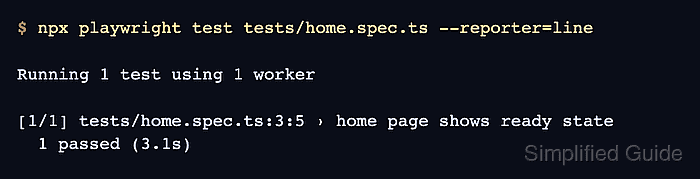
- Run the test file to confirm the relative navigation reaches the configured host.
$ npx playwright test tests/home.spec.ts --reporter=line

Running 1 test using 1 worker

[1/1] tests/home.spec.ts:3:5 › home page shows ready state
  1 passed (3.1s)

Mohd Shakir Zakaria is a cloud architect with deep roots in software development and open-source advocacy. Certified in AWS, Red Hat, VMware, ITIL, and Linux, he specializes in designing and managing robust cloud and on-premises infrastructures.


