Shared browser test state often has to exist before the main Playwright suite starts. A Playwright setup project prepares authentication files, seed data, or other prerequisites once, and dependent projects start only after that setup project passes.
Playwright Test supports a legacy globalSetup config function and project dependencies. Project dependencies keep setup code as normal tests, so reporters show the setup project, traces can be collected, and fixtures remain available during setup.
A simple file-backed setup uses tests/global.setup.ts to write a state file and a chromium project that depends on setup. Replace the file-writing work with the real login, database seed, or service preparation that the suite needs.
Steps to configure Playwright global setup:
- Open playwright.config.ts at the Playwright project root.
- Add a setup project and make the browser project depend on it.
- playwright.config.ts
import { defineConfig, devices } from '@playwright/test';

export default defineConfig({
  testDir: './tests',
  projects: [
    {
      name: 'setup',
      testMatch: /global\.setup\.ts/
    },
    {
      name: 'chromium',
      use: { ...devices['Desktop Chrome'] },
      testMatch: /home\.spec\.ts/,
      dependencies: ['setup']
    }
  ]
});
The dependency name must match the setup project's name exactly. Keep the project's existing use options, reporters, retries, and browser projects, then add dependencies only where the prepared state is required.
- Create the setup test that prepares shared state.
- tests/global.setup.ts
import { test as setup } from '@playwright/test';
import { mkdir, writeFile } from 'node:fs/promises';

const stateFile = 'playwright/.auth/user.json';

setup('prepare shared state', async () => {
  await mkdir('playwright/.auth', { recursive: true });
  await writeFile(stateFile, JSON.stringify({
    prepared: true,
    createdBy: 'global setup'
  }, null, 2));
  console.log(`setup wrote ${stateFile}`);
});
If the setup writes cookies, tokens, or account data, keep the target directory out of source control and CI logs.
Related: How to save Playwright storage state for authentication - Create a dependent test that consumes the prepared state.
- tests/home.spec.ts
import { test, expect } from '@playwright/test';
import { readFile } from 'node:fs/promises';

test('main test consumes setup state', async () => {
  const state = JSON.parse(await readFile('playwright/.auth/user.json', 'utf8'));
  expect(state.prepared).toBe(true);
  console.log(`main test read ${state.createdBy}`);
});
Browser specs can read a setup file, load storageState through project config, or call application data prepared by the setup project.
- Run the dependent project through Playwright Test.
$ npx playwright test --project=chromium --reporter=line

Running 2 tests using 1 worker

[1/2] [setup] › tests/global.setup.ts:6:6 › prepare shared state
setup wrote playwright/.auth/user.json
[2/2] [chromium] › tests/home.spec.ts:4:5 › main test consumes setup state
main test read global setup

  2 passed (1.0s)
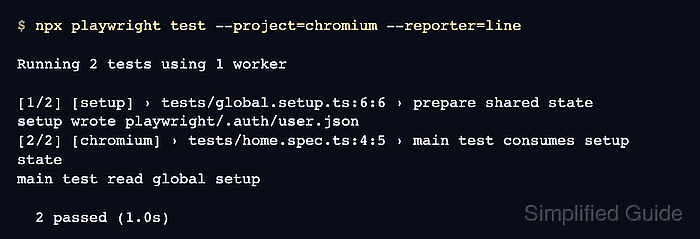
The setup project appears before chromium because it is declared as a dependency. If setup fails, Playwright does not run the dependent project.

Mohd Shakir Zakaria is a cloud architect with deep roots in software development and open-source advocacy. Certified in AWS, Red Hat, VMware, ITIL, and Linux, he specializes in designing and managing robust cloud and on-premises infrastructures.


