How to run Playwright tests in GitHub Actions
GitHub Actions can run a Playwright suite before changes reach the main branch. A workflow file in the repository chooses the runner, installs browser dependencies, runs the tests, and keeps the HTML report available after the job finishes.
A Node-based Playwright Test project should already have a package.json file, a committed lockfile, a playwright.config.ts file, and tests in source control before adding CI. The job uses npm because actions/setup-node can cache npm dependencies from the lockfile, while npm ci gives the runner the same dependency graph that was committed.
After the test step passes or fails, GitHub uploads /playwright-report/ as an artifact. A completed run should show the Playwright Tests workflow, a Run Playwright tests log section, and a playwright-report artifact for reviewing the HTML summary, traces, screenshots, or videos produced by the suite.
Related: How to install Playwright with npm
Related: How to generate a Playwright HTML report
Steps to run Playwright tests in GitHub Actions:
- Create the workflow directory in the repository.
$ mkdir -p .github/workflows
- Add the Playwright workflow file.
- .github/workflows/playwright.yml
name: Playwright Tests

on:
  push:
  pull_request:

permissions:
  contents: read

jobs:
  test:
    timeout-minutes: 60
    runs-on: ubuntu-latest

    steps:
      - uses: actions/checkout@v7
      - uses: actions/setup-node@v6
        with:
          node-version: lts/*
          cache: npm
      - name: Install dependencies
        run: npm ci
      - name: Install Playwright browsers
        run: npx playwright install --with-deps
      - name: Run Playwright tests
        run: npx playwright test
      - name: Upload Playwright report
        uses: actions/upload-artifact@v7
        if: always()
        with:
          name: playwright-report
          path: playwright-report/
          retention-days: 30
Change cache: npm and npm ci together when the project uses pnpm, Yarn, or a non-root working directory.
- Commit the workflow file.
$ git add .github/workflows/playwright.yml
- Save the workflow change.
$ git commit -m "Run Playwright tests in GitHub Actions"
[feature/playwright-ci 4f3a2c1] Run Playwright tests in GitHub Actions
 1 file changed, 32 insertions(+)
 create mode 100644 .github/workflows/playwright.yml
- Push the branch so GitHub Actions starts the workflow.
$ git push origin feature/playwright-ci
Enumerating objects: 5, done.
Writing objects: 100% (3/3), 482 bytes | 482.00 KiB/s, done.
remote:
remote: Create a pull request for 'feature/playwright-ci' on GitHub by visiting:
remote:      https://github.com/example-org/playwright-demo/pull/new/feature/playwright-ci
remote:
To https://github.com/example-org/playwright-demo.git
 * [new branch]      feature/playwright-ci -> feature/playwright-ci
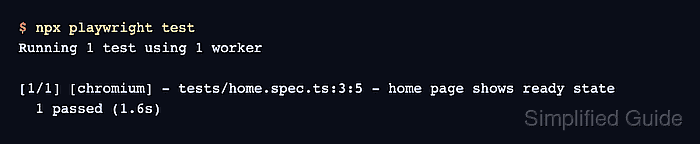
- Check the Run Playwright tests log section in the workflow run.
Run npx playwright test
Running 1 test using 1 worker

[1/1] [chromium] - tests/home.spec.ts:3:5 - home page shows ready state
  1 passed (1.6s)
- Confirm that the report artifact was uploaded.
Upload Playwright report
Artifact name is valid!
Root directory input is valid!
Beginning upload of artifact content to blob storage
Artifact upload completed successfully!
Artifact playwright-report has been successfully uploaded!
The upload step uses if: always() so failed test runs still publish the report artifact for review.