Table of Contents
How to install phpMyAdmin on CentOS, Red Hat, and Fedora
The phpMyAdmin application adds a browser interface to an existing MySQL or MariaDB server, so the package source and web-server defaults matter as much as the application files. On Red Hat-family systems, distribution packages integrate it with Apache and PHP-FPM while keeping updates under DNF.
Current Fedora repositories ship phpMyAdmin directly. CentOS Stream 9 and Red Hat Enterprise Linux 9 use EPEL, with separate repository preparation for each platform before the shared package-install step.
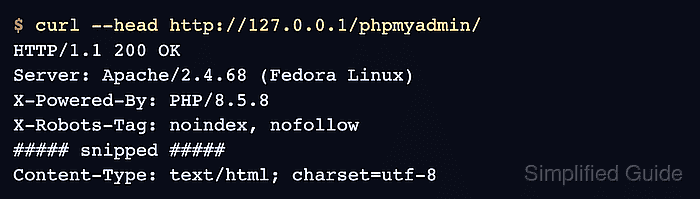
The packaged Apache policy accepts only local requests by default. A local HTTP 200 response from http://127.0.0.1/phpmyadmin/ proves that Apache, PHP-FPM, and phpMyAdmin are serving the login page without exposing the database console to the network.
Prepare CentOS Stream 9 for phpMyAdmin:
- Install the DNF repository plugin on CentOS Stream 9.
$ sudo dnf install --assumeyes dnf-plugins-core
- Enable the CRB repository on CentOS Stream 9.
$ sudo dnf config-manager --set-enabled crb
- Install the EPEL 9 release packages on CentOS Stream 9. Example output:
$ sudo dnf install --assumeyes \
  https://dl.fedoraproject.org/pub/epel/epel-release-latest-9.noarch.rpm \
  https://dl.fedoraproject.org/pub/epel/epel-next-release-latest-9.noarch.rpm
Installed:
  epel-next-release-9-11.el9.noarch
  epel-release-9-11.el9.noarch

Complete!
Prepare Red Hat Enterprise Linux 9 for phpMyAdmin:
- Enable CodeReady Builder for the RHEL 9 architecture.
$ sudo subscription-manager repos --enable codeready-builder-for-rhel-9-$(arch)-rpms
- Install the EPEL 9 release package on RHEL 9.
$ sudo dnf install --assumeyes https://dl.fedoraproject.org/pub/epel/epel-release-latest-9.noarch.rpm
Steps to install phpMyAdmin with DNF:
- Install phpMyAdmin and Apache from the enabled DNF repositories.
$ sudo dnf install --assumeyes phpMyAdmin httpd
Updating and loading repositories:
Repositories loaded.
##### snipped #####
Complete!
Fedora users begin here because the phpMyAdmin package is already available from Fedora's enabled repositories.
- Test the packaged Apache configuration.
$ sudo apachectl configtest
AH00558: httpd: Could not reliably determine the server's fully qualified domain name, using 192.0.2.10. Set the 'ServerName' directive globally to suppress this message
Syntax OK
Related: How to test Apache configuration
- Enable PHP-FPM with immediate startup.
$ sudo systemctl enable --now php-fpm
- Enable Apache with immediate startup.
$ sudo systemctl enable --now httpd
- Confirm the local phpMyAdmin endpoint returns HTTP 200.
$ curl --head http://127.0.0.1/phpmyadmin/
HTTP/1.1 200 OK
Server: Apache/2.4.68 (Fedora Linux)
X-Powered-By: PHP/8.5.8
X-Robots-Tag: noindex, nofollow
##### snipped #####
Content-Type: text/html; charset=utf-8
The packaged /etc/httpd/conf.d/phpMyAdmin.conf uses Require local. Remote access needs a separate policy limited to trusted clients and protected with HTTPS.