How to enable PHP OPcache on Ubuntu or Debian
OPcache must be enabled in the PHP runtime that handles web requests, not only in the shell interpreter. When the web-facing SAPI has it active, PHP can reuse compiled bytecode from shared memory instead of parsing and compiling the same application files on every request.
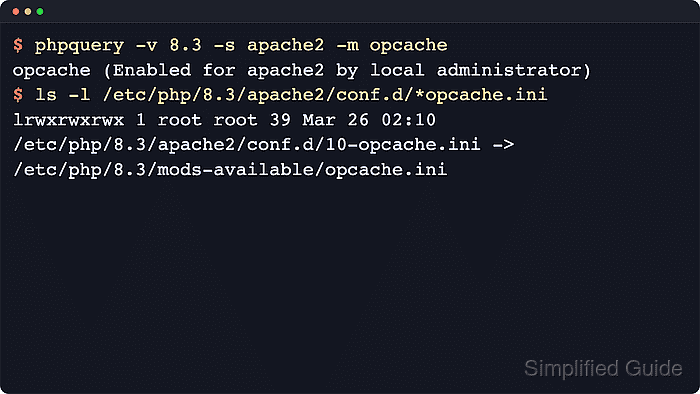
Package layout differs between current Ubuntu and Debian releases. Current Ubuntu 26.04 packages for PHP 8.5 load Zend OPcache from the installed runtime and do not publish a separate php8.5-opcache package, while Debian 13 still provides a versioned package such as php8.4-opcache. Check the installed runtime first, then install a separate OPcache package only when the runtime does not already expose Zend OPcache.
The command examples use the Apache module on a package-managed Ubuntu or Debian host. Use the matching /etc/php/<version>/fpm/conf.d path and reload the versioned PHP-FPM unit when the site runs through PHP-FPM. Leave opcache.enable_cli unchanged unless the host runs long-lived CLI workers that specifically need a command-line cache.
Related: How to configure PHP OPcache memory
Related: How to find PHP configuration files
Steps to enable PHP OPcache on Ubuntu or Debian:
- List the installed PHP version and available SAPIs before changing runtime configuration.
$ phpquery -V
8.5

$ phpquery -S -v 8.5
apache2
cli
Replace 8.5 with the version reported by phpquery -V throughout the remaining steps. If the application runs through PHP-FPM, the same query shows fpm when that runtime is installed. If only cli appears, install the web-facing SAPI first because CLI configuration alone does not affect web requests.
Related: How to check PHP version
- Confirm whether the installed runtime already exposes Zend OPcache.
$ php -v
PHP 8.5.4 (cli) (built: May 25 2026 12:19:37) (NTS)
Copyright (c) The PHP Group
Built by Ubuntu
Zend Engine v4.5.4, Copyright (c) Zend Technologies
    with Zend OPcache v8.5.4, Copyright (c), by Zend Technologies
If the output does not mention Zend OPcache, install the matching distro package before continuing. Debian 13 uses php8.4-opcache, and older Ubuntu or Debian releases may use a package name that matches the active branch, such as php8.3-opcache. Current Ubuntu 26.04 PHP 8.5 packages have OPcache in the runtime instead of a separate php8.5-opcache package.
Related: How to show loaded PHP extensions
- Write a SAPI-specific override that keeps OPcache enabled for Apache.
$ printf '%s\n' 'opcache.enable=1' | sudo tee /etc/php/8.5/apache2/conf.d/99-opcache-enable.ini
opcache.enable=1
For PHP-FPM, write the same directive to /etc/php/8.5/fpm/conf.d/99-opcache-enable.ini instead. If the local override file already exists, edit it instead of overwriting unrelated OPcache settings.
Related: How to find PHP configuration files
- Reload the web-facing runtime so new workers read the OPcache setting.
$ sudo systemctl reload apache2
Use sudo systemctl reload php8.5-fpm when PHP-FPM serves the site. The CLI SAPI does not need a service reload, and PHP-FPM unit names are usually versioned on Ubuntu and Debian package installs.
- Create a temporary request-handled probe in the same virtual host or document root that serves the application.
$ sudo tee /var/www/html/opcache-check.php >/dev/null <<'PHP'
<?php
header('Content-Type: text/plain');
$status = opcache_get_status(false);
echo 'opcache_enabled=' . (!empty($status['opcache_enabled']) ? '1' : '0') . PHP_EOL;
PHP
Remove the probe after verification because it exposes runtime status from the web server.
- Request the probe through Apache and confirm that the web-facing runtime reports OPcache enabled.
$ curl -sS http://127.0.0.1/opcache-check.php
opcache_enabled=1
If the result is opcache_enabled=0, re-check the SAPI path, reload the correct service, and make sure a later configuration file or pool override is not setting opcache.enable=0.
- Remove the temporary probe after the request confirms OPcache is enabled.
$ sudo rm /var/www/html/opcache-check.php
After OPcache is enabled, tune memory and script-count limits separately so the cache has enough space for the application.
Related: How to configure PHP OPcache memory