Table of Contents
How to find PHP configuration files
Finding the active PHP configuration files matters before changing upload limits, enabling extensions, setting time zones, or adjusting error handling because the same host can run different CLI, PHP-FPM, Apache module, and CGI runtimes side by side. Identifying the real file set first prevents edits that look correct on disk but never reach the interpreter serving the application.
Each runtime reads one main php.ini file, may scan one or more directories for extra .ini fragments, and can still be overridden later by runtime-specific layers such as PHP-FPM pool directives, web-server FastCGI parameters, Apache php_value rules, or per-directory .user.ini files. The effective configuration is therefore a chain, not a single file path.
Query the exact runtime that executes the code instead of guessing from package names or service units alone. Check the CLI interpreter directly, use a short-lived probe for the web-facing runtime when needed, and remove that probe immediately after confirming the loaded file, scan directory, and override layers.
Related: How to check PHP version
Related: How to configure PHP error logging
Related: How to increase the PHP file upload limit
Related: How to create a PHP-FPM pool
Steps to find PHP configuration files:
- Print the configuration files for the current CLI binary.
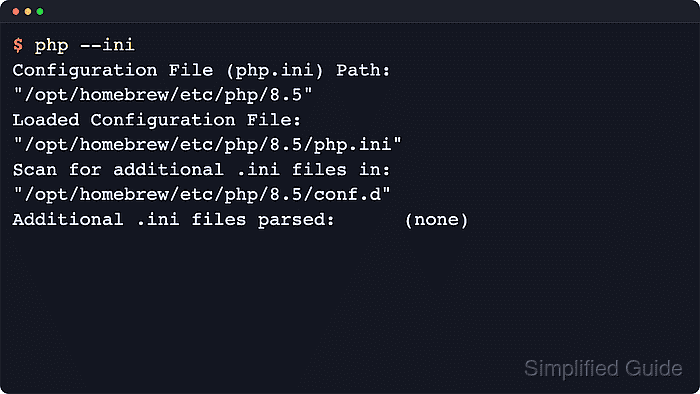
$ php --ini
Configuration File (php.ini) Path: "/etc/php/8.5/cli"
Loaded Configuration File:         "/etc/php/8.5/cli/php.ini"
Scan for additional .ini files in: "/etc/php/8.5/cli/conf.d"
Additional .ini files parsed:      /etc/php/8.5/cli/conf.d/10-pdo.ini,
/etc/php/8.5/cli/conf.d/20-calendar.ini,
/etc/php/8.5/cli/conf.d/20-ctype.ini,
##### snipped
php --ini is the direct answer for the current CLI executable. If Loaded Configuration File reports (none), that interpreter is running with built-in defaults or a custom startup path instead of a readable php.ini.
- Create a temporary probe file in the document root when the web-facing runtime might differ from the CLI binary.
- php-config-check.php
<?php
header('Content-Type: text/plain');

echo 'SAPI: ', PHP_SAPI, PHP_EOL;
echo 'Loaded php.ini: ', (php_ini_loaded_file() ?: 'none'), PHP_EOL;

$files = php_ini_scanned_files();
echo 'Scanned .ini files:', PHP_EOL;
if ($files === false) {
    echo '(not reported by runtime)', PHP_EOL;
} elseif ($files === '') {
    echo '(none)', PHP_EOL;
} else {
    echo $files;
    if (substr($files, -1) !== PHP_EOL) {
        echo PHP_EOL;
    }
}

echo 'user_ini.filename=', ini_get('user_ini.filename'), PHP_EOL;
echo 'user_ini.cache_ttl=', ini_get('user_ini.cache_ttl'), PHP_EOL;
?>
Place the temporary script under the same site, virtual host, or PHP-FPM pool that serves the application. php --ini only reports the CLI configuration.
Remove the diagnostic script after confirming the paths because it exposes internal configuration details.
- Request the probe through the same URL path that reaches the application runtime.
$ curl -sS https://app.example.test/php-config-check.php
SAPI: fpm-fcgi
Loaded php.ini: /etc/php/8.5/fpm/php.ini
Scanned .ini files:
/etc/php/8.5/fpm/conf.d/10-opcache.ini,
/etc/php/8.5/fpm/conf.d/10-pdo.ini,
/etc/php/8.5/fpm/conf.d/20-calendar.ini,
##### snipped
user_ini.filename=.user.ini
user_ini.cache_ttl=300
Confirm the SAPI first. A CLI answer does not prove that the web server is using the same php.ini tree or the same per-directory INI behavior.
- Inspect the reported scan directory when the main php.ini does not explain the active value.
$ ls /etc/php/8.5/fpm/conf.d
10-opcache.ini
10-pdo.ini
20-calendar.ini
20-ctype.ini
20-phar.ini
20-tokenizer.ini
Use the exact scan directory reported by php --ini or the temporary script. PHP loads files ending in .ini from each configured scan directory in alphabetical order, and PHP_INI_SCAN_DIR can replace or extend the default scan list at startup.
- Search the matching PHP-FPM pool directory for per-pool overrides when the request reports fpm-fcgi.
$ sudo grep -R "php_" /etc/php/8.5/fpm/pool.d
/etc/php/8.5/fpm/pool.d/app.example.test.conf:php_admin_value[error_log] = /var/log/php/app.example.test-error.log
Pool files can set php_value[], php_flag[], php_admin_value[], and php_admin_flag[] for one pool without changing the main php.ini. On many RHEL-family packages, use /etc/php-fpm.d instead.
Related: How to create a PHP-FPM pool
- Search Nginx FastCGI configuration for request-level PHP-FPM values.
$ sudo grep -R "PHP_VALUE" /etc/nginx
/etc/nginx/sites-enabled/app.example.test.conf:fastcgi_param PHP_VALUE "upload_max_filesize=64M";
PHP-FPM accepts PHP_VALUE and PHP_ADMIN_VALUE values from FastCGI parameters. Do not expose PHP-FPM directly on a public network because those parameters are passed as request headers.
- Search Apache configuration for module-level PHP overrides when the request reports apache2handler.
$ sudo grep -R "php_" /etc/apache2
/etc/apache2/sites-enabled/app.example.test.conf:php_value upload_max_filesize 64M
On Apache mod_php, php_value, php_flag, php_admin_value, and php_admin_flag can override the main file per virtual host or directory. On many RHEL-family packages, use /etc/httpd instead.
Related: Locate Apache configuration files
- Search the application tree for per-directory .user.ini files on CGI or FastCGI deployments.
$ find /var/www/app.example.test -name .user.ini -print
/var/www/app.example.test/public/.user.ini
PHP processes .user.ini files only with CGI or FastCGI SAPIs, starting with the requested script directory and walking upward to the document root. They are ignored when PHP runs as an Apache module.
The default reread interval is 300 seconds unless user_ini.cache_ttl is changed.
- Remove the temporary probe file after the active file set is confirmed.
$ rm /var/www/app.example.test/public/php-config-check.php
Leaving the probe reachable exposes internal paths, scan directories, and runtime details that should stay private.
Common locations of PHP configuration files
The runtime-discovery steps above are the source of truth, but common packaging layouts still help narrow the search when the expected binary is outside PATH or another team manages the host.
- Debian or Ubuntu packages: main files usually live under /etc/php/<version>/<sapi>/, with drop-ins in the matching conf.d directory.
- Fedora, RHEL, Rocky, AlmaLinux, or CentOS Stream packages: the main file is commonly /etc/php.ini, with drop-ins under /etc/php.d/.
- Homebrew on macOS: versioned trees usually live under /opt/homebrew/etc/php/ on Apple Silicon or /usr/local/etc/php/ on Intel, with php.ini and conf.d inside the selected version directory.
- Official Windows ZIP builds: the main file lives in the PHP directory or another resolved search-path location, with a configured scan directory when one is set.
- XAMPP: the main file usually lives under the installation directory, such as xampp/php/php.ini, with install-specific drop-ins when the bundle enables them.
Packaged Linux hosts often keep separate trees for cli, fpm, and apache2. Treat each SAPI as an independent runtime instead of assuming one /php.ini applies everywhere. PHP-FPM pool overrides are commonly stored in the matching fpm/pool.d directory on Debian or Ubuntu and under /etc/php-fpm.d/ on many RHEL-family systems.
How PHP decides which file to load
According to the PHP manual, the runtime first checks for a SAPI-specific location such as Apache PHPIniDir or the CLI and CGI -c option, then PHPRC, then the Windows registry keys when applicable, then the current working directory except on CLI, then the web-server or PHP binary directory on Windows, and finally the compiled default path.
If a php-SAPI.ini file exists, such as php-cli.ini or php-apache.ini, PHP uses it instead of the generic php.ini for that runtime. After the main file is loaded, PHP can scan one or more extra directories for .ini fragments, and PHP_INI_SCAN_DIR can replace or extend that list at startup.
When .user.ini applies
Per-directory .user.ini files are useful when the application runs under CGI or FastCGI and the main php.ini is not writable. PHP starts in the directory of the requested script and walks upward until it reaches the document root, so a nearer file can affect only one part of the application tree.
Only directives allowed at INI_PERDIR or INI_USER scope can be set there. The filename defaults to .user.ini, the cache interval defaults to 300 seconds, and setting user_ini.filename to an empty string disables the scan completely. When PHP runs as an Apache module, .user.ini is ignored, so the change must be made in the main configuration or an Apache override instead.