How to send a custom HTTP method with PHP cURL
APIs that use verbs such as PATCH, DELETE, PURGE, or WebDAV methods can fail in confusing ways when the PHP client accidentally sends an ordinary GET or POST. Set the cURL method string explicitly and prove the server received the method before moving the request into application code.
CURLOPT_CUSTOMREQUEST sets the HTTP method name that libcurl sends on the wire. It does not build the rest of the request by itself, so a request body still needs CURLOPT_POSTFIELDS and headers such as Content-Type: application/json still belong in CURLOPT_HTTPHEADER.
Use a local endpoint first so the request can be inspected without touching a production API. Once the local server echoes the expected method, status code, content type, and body, change only the URL, method name, headers, and payload to match the real API contract.
Related: How to send a JSON POST request with PHP cURL
Related: How to handle HTTP errors with PHP cURL
Related: How to read response headers with PHP cURL
Related: How to set a timeout in PHP cURL
Tool: API Testing Tool
Steps to send a custom HTTP method with PHP cURL:
- Confirm that the PHP cURL extension is loaded in the runtime that will run the request.
$ php -r 'var_export(extension_loaded("curl")); echo PHP_EOL;'
true
Install or enable the platform cURL extension package, such as php-curl on Debian or Ubuntu systems, when this command prints false.
- Create a local endpoint that echoes the request method, content type, path, and decoded JSON body.
- ticket-api.php
<?php
header('Content-Type: application/json');

$body = file_get_contents('php://input');
$decoded = json_decode($body, true);

echo json_encode([
    'method' => $_SERVER['REQUEST_METHOD'],
    'content_type' => $_SERVER['CONTENT_TYPE'] ?? '',
    'ticket' => basename(parse_url($_SERVER['REQUEST_URI'], PHP_URL_PATH)),
    'body' => $decoded,
], JSON_PRETTY_PRINT | JSON_UNESCAPED_SLASHES) . PHP_EOL;
- Start the local endpoint in a second terminal while testing the client script.
$ php -S 127.0.0.1:8080 ticket-api.php
Stop the built-in server with Ctrl+C after the request test is complete.
- Create the PHP cURL client script with the custom method and JSON body.
- patch-ticket.php
<?php
$url = 'http://127.0.0.1:8080/tickets/123';
$payload = json_encode([
    'status' => 'resolved',
    'assignee' => 'support-team',
], JSON_THROW_ON_ERROR);

$curl = curl_init($url);
if ($curl === false) {
    fwrite(STDERR, 'Could not initialize cURL' . PHP_EOL);
    exit(1);
}

curl_setopt_array($curl, [
    CURLOPT_CUSTOMREQUEST => 'PATCH',
    CURLOPT_POSTFIELDS => $payload,
    CURLOPT_HTTPHEADER => [
        'Accept: application/json',
        'Content-Type: application/json',
    ],
    CURLOPT_RETURNTRANSFER => true,
    CURLOPT_TIMEOUT => 10,
]);

$response = curl_exec($curl);
if ($response === false) {
    fwrite(STDERR, 'cURL error: ' . curl_error($curl) . PHP_EOL);
    curl_close($curl);
    exit(1);
}

$status = curl_getinfo($curl, CURLINFO_RESPONSE_CODE);
curl_close($curl);

echo "HTTP status: {$status}" . PHP_EOL;
echo $response;

if ($status < 200 || $status >= 300) {
    exit(1);
}
CURLOPT_CUSTOMREQUEST changes the method string to PATCH. CURLOPT_POSTFIELDS supplies the body, and the Content-Type header tells the API how to parse that body.
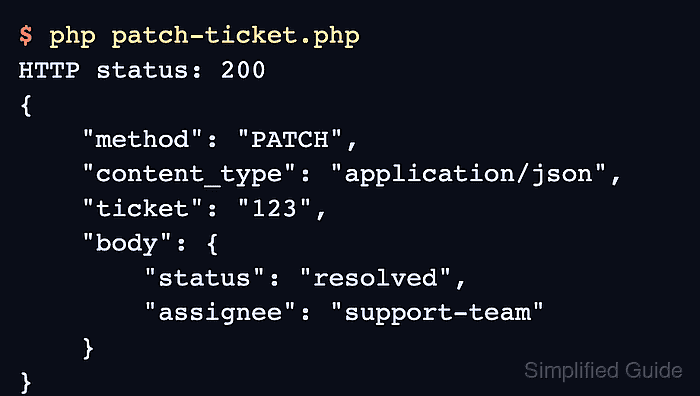
- Run the client script and confirm the endpoint received the custom method.
$ php patch-ticket.php
HTTP status: 200
{
    "method": "PATCH",
    "content_type": "application/json",
    "ticket": "123",
    "body": {
        "status": "resolved",
        "assignee": "support-team"
    }
}
A 2xx status plus "method": "PATCH" proves that PHP cURL sent the custom method and captured the response body for application handling.
- Replace the local URL and payload with the target API values after the local request works.
Send only method names that the server supports. Do not put a full request line, headers, or body text in CURLOPT_CUSTOMREQUEST; keep headers in CURLOPT_HTTPHEADER and payload data in CURLOPT_POSTFIELDS.