How to use a cookie jar with PHP cURL
PHP cURL requests that log in or pass through redirect-heavy workflows can lose server-issued cookies when each request starts with a new handle or a new script run. A cookie jar gives the script a file-backed cookie store so the authenticated request can reuse the session cookie that the login request received.
PHP exposes libcurl's cookie engine through CURLOPT_COOKIEFILE, CURLOPT_COOKIEJAR, and CURLOPT_COOKIELIST. CURLOPT_COOKIEFILE loads existing cookies into the handle, CURLOPT_COOKIEJAR names the file where known cookies are written, and CURLOPT_COOKIELIST with FLUSH writes them before later code reads the jar.
Cookie jars are plain-text session material. Keep the file outside a public document root, restrict its permissions, and delete it when the session should not be reused. A login mode writes the jar, and a profile mode proves the saved cookie with a separate authenticated request.
Related: How to save cookies from a cURL request
Related: How to use a CSRF token with cURL
Related: How to follow redirects with PHP cURL
Related: How to debug PHP cURL with verbose output
Steps to use a cookie jar with PHP cURL:
- Create a private cookie directory for the PHP application.
$ mkdir -p var/private
Do not place cookie jars under a web-served directory such as public or htdocs. Anyone who can read the file can often replay the same session until the server expires or revokes it.
- Create the cookie jar file before the first request.
$ touch var/private/cookies.txt
- Restrict the cookie jar to the application user.
$ chmod 600 var/private/cookies.txt
- Create the PHP cURL client.
<?php
$baseUrl = 'https://app.example.com';
$cookieJar = __DIR__ . '/var/private/cookies.txt';

function request(string $url, string $cookieJar, array $options = []): array
{
    $ch = curl_init($url);
    $curlOptions = [
        CURLOPT_RETURNTRANSFER => true,
        CURLOPT_COOKIEFILE => $cookieJar,
        CURLOPT_COOKIEJAR => $cookieJar,
        CURLOPT_FOLLOWLOCATION => true,
    ];

    foreach ($options as $option => $value) {
        $curlOptions[$option] = $value;
    }

    curl_setopt_array($ch, $curlOptions);

    $body = curl_exec($ch);
    if ($body === false) {
        throw new RuntimeException(curl_error($ch), curl_errno($ch));
    }

    $status = curl_getinfo($ch, CURLINFO_HTTP_CODE);
    curl_setopt($ch, CURLOPT_COOKIELIST, 'FLUSH');
    curl_close($ch);

    if ($status >= 400) {
        throw new RuntimeException("HTTP {$status}: " . trim($body));
    }

    return [$status, trim($body)];
}

$action = $argv[1] ?? 'profile';

if ($action === 'login') {
    [$status, $body] = request($baseUrl . '/login', $cookieJar, [
        CURLOPT_POST => true,
        CURLOPT_POSTFIELDS => http_build_query([
            'email' => 'operator@example.com',
            'password' => 'application-password',
        ]),
    ]);

    echo "login: HTTP {$status}\n";
    echo "login: {$body}\n";
    echo "cookie jar: var/private/cookies.txt\n";
    exit;
}

[$status, $body] = request($baseUrl . '/profile', $cookieJar);

echo "profile: HTTP {$status}\n";
echo "profile: {$body}\n";
Replace https://app.example.com, the form fields, and the profile path with the real endpoints used by the application. Keep CURLOPT_COOKIEFILE and CURLOPT_COOKIEJAR pointed at the same jar when later requests should both read and update the saved session.
- Run the login request to write the cookie jar.
$ php cookie-client.php login
login: HTTP 200
login: accepted
cookie jar: var/private/cookies.txt
CURLOPT_COOKIELIST with FLUSH writes the in-memory cookies to var/private/cookies.txt before the script exits. On PHP 8 and newer, curl_close() no longer destroys the handle by itself, so the explicit flush keeps the file available for the next command.
- Open the cookie jar to confirm that libcurl saved the server-issued cookie.
$ cat var/private/cookies.txt
# Netscape HTTP Cookie File
# https://curl.se/docs/http-cookies.html
# This file was generated by libcurl! Edit at your own risk.

app.example.com	FALSE	/	TRUE	1781164318	portal_session	redacted_session_value
The row is tab-separated as domain, include subdomains, path, HTTPS only, expires at, name, and value. The real cookie value should stay out of tickets, logs, screenshots, and shared documentation.
- Run an authenticated request that reads the saved jar.
$ php cookie-client.php profile
profile: HTTP 200
profile: authenticated as operator@example.com
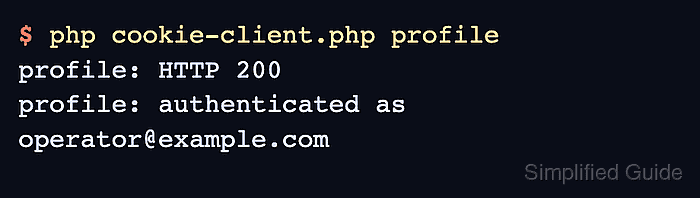
A protected response from the profile endpoint confirms that PHP cURL loaded the jar and sent the matching cookie back to the same host and path.
- Delete the cookie jar when the saved session should no longer be reused.
$ rm -f var/private/cookies.txt
Removing the jar too early breaks later authenticated requests, but leaving it behind extends the session replay window.