State-changing web requests often fail in cURL even when the username and password are correct because the application expects the same CSRF token and session cookie that were issued with the sign-in form. Sending only the form fields without that paired state usually ends in a rejected login or a 403 Forbidden response.
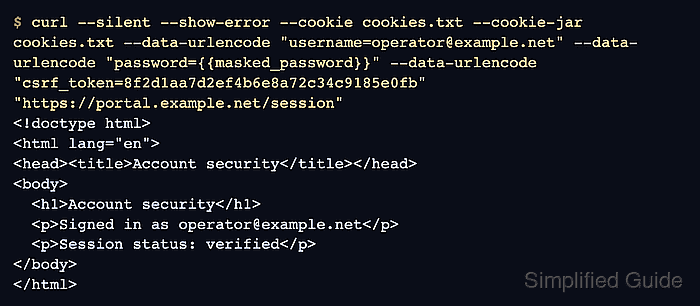
The usual pattern is to request the form first, save the returned cookies, inspect the HTML for the hidden token field, and then send that exact value back with the same cookie jar. That keeps the form submission inside the same server-side session that created the token.
CSRF tokens are short-lived request state, not reusable credentials. Keep saved HTML and cookie jars private, remove them when the test is complete, and copy the exact contract the application uses if the token is sent in a header or the request is also checked against Origin or Referer.
Steps to use a CSRF token with cURL:
- Request the sign-in page and save both the returned HTML and its session cookies.
$ curl --silent --show-error --cookie-jar cookies.txt \
  --output login.html "https://portal.example.net/sign-in"
--cookie-jar writes the server-issued cookies to cookies.txt after the response finishes so the next request can reuse the same session.
- Display the hidden input that contains the CSRF token.
$ grep 'csrf_token' login.html
<input name="csrf_token" value="8f2d1aa7d2ef4b6e8a72c34c9185e0fb" />
If nothing useful matches, search for the real field name used by the form such as _csrf, csrfmiddlewaretoken, or authenticity_token, or inspect the bootstrap response if JavaScript inserts the token later.
- Copy the token value into a shell variable.
$ TOKEN_VALUE='8f2d1aa7d2ef4b6e8a72c34c9185e0fb'
Copy only the string from the value="..." attribute. The token changes between requests, so use the value from the page that created cookies.txt.
- Submit the form fields with the same cookie jar and the captured token.
$ curl --silent --show-error \
  --cookie cookies.txt \
  --cookie-jar cookies.txt \
  --data-urlencode "username=operator@example.net" \
  --data-urlencode "password=MASKED_PASSWORD" \
  --data-urlencode "csrf_token=$TOKEN_VALUE" \
  "https://portal.example.net/session"
<h1>Account security</h1>
<p>Signed in as operator@example.net</p>
<p>Session status: verified</p>
--cookie reads the saved session cookies for the request, and --cookie-jar writes any updated cookies back to the same file when the request finishes. If the application expects the token in a header such as X-CSRF-Token or X-XSRF-TOKEN instead of a form field, keep the same cookie jar and send the value with --header.
- Request a protected page with the updated cookie jar to confirm that the login succeeded.
$ curl --silent --show-error --cookie cookies.txt \
  "https://portal.example.net/account/security"
<h1>Account security</h1>
<p>Signed in as operator@example.net</p>
<p>Session status: verified</p>
The protected response confirms that the token and cookies were accepted together and that the authenticated session is still valid for follow-up requests.
- Remove the saved form and cookie jar when the session is no longer needed.
$ rm -f login.html cookies.txt
These files can hold reusable session state, so leaving them behind makes accidental disclosure or reuse more likely.

Mohd Shakir Zakaria is a cloud architect with deep roots in software development and open-source advocacy. Certified in AWS, Red Hat, VMware, ITIL, and Linux, he specializes in designing and managing robust cloud and on-premises infrastructures.


