How to fill missing values in pandas
Filling missing values in pandas replaces gaps such as None, NaN, pd.NA, and NaT with values chosen for each column. DataFrame.fillna() is common before totals, exports, charts, or models that should not receive missing markers.
fillna() returns a new DataFrame or Series unless the result is assigned back. A scalar fills every gap in the selected object, while a dictionary lets each named column use its own value and leaves unlisted columns unchanged.
Pick replacements that match the data meaning. A quantity can become 0, a category can become unassigned or pending, a numeric measure can use a median, and an ordered date or status column can use ffill() only when the previous row is the intended source.
Related: How to find missing values in pandas
Related: How to drop missing values in pandas
Steps to fill missing values in pandas:
- Save the demo as
fill-missing-values-demo.py
.
import pandas as pd

orders = pd.DataFrame(
    {
        "order_id": ["A100", "A101", "A102", "A103"],
        "region": ["east", None, "west", None],
        "units": [3, None, 2, None],
        "sales": [120.0, None, 75.0, None],
        "status": pd.Series(["paid", pd.NA, "paid", pd.NA], dtype="string"),
        "last_contact": pd.to_datetime(
            ["2026-05-01", None, "2026-05-03", None]
        ),
    }
)

print("original missing values")
print(orders.isna().sum())

filled = orders.fillna(
    {
        "region": "unassigned",
        "units": 0,
        "status": "pending",
    }
)
filled["sales"] = filled["sales"].fillna(filled["sales"].median())
filled["last_contact"] = filled["last_contact"].ffill()

print("\nfilled data")
print(filled)

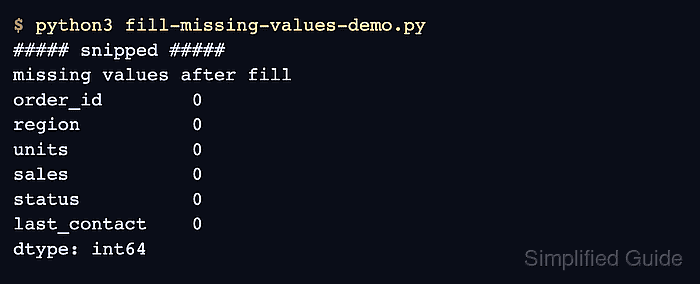
print("\nmissing values after fill")
print(filled.isna().sum())
fillna() leaves the original orders DataFrame unchanged here. The returned DataFrame is assigned to filled before the numeric and date fills are added.
- Run the script and compare the before and after counts.
$ python3 fill-missing-values-demo.py
original missing values
order_id        0
region          2
units           2
sales           2
status          2
last_contact    2
dtype: int64

filled data
  order_id      region  units  sales   status last_contact
0     A100        east    3.0  120.0     paid   2026-05-01
1     A101  unassigned    0.0   97.5  pending   2026-05-01
2     A102        west    2.0   75.0     paid   2026-05-03
3     A103  unassigned    0.0   97.5  pending   2026-05-03

missing values after fill
order_id        0
region          0
units           0
sales           0
status          0
last_contact    0
dtype: int64
- Use a scalar fill when every gap in one selected column needs the same replacement.
orders["units"] = orders["units"].fillna(0)
Assign the result back to the DataFrame or a named copy. Chained assignment through a filtered slice does not update the original DataFrame under current pandas copy-on-write behavior.
- Use a dictionary when different columns need different fixed replacements.
filled = orders.fillna(
    {
        "region": "unassigned",
        "units": 0,
        "status": "pending",
    }
)
Columns omitted from the dictionary stay unchanged, so sales and last_contact can use separate fill rules.
- Fill numeric gaps from a column statistic when a fixed value would distort the measure.
filled["sales"] = filled["sales"].fillna(filled["sales"].median())
median() ignores missing values by default. Use a domain-specific value instead when the median would hide an important gap.
- Forward-fill ordered values only when the previous row is the source of truth for the next missing cell.
filled["last_contact"] = filled["last_contact"].ffill()
Sort the DataFrame first when the row order came from an import, merge, or database query that does not already preserve the intended time order.
- Verify the required columns no longer contain missing values.
print(filled.isna().sum())
order_id        0
region          0
units           0
sales           0
status          0
last_contact    0
dtype: int64
Run the count on the columns that must be complete before analysis, export, or model input.