How to convert data types in pandas
Imported tables often contain text that looks like identifiers, quantities, dates, or booleans but cannot yet behave like those values. Explicit pandas dtypes make arithmetic, date filtering, missing-value checks, and joins follow the intended data rules.
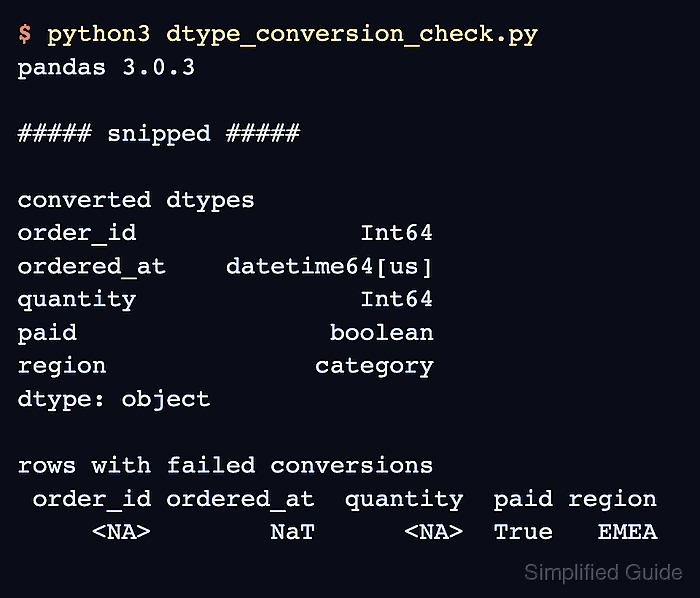
Parsing with to_numeric() and to_datetime() converts source text, while errors=“coerce” exposes invalid values as missing data instead of silently preserving mixed strings. Nullable Int64 and boolean dtypes keep those failures visible without forcing integer or boolean columns into an unrelated dtype.
Direct casting with astype() suits columns whose values already match the target type, such as a controlled region label converted to category. Preserve the source DataFrame until the converted dtypes and coerced rows match the dataset's schema expectations.
Related: How to read CSV files with pandas
Related: How to reduce pandas DataFrame memory usage
Steps to convert pandas DataFrame column data types:
- Create convert_types.py with the source DataFrame and a working copy.
- convert_types.py
import pandas as pd


orders = pd.DataFrame(
    {
        "order_id": ["1001", "1002", "BAD", "1004"],
        "ordered_at": ["2026-06-01", "2026-06-02", "not a date", "2026-06-04"],
        "quantity": ["2", "5", "", "3"],
        "paid": ["true", "false", "true", "false"],
        "region": ["EMEA", "APAC", "EMEA", "AMER"],
    }
)

converted = orders.copy()
The copied DataFrame keeps the imported values available while the target columns are parsed and checked.
- Add numeric and date parsing below the converted copy.
converted["order_id"] = pd.to_numeric(
    converted["order_id"], errors="coerce"
).astype("Int64")
converted["quantity"] = pd.to_numeric(
    converted["quantity"], errors="coerce"
).astype("Int64")
converted["ordered_at"] = pd.to_datetime(
    converted["ordered_at"], format="%Y-%m-%d", errors="coerce"
)
Coercion changes invalid numeric text to pd.NA after the nullable integer cast and invalid date text to NaT. The explicit format prevents ambiguous day and month parsing.
Related: How to parse datetimes in pandas - Add nullable boolean and category conversions after the date parser.
paid_values = {"true": True, "false": False}
converted["paid"] = converted["paid"].map(paid_values).astype("boolean")
converted["region"] = converted["region"].astype("category")
map() turns unrecognized payment labels into missing values, while astype(“category”) records the repeated region labels as categories.
Related: How to convert columns to categorical data in pandas - Append dtype and failed-row validation to convert_types.py.
checked_columns = ["order_id", "ordered_at", "quantity", "paid"]
failed = converted[converted[checked_columns].isna().any(axis=1)]

expected_types = {
    "order_id": "Int64",
    "quantity": "Int64",
    "paid": "boolean",
    "region": "category",
}
actual_types = {
    column: str(converted[column].dtype) for column in expected_types
}

assert actual_types == expected_types, actual_types
assert pd.api.types.is_datetime64_any_dtype(converted["ordered_at"])
assert failed.index.to_list() == [2], failed.index.to_list()

print("converted dtypes")
print(converted.dtypes)
print()
print("rows with failed conversions")
print(failed.to_string(index=False))
The assertions stop execution when a target dtype, the datetime conversion, or the expected rejected-row boundary changes.
- Run convert_types.py to confirm the target dtypes and the row that needs source-data review.
$ python3 convert_types.py
converted dtypes
order_id               Int64
ordered_at    datetime64[us]
quantity               Int64
paid                 boolean
region              category
dtype: object

rows with failed conversions
 order_id ordered_at  quantity  paid region
     <NA>        NaT      <NA>  True   EMEA
The converted columns have their intended dtypes, and the invalid identifier, date, and blank quantity remain visible together on the source row that requires review.