How to receive Zipkin traces with the OpenTelemetry Collector
Receiving Zipkin traces with the OpenTelemetry Collector lets services that still emit Zipkin v1 or v2 spans feed the same trace pipeline as newer OTLP instrumentation. The Collector listens on a Zipkin-compatible HTTP endpoint, converts accepted spans into OpenTelemetry trace data, and sends them through the configured processors and exporters.
The zipkin receiver defaults to localhost:9411. Keep that local binding when the sender runs on the same host, or set an explicit listener such as 0.0.0.0:9411 only when other hosts, containers, or pods must post spans to the Collector.
Use the debug exporter first so the Collector log shows the service name, span count, and span attributes before production routing is changed. Detailed debug output can include request paths and telemetry attributes, so switch the pipeline to the intended backend exporter after the smoke test passes.
Steps to receive Zipkin traces with the OpenTelemetry Collector:
- Confirm the Collector build includes the zipkin receiver and debug exporter.
$ otelcol components
buildinfo:
    command: otelcol
    description: OpenTelemetry Collector
    version: 0.154.0
receivers:
##### snipped #####
    - name: zipkin
      module: github.com/open-telemetry/opentelemetry-collector-contrib/receiver/zipkinreceiver v0.154.0
      stability:
        traces: Beta
##### snipped #####
exporters:
##### snipped #####
    - name: debug
      module: go.opentelemetry.io/collector/exporter/debugexporter v0.154.0
      stability:
        traces: Alpha
Run the same check with the active Collector binary name, such as otelcol-contrib, when the host uses a different distribution.
- Open the active Collector configuration file.
$ sudoedit /etc/otelcol/config.yaml
Packaged Linux services commonly read /etc/otelcol/config.yaml, but a service unit, container command, or --config argument can point the Collector at another file.
- Add a zipkin receiver, batch processor, and debug exporter.
- /etc/otelcol/config.yaml
receivers:
  zipkin:
    endpoint: 0.0.0.0:9411

processors:
  batch:

exporters:
  debug:
    verbosity: detailed

service:
  pipelines:
    traces:
      receivers: [zipkin]
      processors: [batch]
      exporters: [debug]
Binding to 0.0.0.0 accepts Zipkin posts on every interface exposed by the host or container. Use 127.0.0.1:9411 when only same-host senders should reach the receiver.
- Validate the Collector configuration.
$ sudo otelcol validate --config=/etc/otelcol/config.yaml
No output with a zero exit status means the file parsed and the referenced receiver, processor, exporter, and pipeline are available in the Collector build.
- Restart the otelcol service.
$ sudo systemctl restart otelcol
Use the service name that owns the active Collector process, such as otelcol-contrib, when the installed package or unit uses that name.
- Create a Zipkin v2 span payload for the smoke test.
- zipkin-trace.json
[
  {
    "traceId": "5b8efff798038103d269b633813fc60c",
    "id": "eee19b7ec3c1b174",
    "kind": "SERVER",
    "name": "POST /checkout",
    "timestamp": 1717260000000000,
    "duration": 25000,
    "localEndpoint": {
      "serviceName": "checkout-api",
      "ipv4": "192.0.2.10",
      "port": 8080
    },
    "tags": {
      "http.method": "POST",
      "http.route": "/checkout",
      "http.status_code": "201"
    }
  }
]
The timestamp is in Zipkin's microsecond format. Replace checkout-api and the route values with a small representative service name and endpoint from the environment being tested.
- Send the payload to the Zipkin receiver.
$ curl --silent --show-error --include --request POST http://127.0.0.1:9411/api/v2/spans \
  --header 'Content-Type: application/json' \
  --data @zipkin-trace.json
HTTP/1.1 202 Accepted
Date: Thu, 18 Jun 2026 07:44:10 GMT
Content-Length: 0
Connection: close
The 202 Accepted response means the Zipkin receiver accepted the span batch. Replace 127.0.0.1 with the Collector host name when the sender runs on another host.
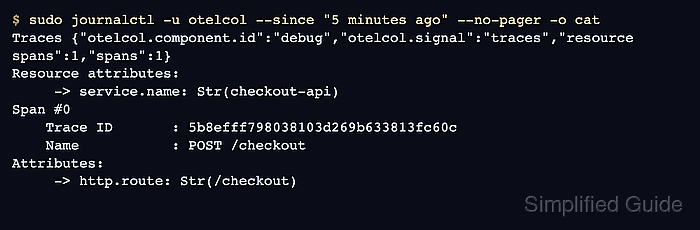
- Check the Collector log for the received span.
$ sudo journalctl -u otelcol --since "5 minutes ago" --no-pager -o cat
Traces {"otelcol.component.id":"debug","otelcol.signal":"traces","resource spans":1,"spans":1}
Resource attributes:
     -> service.name: Str(checkout-api)
Span #0
    Trace ID       : 5b8efff798038103d269b633813fc60c
    ID             : eee19b7ec3c1b174
    Name           : POST /checkout
    Kind           : Server
Attributes:
     -> http.method: Str(POST)
     -> http.route: Str(/checkout)
     -> http.status_code: Str(201)
The debug output proves the Collector received Zipkin-format trace data and passed it through the traces pipeline. Replace debug with the backend exporter after the smoke test passes.
Related: How to export telemetry from the OpenTelemetry Collector with OTLP - Remove the temporary Zipkin payload file.
$ rm zipkin-trace.json