How to scrape Prometheus metrics with the OpenTelemetry Collector
Scraping Prometheus metrics with the OpenTelemetry Collector lets a Prometheus-format endpoint feed the Collector's metrics pipeline instead of being scraped only by a Prometheus server. Use it when an application already exposes /metrics and the Collector should apply metric processors or forward the data to an OTLP backend.
The prometheus receiver belongs to the OpenTelemetry Collector contrib distribution and uses Prometheus-style scrape_configs under the receiver's config key. A receiver declaration is inactive until a metrics pipeline lists it under service.pipelines.
A short smoke test can point the receiver at app.internal.example:9464 and send output to the debug exporter. Replace the target, interval, and exporter before carrying production traffic, and avoid scraping localhost unless the scrape target is inside the same host or container network namespace as the Collector process.
Steps to scrape Prometheus metrics with the OpenTelemetry Collector:
- Confirm the scrape target returns Prometheus text from the Collector host.
$ curl -sS http://app.internal.example:9464/metrics
# HELP checkout_requests_total Total checkout requests.
# TYPE checkout_requests_total counter
checkout_requests_total{route="/checkout",method="POST"} 42
# HELP checkout_queue_depth Orders waiting in the checkout queue.
# TYPE checkout_queue_depth gauge
checkout_queue_depth 3
Run this check from the same network location as the Collector. A target that works from a laptop can still be unreachable from a Collector container, pod, or gateway host.
- Open the active otelcol-contrib configuration file.
$ sudoedit /etc/otelcol-contrib/config.yaml
Packaged contrib services commonly read /etc/otelcol-contrib/config.yaml. Container and custom binary deployments may pass a different path with --config.
- Add a prometheus receiver and attach it to the metrics pipeline.
- /etc/otelcol-contrib/config.yaml
receivers:
  prometheus:
    config:
      scrape_configs:
        - job_name: checkout-api
          scrape_interval: 15s
          metrics_path: /metrics
          static_configs:
            - targets: ["app.internal.example:9464"]

exporters:
  debug:
    verbosity: detailed

service:
  pipelines:
    metrics:
      receivers: [prometheus]
      exporters: [debug]
The job_name becomes the service.name resource attribute in the exported metrics. Add processors between receivers and exporters only when the scrape data needs filtering, resource attributes, batching, or other metric processing.
debug with verbosity: detailed can write metric names, labels, resource attributes, and target details into Collector logs. Keep it only for the smoke test.
- Validate the Collector configuration.
$ otelcol-contrib validate --config=/etc/otelcol-contrib/config.yaml
No output with a zero exit status means the file parsed and the prometheus receiver, debug exporter, and metrics pipeline are available in the running Collector distribution.
- Restart the otelcol-contrib service.
$ sudo systemctl restart otelcol-contrib
Use the service name that owns the Collector process on the host. Some non-contrib packages use otelcol instead of otelcol-contrib.
- Check the Collector log after one scrape interval.
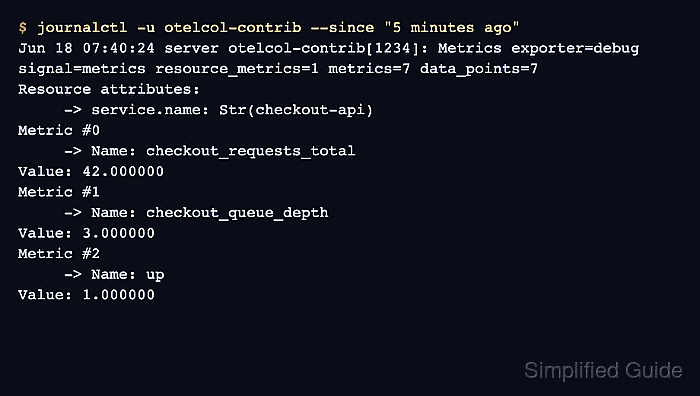
$ journalctl -u otelcol-contrib --since "5 minutes ago"
Jun 18 07:40:18 server otelcol-contrib[1234]: Scrape job added jobName=checkout-api
Jun 18 07:40:18 server otelcol-contrib[1234]: Everything is ready. Begin running and processing data.
Jun 18 07:40:24 server otelcol-contrib[1234]: Metrics exporter=debug signal=metrics resource_metrics=1 metrics=7 data_points=7
Resource attributes:
     -> service.name: Str(checkout-api)
Metric #0
     -> Name: checkout_requests_total
Value: 42.000000
Metric #1
     -> Name: checkout_queue_depth
Value: 3.000000
Metric #2
     -> Name: up
Value: 1.000000
The application metric names confirm that the receiver scraped the target. The up metric with value 1 confirms that the scrape succeeded.
- Replace the debug exporter with the intended metrics exporter after the scrape is confirmed.
Leaving detailed debug output on production metrics can expose route labels, instance names, and other telemetry attributes in service logs.