How to extract certificates from a PKCS#7 file using OpenSSL
Certificate bundles often arrive from CA portals, Windows exports, vendor consoles, and appliances as PKCS#7 or P7B containers instead of separate PEM files. Extracting the certificates with OpenSSL turns that certificate-only bundle into text blocks that Linux services, reverse proxies, and chain checks can read.
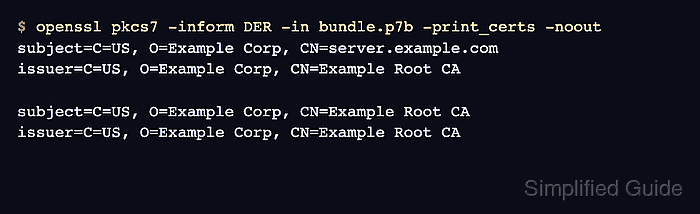
The openssl pkcs7 command reads the container and -print_certs emits the certificates inside it. Binary .p7b files usually need -inform DER, while text files that start with a —–BEGIN PKCS7—– line use -inform PEM. Adding -quiet writes clean PEM certificate blocks without the subject and issuer summary lines.
PKCS#7 carries certificates, not private keys. Extraction proves that OpenSSL can parse the bundle and write certificate material, but it does not prove hostname coverage, certificate trust, revocation status, private-key match, or final service deployment. Check the extracted leaf and issuer order before installing the bundle into a TLS service.
Steps to extract certificates from a PKCS#7 file using OpenSSL:
- Save the received PKCS#7 file as bundle.p7b in the working directory.
Use the original CA, Windows, vendor, or appliance export. Do not paste a binary .p7b file into a text editor before extraction.
- List the certificates inside the DER bundle before writing the PEM output.
$ openssl pkcs7 -inform DER -in bundle.p7b -print_certs -noout
subject=C=US, O=Example Corp, CN=server.example.com
issuer=C=US, O=Example Corp, CN=Example Root CA

subject=C=US, O=Example Corp, CN=Example Root CA
issuer=C=US, O=Example Corp, CN=Example Root CA
Use -inform PEM instead of -inform DER when the input file starts with —–BEGIN PKCS7—–.
- Extract the certificates to a clean PEM bundle.
$ openssl pkcs7 -inform DER -in bundle.p7b -print_certs -quiet -out extracted-certs.pem
OpenSSL prints no output when the extraction succeeds. The -quiet option keeps extracted-certs.pem limited to certificate blocks.
- Inspect the first extracted certificate.
$ openssl x509 -in extracted-certs.pem -noout -subject -issuer -dates
subject=C=US, O=Example Corp, CN=server.example.com
issuer=C=US, O=Example Corp, CN=Example Root CA
notBefore=Jun 30 07:58:32 2026 GMT
notAfter=Aug  1 07:58:32 2027 GMT
The first certificate should be the leaf certificate expected by the target service. Validate the full trust path before deployment when the service requires an install-ready chain.
Related: How to view certificate details using OpenSSL
Related: How to verify a certificate chain using OpenSSL