How to import an OpenNebula marketplace image
The OpenNebula marketplace gives cloud administrators a catalog of appliance images that can be copied into a local image datastore. Importing a marketplace image turns a maintained base operating system or application appliance into a normal local image for VM templates.
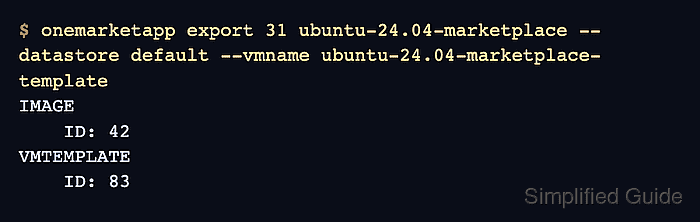
OpenNebula names the CLI action onemarketapp export because the appliance is exported from the marketplace into the cloud. During export, OpenNebula creates a local image and, when the appliance carries a template, can also create a VM template that points at that image.
The target image datastore must have enough space and be visible to the cluster that will run the VM. Keep the generated names specific enough to identify the appliance source, inspect the imported image for READY state, and launch one disposable VM before offering the template to users.
Related: How to create an OpenNebula datastore
Related: How to upload an image to OpenNebula
Related: How to create an OpenNebula VM template
Steps to import an OpenNebula marketplace image:
- List the available image datastores.
$ onedatastore list --no-pager
  ID NAME                SIZE AVA CLUSTERS IMAGES TYPE DS      TM      STAT
   2 files                50G 86% 0             0 fil  fs      local   on
   1 default              50G 82% 0             3 img  fs      shared  on
   0 system                 - -   0             0 sys  -       shared  on
Choose an image datastore whose transfer driver and cluster membership match the hosts that will run VMs from the imported image.
Related: How to create an OpenNebula datastore - List marketplace appliances.
$ onemarketapp list --no-pager
  ID NAME                       VERSION    SIZE STAT TYPE REGTIME  MARKETPLACE
  31 Ubuntu 24.04 - KVM         7.2.0-1      4G rdy  img 06/20/26 OpenNebula Public
  30 Alpine Linux 3.20          7.2.0-1    256M rdy  img 06/20/26 OpenNebula Public
  29 Debian 12 - KVM            7.2.0-1      3G rdy  img 06/20/26 OpenNebula Public
##### snipped #####
Use an appliance in rdy state. The img type imports as an image, and some image appliances also carry a VM template.
- Inspect the appliance before importing it.
$ onemarketapp show 31
MARKETPLACE APP 31 INFORMATION
ID             : 31
NAME           : Ubuntu 24.04 - KVM
TYPE           : IMAGE
MARKETPLACE    : OpenNebula Public
STATE          : rdy
SIZE           : 4G
FORMAT         : qcow2

IMPORT TEMPLATE
DEV_PREFIX="vd"
TYPE="OS"

MARKETPLACE APP TEMPLATE
DESCRIPTION="Ubuntu 24.04 cloud image for KVM"
PUBLISHER="OpenNebula Systems"
VERSION="7.2.0-1"
Check the FORMAT, TYPE, publisher, and version before copying the appliance into a production datastore.
- Export the marketplace appliance into the local datastore.
$ onemarketapp export 31 ubuntu-24.04-marketplace --datastore default --vmname ubuntu-24.04-marketplace-template
IMAGE
    ID: 42
VMTEMPLATE
    ID: 83
The --vmname value is used when the appliance includes a template. If VMTEMPLATE returns -1, create a template after the image reaches READY.
Related: How to create an OpenNebula VM template - Check the imported image state.
$ oneimage show 42
IMAGE 42 INFORMATION
ID             : 42
NAME           : ubuntu-24.04-marketplace
USER           : oneadmin
GROUP          : oneadmin
DATASTORE      : default
TYPE           : OS
PERSISTENT     : No
STATE          : READY

IMAGE TEMPLATE
DEV_PREFIX="vd"
FORMAT="qcow2"
LOCKED means the datastore copy is still running. ERROR means the marketplace download or datastore import failed; inspect the same oneimage show output for the error message.
- Inspect the generated VM template.
$ onetemplate show 83
VIRTUAL MACHINE TEMPLATE 83 INFORMATION
ID             : 83
NAME           : ubuntu-24.04-marketplace-template
USER           : oneadmin
GROUP          : oneadmin

TEMPLATE CONTENTS
DISK=[
  IMAGE="ubuntu-24.04-marketplace",
  IMAGE_UNAME="oneadmin" ]
CONTEXT=[
  NETWORK="YES",
  SSH_PUBLIC_KEY="$USER[SSH_PUBLIC_KEY]" ]
The template should reference the imported image name, not the public marketplace appliance ID.
- Grant group users permission to use the imported image.
$ oneimage chmod 42 640 -v
IMAGE 42: Permissions changed
The group needs USE permission on the image before group-owned templates or tenant users can attach it.
- Grant group users permission to instantiate the generated template.
$ onetemplate chmod 83 640 -v
VMTEMPLATE 83: Permissions changed
Template users also need permission on any referenced virtual network before the smoke VM can boot.
- Instantiate a disposable VM from the generated template.
$ onetemplate instantiate 83 --name marketplace-image-smoke
VM ID: 105
- Verify that the smoke VM uses the imported image.
$ onevm show 105
VIRTUAL MACHINE 105 INFORMATION
ID                  : 105
NAME                : marketplace-image-smoke
STATE               : ACTIVE
LCM_STATE           : RUNNING
HOST                : kvm01

VIRTUAL MACHINE TEMPLATE
DISK=[
  IMAGE="ubuntu-24.04-marketplace" ]
##### snipped #####
RUNNING plus the expected disk image proves the marketplace image can back a VM template in the local cloud.
- Remove the disposable smoke VM.
$ onevm terminate 105
Terminate only the VM created for this marketplace image check. Do not remove a VM another operator is using for appliance validation.