An OpenNebula VM template turns a known image, network, and capacity profile into a reusable launch definition. Creating the template from a text file lets administrators review, version, and reuse the same server shape from the CLI or Sunstone.
The template file carries the capacity values, disk image reference, network attachment, graphics setting, and contextualization block that OpenNebula stores as a VM template. The guest image must already be available in an image datastore, and the selected virtual network must be usable by the account that will instantiate the VM.
Registering the file is only the first checkpoint. Inspect the saved template, grant USE permission when group members should launch it, and instantiate one disposable VM so the disk, NIC, and context settings are exercised before the template is handed to users.
Steps to create an OpenNebula VM template:
- List the image that will become the template disk.
$ oneimage list --no-pager
  ID USER     GROUP    NAME          DATASTORE     SIZE TYPE PER STAT RVMS
  12 oneadmin oneadmin Ubuntu 24.04  default        8G OS    No rdy     0
The image should be in rdy state before the template is registered. Non-persistent images are the usual choice for shared templates because each VM receives its own copy.
- List the virtual network that will become the default NIC.
$ onevnet list --no-pager
  ID USER     GROUP    NAME        CLUSTERS BRIDGE   STATE LEASES
   3 oneadmin oneadmin service-net 0        br0      READY      4
Use a network that already has the bridge, address range, and context values expected by the guest image.
- Create the VM template file.
$ vi web-small.tmpl
- Add the template definition.
NAME   = "web-small"
CPU    = "1"
VCPU   = "2"
MEMORY = "2048"

DISK = [
  IMAGE       = "Ubuntu 24.04",
  IMAGE_UNAME = "oneadmin" ]

NIC = [
  NETWORK       = "service-net",
  NETWORK_UNAME = "oneadmin" ]

NIC_DEFAULT = [
  MODEL = "virtio" ]

GRAPHICS = [
  TYPE   = "vnc",
  LISTEN = "0.0.0.0" ]

CONTEXT = [
  NETWORK        = "YES",
  SSH_PUBLIC_KEY = "$USER[SSH_PUBLIC_KEY]" ]
CPU guides scheduler overcommitment, VCPU sets guest vCPUs, and MEMORY is measured in megabytes. The CONTEXT block passes network configuration and the instantiating user's SSH public key into guests that include OpenNebula contextualization packages.
- Register the template in OpenNebula.
$ onetemplate create web-small.tmpl
ID: 42
- Grant group users permission to instantiate the template.
$ onetemplate chmod 42 640 -v
VMTEMPLATE 42: Permissions changed
The group needs USE permission on the template, and the same users also need USE permission on the referenced image and virtual network.
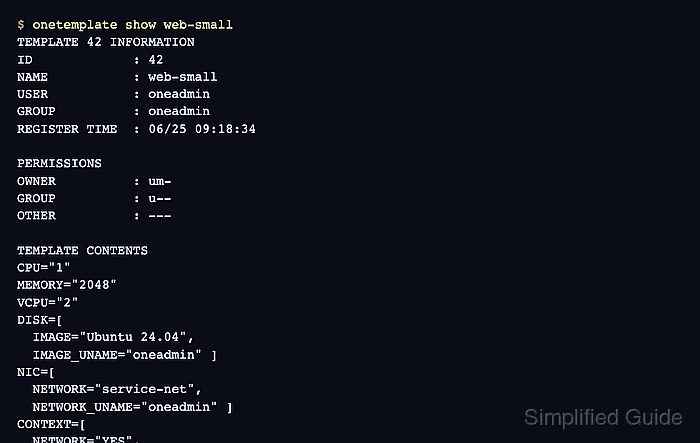
- Inspect the saved template.
$ onetemplate show web-small
TEMPLATE 42 INFORMATION
ID             : 42
NAME           : web-small
USER           : oneadmin
GROUP          : oneadmin
REGISTER TIME  : 06/25 09:18:34

PERMISSIONS
OWNER          : um-
GROUP          : u--
OTHER          : ---

TEMPLATE CONTENTS
CPU="1"
MEMORY="2048"
VCPU="2"
DISK=[
  IMAGE="Ubuntu 24.04",
  IMAGE_UNAME="oneadmin" ]
NIC=[
  NETWORK="service-net",
  NETWORK_UNAME="oneadmin" ]
CONTEXT=[
  NETWORK="YES",
  SSH_PUBLIC_KEY="$USER[SSH_PUBLIC_KEY]" ]
- Instantiate a disposable VM from the template.
$ onetemplate instantiate 42 --name web-small-smoke
VM ID: 105
- Inspect the smoke VM for the expected disk, NIC, and running state.
$ onevm show 105
VIRTUAL MACHINE 105 INFORMATION
ID                  : 105
NAME                : web-small-smoke
STATE               : ACTIVE
LCM_STATE           : RUNNING
HOST                : kvm01

VIRTUAL MACHINE TEMPLATE
DISK=[
  IMAGE="Ubuntu 24.04" ]
NIC=[
  IP="192.0.2.45",
  NETWORK="service-net" ]
CONTEXT=[
  NETWORK="YES",
  SSH_PUBLIC_KEY="$USER[SSH_PUBLIC_KEY]" ]
##### snipped #####
RUNNING plus the expected disk and network values proves the template can launch a VM with the intended resources.
- Remove the disposable smoke VM.
$ onevm terminate 105
Terminate only the VM created for this smoke test. Do not remove a template test VM that another operator is still using for image validation.

Mohd Shakir Zakaria is a cloud architect with deep roots in software development and open-source advocacy. Certified in AWS, Red Hat, VMware, ITIL, and Linux, he specializes in designing and managing robust cloud and on-premises infrastructures.


