OpenNebula datastores define where VM images, running VM disks, and file artifacts live before the scheduler can place workloads on hosts. Creating another datastore is useful when a cluster needs a separate storage pool, a shared image repository, or a capacity boundary away from the default datastore.
The CLI creates a datastore from a small template file. A shared filesystem image datastore backed by an NFS export is a common starting point because DS_MAD="fs" stores images as files, TM_MAD="shared" tells OpenNebula that hosts see the same datastore path, and TYPE="IMAGE_DS" makes the datastore available for image registration.
The storage export must already be reachable by the OpenNebula front-end and by the hosts in the target cluster. Match the transfer driver with compatible system datastores before scheduling VMs, and keep the smoke image small so the final check proves write access without consuming useful capacity.
Related: How to monitor an OpenNebula datastore
Related: How to upload an image to OpenNebula
Steps to create an OpenNebula datastore:
- List the existing datastores before choosing the new name and transfer mode.
$ onedatastore list
  ID NAME                SIZE AVA CLUSTERS IMAGES TYPE DS      TM      STAT
   2 files                50G 86% 0             0 fil  fs      local   on
   1 default              50G 86% 0             2 img  fs      local   on
   0 system                 - -   0             0 sys  -       local   on
- Create the datastore template file.
- nfs-images.ds
NAME            = "nfs-images"
DS_MAD          = "fs"
TM_MAD          = "shared"
TYPE            = "IMAGE_DS"
NFS_AUTO_ENABLE = "yes"
NFS_AUTO_HOST   = "storage.example.net"
NFS_AUTO_PATH   = "/exports/opennebula/images"
NFS_AUTO_OPTS   = "soft,intr,rsize=32768,wsize=32768"
Replace the NFS host and export path with the storage server that the front-end and hypervisor hosts can reach. For a system datastore, use TYPE="SYSTEM_DS" and omit DS_MAD; for a files and kernels datastore, use TYPE="FILE_DS" with the driver pair required by that storage design.
- Create the datastore from the template.
$ onedatastore create nfs-images.ds
ID: 100
- Inspect the new datastore state and template attributes.
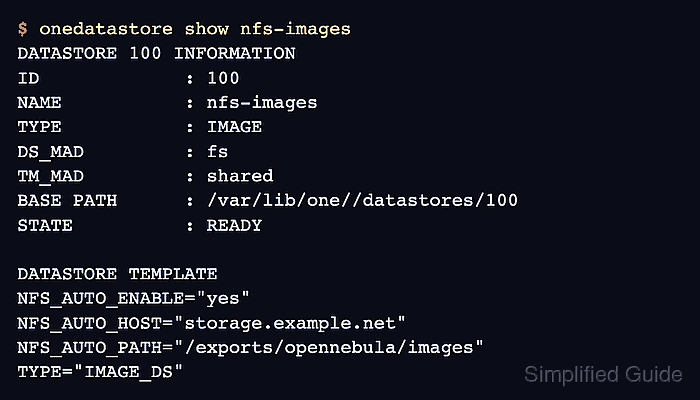
$ onedatastore show nfs-images
DATASTORE 100 INFORMATION
ID             : 100
NAME           : nfs-images
USER           : oneadmin
GROUP          : oneadmin
TYPE           : IMAGE
DS_MAD         : fs
TM_MAD         : shared
BASE PATH      : /var/lib/one//datastores/100
STATE          : READY

DATASTORE TEMPLATE
DS_MAD="fs"
NFS_AUTO_ENABLE="yes"
NFS_AUTO_HOST="storage.example.net"
NFS_AUTO_PATH="/exports/opennebula/images"
TM_MAD="shared"
TYPE="IMAGE_DS"
- Add the datastore to the target cluster.
$ onecluster adddatastore production nfs-images
A datastore can belong to more than one cluster, but every host in those clusters must be configured for the same storage path and transfer behavior.
Related: How to create an OpenNebula cluster - Verify that the cluster lists the datastore ID.
$ onecluster show production
CLUSTER 100 INFORMATION
ID             : 100
NAME           : production

HOSTS
0

VNETS
1

DATASTORES
100
- Create a small test image in the new datastore.
$ oneimage create --name datastore-smoke --type DATABLOCK --size 64 --datastore nfs-images
ID: 42
The test image allocates a small datablock only to prove that OpenNebula can create an image in the datastore.
- Check that the test image is ready in the datastore.
$ oneimage show 42
IMAGE 42 INFORMATION
ID             : 42
NAME           : datastore-smoke
USER           : oneadmin
GROUP          : oneadmin
DATASTORE      : nfs-images
TYPE           : DATABLOCK
STATE          : READY
- Remove the test image after the write check.
$ oneimage delete 42
Delete only the temporary smoke-test image. Do not remove production images that were registered in the datastore.

Mohd Shakir Zakaria is a cloud architect with deep roots in software development and open-source advocacy. Certified in AWS, Red Hat, VMware, ITIL, and Linux, he specializes in designing and managing robust cloud and on-premises infrastructures.


