How to connect an OpenAI-compatible provider to Open WebUI
Many model gateways expose the OpenAI chat protocol even when the provider is not OpenAI itself. Connecting one to Open WebUI lets the same chat interface use models from a hosted API, local server, or proxy after an admin saves the provider base URL and key.
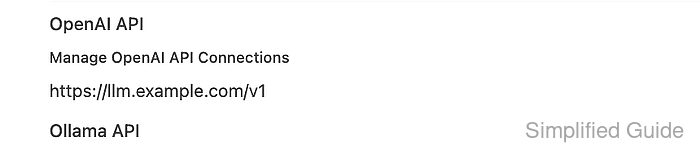
OpenAI-compatible connections live under Admin Panel → Settings → Connections → OpenAI. The URL should point at the provider's OpenAI-style base route, usually ending in /v1, and Open WebUI sends the saved key as a bearer credential when it lists models and requests chat completions.
Start with a provider endpoint that can answer /v1/models, or know the exact model IDs that must be added manually. The setup is complete when the provider model appears in Open WebUI and the selected model answers a short chat prompt.
Steps to connect an OpenAI-compatible provider to Open WebUI:
- Confirm that the provider lists the model IDs that should appear in Open WebUI.
$ curl --fail-with-body --silent --show-error "https://llm.example.com/v1/models" \
  -H "Authorization: Bearer <api-key>"
{
  "object": "list",
  "data": [
    {
      "id": "sg-fixture-chat",
      "object": "model",
      "owned_by": "openai-compatible"
    },
    {
      "id": "sg-fixture-vision",
      "object": "model",
      "owned_by": "openai-compatible"
    }
  ]
}
Use the same base URL and provider key that will be saved in Open WebUI. Some providers do not implement /v1/models; add those model IDs manually in Model IDs (Filter) when the chat completion endpoint still works.
- Open Admin Panel → Settings → Connections → OpenAI, add the provider endpoint, and click Save.
Set URL to the base route, such as https://llm.example.com/v1, and set API Key to the provider-issued key. If Open WebUI runs in Docker while the provider runs on the host, use a container-reachable name such as http://host.docker.internal:<port>/v1 instead of http://localhost:<port>/v1.
- Refresh the Open WebUI model list and check for the provider model.
$ curl --fail-with-body --silent --show-error "https://openwebui.example.com/api/models?refresh=true" \
  -H "Authorization: Bearer <open-webui-token>"
{
  "data": [
    {
      "id": "sg-fixture-chat",
      "name": "sg-fixture-chat",
      "object": "model"
    },
    {
      "id": "sg-fixture-vision",
      "name": "sg-fixture-vision",
      "object": "model"
    }
  ]
}
The request uses an Open WebUI token, not the provider key. If the provider model is missing here but the provider endpoint works, re-save the connection or add the model ID in the connection allowlist.
Related: How to refresh the Open WebUI model list - Open a new chat, select the connected provider model, and send a short prompt.
Reply with one short sentence that says the OpenAI-compatible provider works.
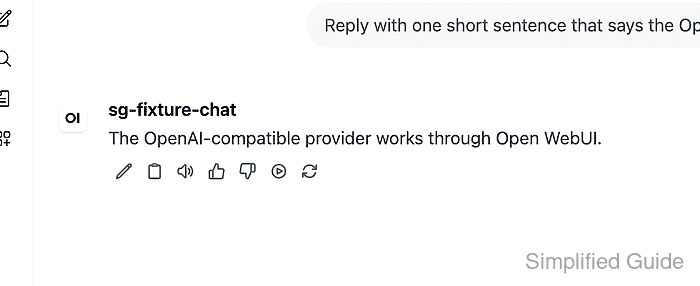
The response proves the saved base URL, provider key, model ID, and /v1/chat/completions route together.
Related: How to troubleshoot Open WebUI provider connection errors