How to monitor Open WebUI health and model availability
Open WebUI monitoring needs separate signals for the web application and the model providers users depend on. A server can answer the login page while a provider is unreachable, so checking only the port or container process can miss the outage that breaks chat for users.
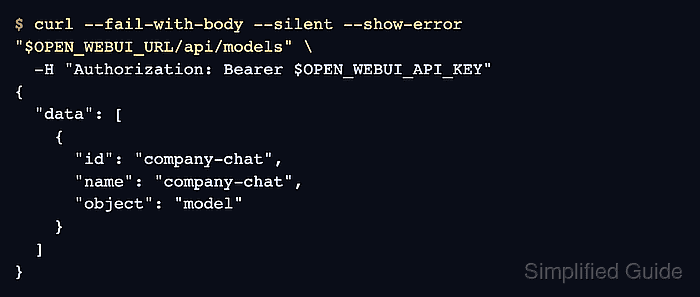
The unauthenticated /health endpoint is the lightweight liveness check for uptime monitors and load balancers. The authenticated /api/models endpoint asks the backend to build the model list from configured providers, which makes it a better check for provider reachability and model availability.
Use a dedicated monitoring account or API key with only the routes the check needs. Run monitoring probes from the same network path as users or the monitoring system, and keep provider API keys, Open WebUI tokens, and internal URLs out of screenshots, tickets, and shared logs.
Steps to monitor Open WebUI health and model availability:
- Set the Open WebUI base URL used by users or the monitoring system.
$ export OPEN_WEBUI_URL="https://openwebui.example.com"
- Store a monitoring API key for the current shell session.
$ read -r -s OPEN_WEBUI_API_KEY
Create the key from a dedicated monitoring account when possible. If endpoint restrictions are enabled, allow at least /api/models for the model-availability check.
Related: How to enable API keys in Open WebUI - Check the unauthenticated health endpoint.
$ curl --fail-with-body --silent --show-error --max-time 10 --output /dev/null --write-out "%{http_code}\n" "$OPEN_WEBUI_URL/health"
200
HTTP 200 means the Open WebUI web application answered the health route. A timeout, connection error, or non-2xx status points to the web process, reverse proxy, network path, or database startup layer before model-provider checks matter.
- Check the container health state when Docker manages the instance.
$ docker ps --filter "name=open-webui" --filter "health=healthy"
CONTAINER ID   IMAGE                           COMMAND           CREATED          STATUS                    PORTS                    NAMES
4a8b9c0d1e2f   ghcr.io/open-webui/open-webui   "bash start.sh"   31 seconds ago   Up 31 seconds (healthy)   0.0.0.0:8080->8080/tcp   open-webui
Use the platform health surface that owns your deployment. For systemd, Kubernetes, or a managed container service, check the matching unit, pod, task, or readiness status instead of this Docker command.
- Check that Open WebUI can return the model list through its authenticated API.
$ curl --fail-with-body --silent --show-error --max-time 20 "$OPEN_WEBUI_URL/api/models" \
  -H "Authorization: Bearer $OPEN_WEBUI_API_KEY"
{
  "data": [
    {
      "id": "company-chat",
      "name": "company-chat",
      "object": "model"
    }
  ]
}
A 200 response with the expected model ID means Open WebUI could authenticate the monitoring request and list provider-backed models. A 401 or 403 points to the API key, endpoint restrictions, or reverse-proxy authorization handling; an empty or stale list points to provider connection or model-list refresh issues.
Related: How to refresh the Open WebUI model list
Related: How to troubleshoot Open WebUI provider connection errors