How to create a knowledge base in Open WebUI
Open WebUI knowledge bases turn reusable documents into searchable chat context for teams, projects, and support runbooks. Creating one is useful when the same files should be available across many conversations instead of being uploaded into one temporary chat.
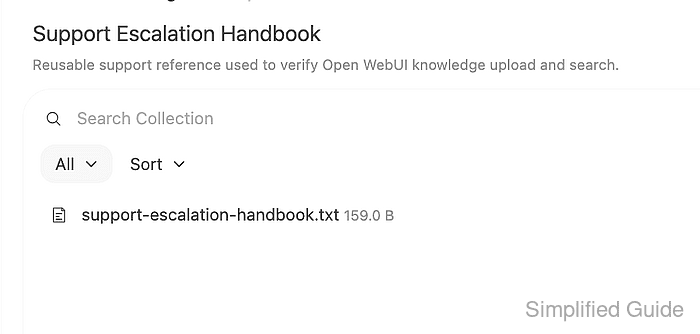
The Knowledge area lives under Workspace. A knowledge base stores uploaded files as a collection, indexes their text for retrieval, and can be referenced from chat with # or attached to a model profile when the model should always have access to that collection.
Start with a small document that contains an answer that is easy to check. Larger collections depend on extraction, embedding, and vector database settings, so prove one file is saved and searchable before adding bulk content.
Steps to create an Open WebUI knowledge base:
- Sign in to Open WebUI with an account that can access Workspace knowledge.
- Open Workspace → Knowledge.
- Click + New Knowledge.
- Enter a name and description for the collection.
Use a name tied to the team, project, or document set, such as Support Escalation Handbook. A clear description helps users choose the right collection when several knowledge bases exist.
- Save the new knowledge base.
- Open the knowledge base and upload a small verification file.
- support-escalation-handbook.txt
Open WebUI support escalation note

Escalation window: weekdays 09:00-17:00 UTC.
Escalation owner: Platform Support Team.
Verification phrase: blue-sky-router.
- Confirm the uploaded file appears in the collection.
Open WebUI processes uploaded files before retrieval can use them. When an upload reports empty content, wait for file processing to finish before adding the file to a knowledge base.
- Search or reference the knowledge base with a unique phrase from the file.
blue-sky-router
In chat, type # and select the knowledge base before asking a known-answer question. Native function-calling models may need the Knowledge Base built-in tool category enabled or a short model instruction telling them to search knowledge before answering.