How to set Ollama model keep alive
Ollama keeps recently used models loaded for a period after a request so the next prompt can start faster. The keep-alive setting controls that unload window for memory-heavy workloads and repeated API calls.
Use keep_alive on individual API requests or OLLAMA_KEEP_ALIVE for the server default. Short values free memory quickly, while longer values keep frequently used models warm.
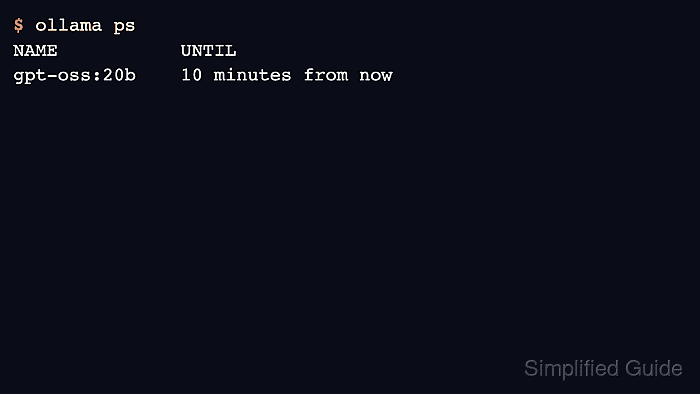
Verify the effective value with ollama ps because the UNTIL column shows when the loaded model is scheduled to unload.
Related: How to list running Ollama models
Related: How to run a chat request with the Ollama API
Related: How to stop a running Ollama model
Steps to set Ollama model keep alive:
- Send a request with a per-call keep-alive value.
$ curl -s http://localhost:11434/api/chat -d '{
  "model":"gpt-oss:20b",
  "messages":[{"role":"user","content":"Return OK."}],
  "stream":false,
  "keep_alive":"10m"
}'
{"message":{"content":"OK"},"done":true}
- Check how long the model will remain loaded.
$ ollama ps
NAME           ID              SIZE     PROCESSOR    CONTEXT    UNTIL
gpt-oss:20b    17052f91a42e    12 GB    100% GPU     131072     10 minutes from now
- Set the server default for all requests when needed.
$ OLLAMA_KEEP_ALIVE=30m ollama serve
- Unload the model immediately when memory needs to be freed.
$ curl -s http://localhost:11434/api/generate -d '{"model":"gpt-oss:20b","prompt":"OK","stream":false,"keep_alive":0}'
{"done":true}
Related: How to stop a running Ollama model
- Confirm the model has left the process list after unload.
$ ollama ps
NAME    ID    SIZE    PROCESSOR    CONTEXT    UNTIL