How to run a vision request with the Ollama API
Vision-capable Ollama models accept image data alongside text so an application can classify, describe, or ask questions about a picture. The API request differs from a text chat request because the image must be attached to the message.
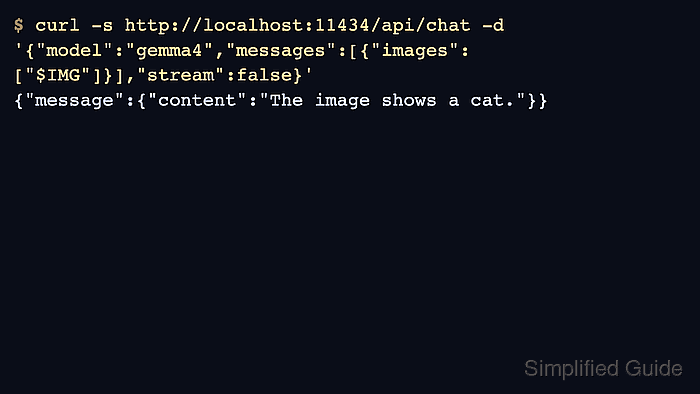
The REST API expects base64-encoded image data in the images array. SDKs can often accept file paths or bytes, but plain HTTP callers should encode the image and keep the prompt short enough to make the response easy to verify.
Use a model that explicitly supports vision. A text-only model can answer the prompt but cannot inspect the image, which creates false confidence in screenshot or document-processing workflows.
Steps to run a vision request with the Ollama API:
- Pull or select a vision-capable model.
$ ollama pull gemma4
success
Use the model name currently recommended by Ollama for vision workloads or another installed vision model.
- Encode the image without line breaks.
$ IMG=$(base64 < ./sample-image.jpg | tr -d '\n')
Keep the image file local to the application or test workspace.
- Send the image in the chat message.
$ curl -s http://localhost:11434/api/chat -d '{
  "model": "gemma4",
  "messages": [{
    "role": "user",
    "content": "Describe the image in one sentence.",
    "images": ["'"$IMG"'"]
  }],
  "stream": false
}'
{"message":{"content":"The image shows a small cat sitting on a floor."},"done":true}
- Use structured output when the application needs fixed fields.
$ curl -s http://localhost:11434/api/chat -d '{"model":"gemma4","messages":[{"role":"user","content":"List objects.","images":["'$IMG'"]}],"stream":false,"format":{"type":"object"}}'
{"message":{"content":"{\"objects\":[\"cat\"]}"}}
- Delete temporary image copies created only for testing.
$ rm -f ./sample-image.jpg
Do not leave customer or production images in shared task directories.