Structured output constrains an Ollama response to JSON or a JSON schema so application code can parse fields instead of scraping prose. It is useful for classification, extraction, routing, and any workflow where free-form text would create fragile downstream logic.
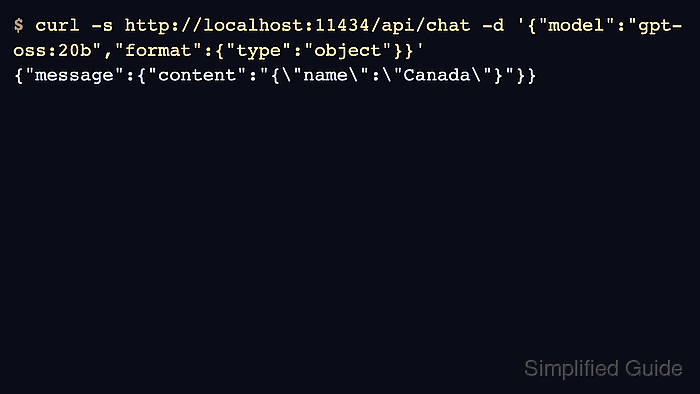
The format field accepts either the string json for generic JSON or a JSON schema object for specific fields and types. A schema controls the response shape, but it does not guarantee that the generated facts are accurate.
A local Ollama server, cURL, and Python 3 are needed. The chat API returns the generated JSON as a string inside message.content, so application code must decode both the response envelope and its content. Ollama Cloud does not currently support structured outputs.
Steps to generate structured output with the Ollama API:
- Download the qwen2.5:0.5b model to the local Ollama server.
$ ollama pull qwen2.5:0.5b
##### snipped #####
success
This small model is sufficient for the two-field country response. An already downloaded copy is reused.
- Save the chat request and its country schema as request.json.
- request.json
{
  "model": "qwen2.5:0.5b",
  "messages": [{
    "role": "user",
    "content": "Return a JSON object for Canada with exactly two string fields: name and capital."
  }],
  "stream": false,
  "format": {
    "type": "object",
    "properties": {
      "name": {"type": "string"},
      "capital": {"type": "string"}
    },
    "required": ["name", "capital"],
    "additionalProperties": false
  },
  "options": {"temperature": 0}
}
required makes both fields mandatory, and additionalProperties: false excludes extra fields. A zero temperature reduces variation. With stream: false, the server returns one response object instead of a stream of partial responses.
Tool: JSON Schema Generator
- Submit the request to the local chat API.
$ curl -fsS --output response.json \
  -H 'Content-Type: application/json' \
  --data-binary @request.json \
  http://localhost:11434/api/chat
The response is saved in response.json. A connection error means the local server is unavailable; a model-not-found error means the model download has not completed on that server.
- Extract the generated JSON into country.json.
$ python3 - <<'PY'
import json
from pathlib import Path

response = json.loads(Path("response.json").read_text())
if response.get("done") is not True:
    raise ValueError("The chat response is incomplete")
country = json.loads(response["message"]["content"])
Path("country.json").write_text(json.dumps(country, indent=2) + "\n")
PY
The first decode reads the API envelope; the second reads the JSON string in message.content. Malformed JSON raises an error. For thinking models, message.thinking contains separate reasoning rather than application data.
- Validate the two required string fields in country.json.
$ python3 - <<'PY'
import json
from pathlib import Path

country = json.loads(Path("country.json").read_text())
if not isinstance(country, dict) or set(country) != {"name", "capital"}:
    raise ValueError("Expected only name and capital")
if not all(isinstance(value, str) for value in country.values()):
    raise ValueError("Both fields must be strings")
print(json.dumps(country, indent=2))
print(country["capital"])
PY
{
  "name": "Canada",
  "capital": "Ottawa"
}
Ottawa
A missing field, extra field, or non-string value raises an error before the data is used. country.json retains the generated object for the caller. More complex schemas need a JSON Schema validator that checks all their constraints.