How to vectorize a NumPy calculation
A Python loop can express a formula clearly, but each iteration sends another scalar operation through the interpreter. NumPy arrays let one expression apply the formula across aligned values, which removes the explicit loop from the calculation.
Native array arithmetic uses NumPy universal functions for element-wise work and follows broadcasting rules when input shapes differ. np.vectorize() only wraps a scalar function in a Python loop, so it is a convenience interface rather than the performance refactor for this task.
A safe refactor keeps the scalar result long enough to compare both paths. np.broadcast_shapes() rejects incompatible inputs before arithmetic, while np.testing.assert_allclose() stops the script if floating-point results diverge.
Related: Replace values conditionally
Related: Calculate statistics
Steps to vectorize a NumPy calculation:
- Create calculation-vectorize.py with the aligned calculation inputs.
- calculation-vectorize.py
import numpy as np

np.set_printoptions(precision=2, suppress=True)

hours = np.array([6.0, 7.5, 8.0, 4.0])
hourly_rate = np.array([42.0, 42.0, 45.0, 40.0])
bonus = np.array([0.0, 15.0, 20.0, 0.0])
- Append the scalar reference calculation below the input arrays.
- calculation-vectorize.py
loop_total = np.empty_like(hours)
for index in range(hours.size):
    loop_total[index] = hours[index] * hourly_rate[index] + bonus[index]
The loop is a temporary reference, and loop_total stores the trusted result for the same formula and inputs.
- Append the shape guard and vectorized expression below the reference loop.
- calculation-vectorize.py
broadcast_shape = np.broadcast_shapes(
    hours.shape, hourly_rate.shape, bonus.shape
)
vector_total = hours * hourly_rate + bonus
The multiplication and addition operate element by element. The calculation stops with ValueError before assigning vector_total when the three shapes cannot broadcast together.
Related: Calculate with broadcasting - Append the equivalence check and result display below the vectorized expression.
- calculation-vectorize.py
np.testing.assert_allclose(vector_total, loop_total)

print("input shape:", hours.shape)
print("broadcast shape:", broadcast_shape)
print("loop total:", loop_total)
print("vector total:", vector_total)
print("matches loop:", np.allclose(vector_total, loop_total))
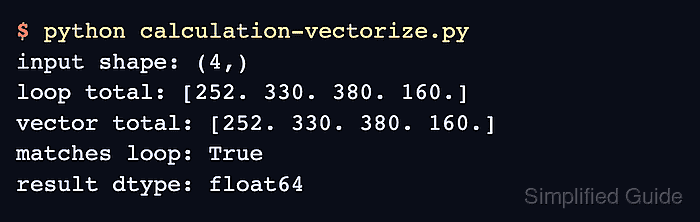
- Run calculation-vectorize.py to confirm the vectorized values match the scalar reference.
$ python3 calculation-vectorize.py
input shape: (4,)
broadcast shape: (4,)
loop total: [252. 330. 380. 160.]
vector total: [252. 330. 380. 160.]
matches loop: True