How to tune worker_processes in Nginx
An undersized Nginx worker pool can leave CPU capacity unused during traffic spikes, while an oversized pool adds scheduling overhead without increasing the connection limit by itself. Tuning worker_processes sets how many request-handling workers the master process keeps running after a reload.
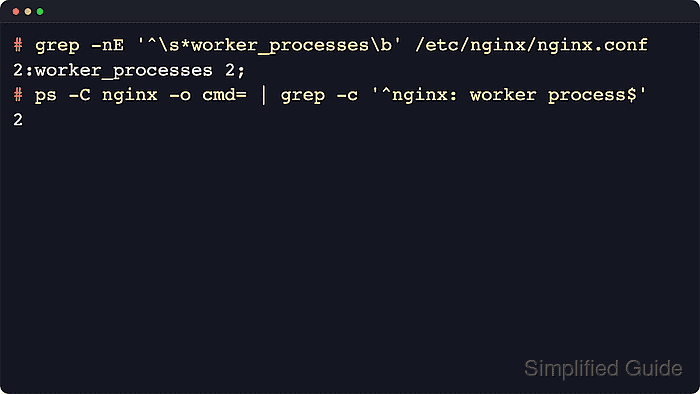
The Nginx master process reads the configuration and manages the worker pool, while each worker handles connections in an event-driven loop. Upstream documentation still lists worker_processes 1; as the built-in default, and worker_processes auto; remains the standard starting point because it tries to detect the available CPU count. Real concurrency still depends on worker_connections and the open-file limit.
Current Linux packages commonly already ship with worker_processes auto; in /etc/nginx/nginx.conf. Keep auto on dedicated hosts unless the service must stay inside a smaller CPU quota, cpuset, or pinning policy, in which case an explicit value is safer. Test every change with nginx -t, reload only after a clean parse, and confirm the stable worker count because old and new workers can briefly overlap during a graceful reload.
Related: How to improve Nginx performance
Related: How to tune worker_connections in Nginx
Steps to tune worker_processes in Nginx:
- Check how many CPU cores are visible to the service.
$ nproc
8
Use an explicit worker count instead of auto when the host exposes more CPUs than Nginx is actually allowed to use through quotas, cpusets, or deliberate core pinning.
- Check the loaded Nginx configuration for the current worker and connection settings.
$ sudo nginx -T
nginx: the configuration file /etc/nginx/nginx.conf syntax is ok
nginx: configuration file /etc/nginx/nginx.conf test is successful
# configuration file /etc/nginx/nginx.conf:
user www-data;
worker_processes auto;
##### snipped #####
events {
    worker_connections 768;
}
##### snipped #####
nginx -T validates the configuration and prints the loaded include tree, so it is safer than checking only one file on disk.
Examples below use the common Linux package layout with /etc/nginx/nginx.conf. If this is not the active file on your build, check the --conf-path value in nginx -V output.
- Edit the main configuration file.
$ sudoedit /etc/nginx/nginx.conf
- Set worker_processes in the main context to the target value.
user www-data;
worker_processes auto;
pid /run/nginx.pid;
Keep auto as the default choice for most dedicated hosts because it tracks the visible CPU count automatically.
Replace it with an explicit value such as worker_processes 2; when the service must stay inside a smaller CPU budget than the host advertises.
- Test the updated Nginx configuration for syntax errors.
$ sudo nginx -t
nginx: the configuration file /etc/nginx/nginx.conf syntax is ok
nginx: configuration file /etc/nginx/nginx.conf test is successful
Related: How to test Nginx configuration
- Reload Nginx to apply the new worker count.
$ sudo systemctl reload nginx
If systemd is not managing the service, use sudo nginx -s reload instead. The upstream control docs note that a reload starts new workers and then asks old workers to shut down gracefully.
Related: How to manage the Nginx service
- Verify that the stable worker pool matches the configured target.
$ ps -C nginx -o pid,cmd
    PID CMD
   2940 nginx: master process nginx
   2945 nginx: worker process
   2946 nginx: worker process
The count should match the explicit number that was configured, or the CPU count that auto detects on the host. If the command is run immediately after a reload, old workers may appear briefly while they finish existing requests.
- Confirm that Nginx still answers requests after the reload.
$ curl -I -sS http://127.0.0.1/
HTTP/1.1 200 OK
Server: nginx/1.28.3 (Ubuntu)
Date: Sat, 06 Jun 2026 12:00:37 GMT
Content-Type: text/html
Content-Length: 615
Last-Modified: Sat, 06 Jun 2026 12:00:34 GMT
Connection: keep-alive
ETag: "6a240be2-267"
Accept-Ranges: bytes
Use the site hostname or HTTPS URL when localhost on port 80 is not the listener that serves the real workload.