How to deploy a Node.js app behind Nginx as a reverse proxy
A Node.js app that only listens on its own port is not ready to be the public HTTP edge. Nginx should receive browser traffic, own the public hostname, and forward requests to the app on a loopback or private address while the app process stays managed by the operating system.
The deployment has two handoffs. systemd keeps the Node.js process running from the release directory, and the Nginx server block sends matching requests to that local service with the host, client address, and scheme headers that most web apps need for redirects, logs, and secure-cookie decisions.
The command sequence assumes a Linux host with systemd, a Node.js app under /srv/node-app, and a health endpoint on 127.0.0.1:3000. Replace server.js, app.example.com, and /health with the real entry point, hostname, and smoke-test route. Keep the app bound to 127.0.0.1 unless another private address is intentional, because the public path should go through Nginx.
Steps to deploy a Node.js app behind Nginx as a reverse proxy:
- Create a dedicated service account for the Node.js app.
$ sudo useradd --system --home /srv/node-app --shell /usr/sbin/nologin nodeapp
Use an existing unprivileged service account instead when site policy already defines one. Avoid running the app as root.
- Create the application directory.
$ sudo install -d -o nodeapp -g nodeapp /srv/node-app
- Copy the current release into the application directory.
$ sudo rsync -a --delete ./ /srv/node-app/
Run this from the built release directory, or replace the source path with the directory produced by the deployment pipeline.
- Set ownership after copying the release.
$ sudo chown -R nodeapp:nodeapp /srv/node-app
- Install production dependencies as the service account.
$ sudo -u nodeapp npm ci --omit=dev
added 86 packages, and audited 87 packages in 2s
##### snipped #####
found 0 vulnerabilities
Use npm install --omit=dev only when the project does not ship a lock file. A lock file keeps repeated deployments on the same dependency tree.
- Create the environment file used by the service.
$ sudoedit /etc/node-app.env
NODE_ENV=production
HOST=127.0.0.1
PORT=3000
Do not save secrets in a world-readable file. Set restrictive ownership and permissions when the app needs credentials, API tokens, or database passwords.
- Create the systemd service unit.
$ sudoedit /etc/systemd/system/node-app.service
[Unit]
Description=Node.js application
After=network.target

[Service]
Type=simple
WorkingDirectory=/srv/node-app
EnvironmentFile=/etc/node-app.env
ExecStart=/usr/bin/node /srv/node-app/server.js
Restart=on-failure
User=nodeapp
Group=nodeapp

[Install]
WantedBy=multi-user.target
Replace /usr/bin/node /srv/node-app/server.js with the real production entry point, such as a compiled file under /srv/node-app/dist.
- Reload systemd so it reads the new unit file.
$ sudo systemctl daemon-reload
- Enable and start the Node.js service.
$ sudo systemctl enable --now node-app
Created symlink '/etc/systemd/system/multi-user.target.wants/node-app.service' -> '/etc/systemd/system/node-app.service'.
- Confirm that the service is active.
$ systemctl is-active node-app
active
- Request the app directly from the Nginx host.
$ curl -sS http://127.0.0.1:3000/health
{"status":"ok","service":"node-app"}
If this request fails, fix the Node.js service before adding the proxy layer. Nginx cannot route to an app that is not listening from the proxy host.
- Create the Nginx reverse-proxy configuration.
$ sudoedit /etc/nginx/conf.d/node-app.conf
upstream node_app {
    server 127.0.0.1:3000;
    keepalive 32;
}

server {
    listen 80;
    server_name app.example.com;

    access_log /var/log/nginx/node-app.access.log;
    error_log /var/log/nginx/node-app.error.log;

    location / {
        proxy_pass http://node_app;

        proxy_http_version 1.1;
        proxy_set_header Connection "";

        proxy_set_header Host $host;
        proxy_set_header X-Forwarded-Host $host;
        proxy_set_header X-Real-IP $remote_addr;
        proxy_set_header X-Forwarded-For $proxy_add_x_forwarded_for;
        proxy_set_header X-Forwarded-Proto $scheme;

        proxy_connect_timeout 5s;
        proxy_send_timeout 60s;
        proxy_read_timeout 60s;
    }
}
Current upstream Nginx defaults to HTTP/1.1 for proxying, but many distro packages still need the explicit proxy_http_version 1.1 and proxy_set_header Connection ""; pair for upstream keepalive behavior. If the Node.js app uses WebSocket routes, add the required Upgrade and Connection handling to those locations after the basic HTTP route works.
- Test the Nginx configuration.
$ sudo nginx -t
nginx: the configuration file /etc/nginx/nginx.conf syntax is ok
nginx: configuration file /etc/nginx/nginx.conf test is successful
Related: How to test Nginx configuration
- Reload Nginx to apply the server block.
$ sudo systemctl reload nginx
Use sudo nginx -s reload on hosts where Nginx is running without systemd.
Related: How to manage the Nginx service
- Test the proxy block locally with the public host header.
$ curl -sS -H 'Host: app.example.com' http://127.0.0.1/health
{"status":"ok","service":"node-app"}
If the Nginx welcome page or another site answers, the request did not match this server block. Check server_name, conflicting default sites, and the hostname used in the test.
- Request the public hostname after DNS points to the Nginx host.
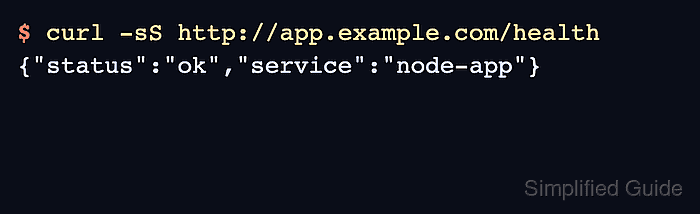
$ curl -sS http://app.example.com/health
{"status":"ok","service":"node-app"}
The same response through the public hostname proves the Node.js app is reachable through Nginx. Add HTTPS after the HTTP proxy path is stable.