How to keep a Netcat listener open for multiple connections
Repeated TCP client tests can fail after the first attempt when a one-shot Netcat listener exits as soon as that client disconnects. A keep-open listener lets several probes, scripts, or handoff tests reach the same temporary socket without restarting the receive side.
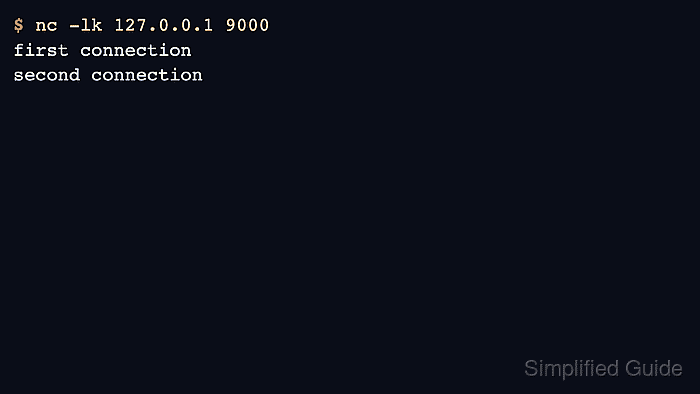
OpenBSD Netcat keeps a listener available with -k when it is paired with -l. The listener returns to accept state after each completed connection, and the terminal keeps printing payloads from later clients until the operator stops it.
The examples use netcat-openbsd on Ubuntu 26.04 with a loopback listener on 127.0.0.1:9000. Use a private interface address when another host must connect, and stop the listener with Ctrl-C after testing because -k intentionally leaves the socket waiting for more clients.
Steps to keep a Netcat listener open for multiple connections:
- Choose the listen address and TCP port for the repeated test.
The examples use 127.0.0.1 and port 9000 for same-host validation. Bind to a private interface address only when clients connect from another host.
- Start the keep-open listener in the first terminal.
$ nc -lk 127.0.0.1 9000
The -l option starts listener mode, and -k tells OpenBSD Netcat to accept another connection after the current client disconnects.
- Send the first payload from a second terminal.
$ printf 'first connection\n' | nc -N 127.0.0.1 9000
The -N option closes the client socket after standard input reaches end-of-file, so the listener can finish that client and wait for the next one.
- Confirm the first terminal prints the first payload while the listener command keeps running.
first connection
- Send a second payload without restarting the listener.
$ printf 'second connection\n' | nc -N 127.0.0.1 9000
- Confirm the first terminal now shows both payloads from separate client commands.
first connection
second connection
Both lines should remain under the same nc -lk session, with no listener restart between the two client commands.
- Stop the listener with Ctrl-C when the repeated test is finished.
A keep-open listener keeps accepting connections until it is interrupted. Do not leave it bound to a shared or internet-facing address unless a firewall or another access-control layer limits who can connect.
- Use OpenBSD Netcat or Nmap Ncat if the installed nc rejects -k or exits after the first client.
Nmap Ncat uses the same short form, ncat -lk 127.0.0.1 9000, and also exposes the long option --keep-open.
Related: How to install Netcat on Ubuntu
Related: How to install Ncat on Ubuntu