How to add a service check in Nagios Core
A Nagios Core host becomes useful when the resources on that host have service objects attached to them. Adding a service check connects a host object to a plugin command, so metrics such as CPU load, disk space, HTTP response, or an application health endpoint can produce scheduled states and notifications.
Service definitions live in object files loaded by cfg_file and cfg_dir entries from nagios.cfg. On Ubuntu and Debian package installs, /etc/nagios4/conf.d is a loaded directory for site-specific checks, while source installs commonly use paths below /usr/local/nagios/etc.
Start with an existing host object and a plugin command that already returns the intended state from the monitoring server. A small CPU Load service on the packaged localhost host keeps the object definition compact while still proving the full path from plugin output to validated configuration and a visible service row.
Related: How to add a host in Nagios Core
Related: How to run a Nagios plugin manually
Related: How to define a Nagios Core check command
Steps to add a Nagios Core service check:
- Confirm that the custom object directory is loaded by the main configuration.
$ grep '^cfg_dir=' /etc/nagios4/nagios.cfg
cfg_dir=/etc/nagios-plugins/config
cfg_dir=/etc/nagios4/conf.d
Add a cfg_dir or cfg_file entry first when your installation stores custom service objects somewhere else.
Related: How to add a Nagios Core object configuration directory - Run the plugin manually as the nagios user.
$ sudo -u nagios /usr/lib/nagios/plugins/check_load --warning=10,8,6 --critical=20,15,10
LOAD OK - total load average: 0.76, 1.13, 0.98|load1=0.760;10.000;20.000;0; load5=1.130;8.000;15.000;0; load15=0.980;6.000;10.000;0;
Use the installed plugin path for the Nagios Core server. Source installs often use /usr/local/nagios/libexec instead of /usr/lib/nagios/plugins.
Related: How to run a Nagios plugin manually - Open a service object file for the target host.
$ sudoedit /etc/nagios4/conf.d/service-check-add.cfg
- Add the service definition.
- service-check-add.cfg
define service {
    use                     generic-service
    host_name               localhost
    service_description     CPU Load
    check_command           check_local_load!10,8,6!20,15,10
}
generic-service supplies common intervals, retry behavior, contacts, and notification settings. Keep service_description unique for the selected host_name because Nagios Core identifies a service by host and description.
- Validate the Nagios Core configuration.
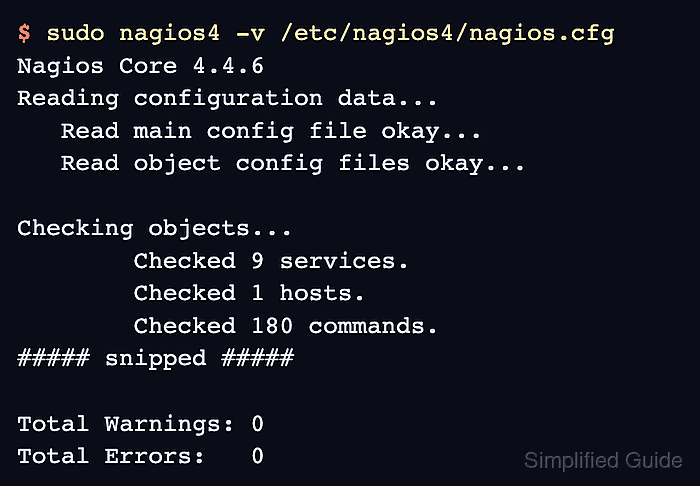
$ sudo nagios4 -v /etc/nagios4/nagios.cfg
Nagios Core 4.4.6
##### snipped #####
Reading configuration data...
   Read main config file okay...
   Read object config files okay...

Running pre-flight check on configuration data...

Checking objects...
	Checked 9 services.
	Checked 1 hosts.
	Checked 180 commands.
##### snipped #####

Total Warnings: 0
Total Errors:   0

Things look okay - No serious problems were detected during the pre-flight check
Do not reload Nagios Core while Total Errors is greater than 0. Fix the first reported object or command error, then run the verifier again.
- Reload Nagios Core to load the new service object.
$ sudo systemctl reload nagios4
Ubuntu and Debian package installs use the nagios4 unit. Source installs may use a different service name or control script.
Related: How to manage the Nagios Core system service - Confirm the nagios4 service is active after the reload.
$ sudo systemctl is-active nagios4
active
Check /var/log/nagios4/nagios.log or the journal if the service is not active after loading the new object.
Related: How to check Nagios Core logs - Open the Nagios Core web UI and confirm that CPU Load has a check result for localhost.
If the row remains PENDING, force the service check from the web UI or wait for the next check interval.
Related: How to reschedule an active check in Nagios Core