How to configure parent hosts in Nagios Core
Nagios Core classifies host failures from the monitoring server's point of view. Parent hosts model the nearest monitored routers, switches, firewalls, or gateways on that path, so an upstream failure can explain why a downstream host is UNREACHABLE instead of treating every downstream host as independently DOWN.
The parents directive belongs in the child host definition and references the host_name of each immediate upstream host object. Use a comma-delimited list when more than one monitored path can reach the child. Leave the directive out for hosts on the same network segment as the Nagios Core server.
Debian and Ubuntu package installs keep local object files under /etc/nagios4/conf.d and manage the daemon through the nagios4 service. Source installs often use /usr/local/nagios/etc and a different reload method, but the parent directive, verifier, and runtime cache proof follow the same order.
Steps to configure Nagios Core parent hosts:
- Confirm that the custom object directory is loaded by the main configuration.
$ grep "^cfg_dir=/etc/nagios4/conf.d" /etc/nagios4/nagios.cfg
cfg_dir=/etc/nagios4/conf.d
Ubuntu and Debian packages include /etc/nagios4/conf.d by default. Add or use the object directory that is actually loaded on your installation.
Related: How to add a Nagios Core object configuration directory - Open a local object file for the parent and child hosts.
$ sudoedit /etc/nagios4/conf.d/parents.cfg
- Add the parent host object.
define host {
    use                     linux-server
    host_name               router01.example.net
    alias                   Router 01
    address                 192.0.2.1
}
The parent object must be a normal host object that Nagios Core can check from the monitoring server.
- Add the child host object with the parents directive.
define host {
    use                     linux-server
    host_name               web01.example.net
    alias                   Web 01
    address                 192.0.2.10
    parents                 router01.example.net
}
The parents value must use the parent object's host_name, not its alias or IP address. For redundant monitored paths, separate parent host names with commas, such as router01.example.net,router02.example.net.
Replace 192.0.2.1 and 192.0.2.10 with addresses that the monitoring server checks. The documentation ranges are not routable production targets.
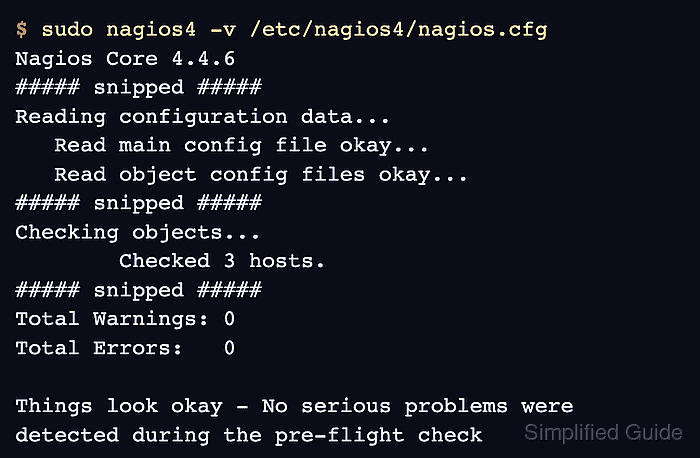
- Validate the full Nagios Core configuration.
$ sudo nagios4 -v /etc/nagios4/nagios.cfg
Nagios Core 4.4.6
##### snipped #####
Reading configuration data...
   Read main config file okay...
   Read object config files okay...
##### snipped #####
Checking objects...
        Checked 3 hosts.
##### snipped #####
Checking for circular paths...
        Checked 3 hosts
##### snipped #####
Total Warnings: 0
Total Errors:   0

Things look okay - No serious problems were detected during the pre-flight check
Do not reload Nagios Core while Total Errors is greater than 0. Fix the first reported object or path error, then run the verifier again.
Related: How to validate the Nagios Core configuration - Reload Nagios Core to rebuild the runtime object cache.
$ sudo systemctl reload nagios4
Ubuntu and Debian package installs use the nagios4 service name. Source installs may use a direct daemon signal or init script instead.
Related: How to manage the Nagios Core system service - Confirm that the child host loaded with the parent relationship.
$ sudo grep -A4 'host_name.*web01.example.net' /var/lib/nagios4/objects.cache
        host_name       web01.example.net
        alias   Web 01
        address 192.0.2.10
        parents router01.example.net
        check_period    24x7
Source installs commonly keep the runtime object cache under /usr/local/nagios/var/objects.cache instead.
- Check the child host during a real parent-path outage or a maintenance-window lab test.
In Nagios Core host status, a failed child remains DOWN when at least one immediate parent is UP. The child becomes UNREACHABLE when all immediate parents are DOWN or UNREACHABLE.