Nagios Core dependencies let one host or service pause checks or notifications when an upstream object is already in a failing state. They fit layered monitoring paths where an edge router, shared endpoint, or parent service failure would otherwise create duplicate alerts from every dependent object.
Dependency objects are standard Nagios Core object definitions. The master object appears in host_name and service_description, and the dependent object appears in the matching dependent_* directives. Failure criteria decide which master states block active checks, notifications, or both.
Use parents on host objects when the goal is network reachability mapping in status views. Use hostdependency or servicedependency objects when the policy should suppress execution or notifications based on a specific object state. On Debian and Ubuntu package installs, /etc/nagios4/conf.d/*.cfg is loaded from /etc/nagios4/nagios.cfg.
Steps to create Nagios Core dependencies:
- Identify the master object, dependent object, and failure criteria.
router01.example.net is the master host in this example, and web01.example.net is the dependent host. Both hosts already have an HTTP service definition.
Related: How to add a host in Nagios Core
Related: How to add a service check in Nagios Core - Create a local object file for the dependency definitions.
$ sudoedit /etc/nagios4/conf.d/deps.cfg
Use a separate .cfg file so dependency policy can be validated, reviewed, or removed without editing packaged sample objects.
- Add the host dependency object.
- /etc/nagios4/conf.d/deps.cfg
define hostdependency {
    host_name router01.example.net
    dependent_host_name web01.example.net
    execution_failure_criteria d,u
    notification_failure_criteria d,u
}
d,u means the dependency fails when the master host is DOWN or UNREACHABLE. Nagios Core suppresses active checks and notifications for web01.example.net while the matching dependency side fails.
- Add the service dependency object.
- /etc/nagios4/conf.d/deps.cfg
define servicedependency {
    host_name router01.example.net
    service_description HTTP
    dependent_host_name web01.example.net
    dependent_service_description HTTP
    execution_failure_criteria w,u,c
    notification_failure_criteria w,u,c
}
w,u,c means the dependency fails when the master service is WARNING, UNKNOWN, or CRITICAL. Use n only when that side of the dependency should never block checks or notifications.
- Validate the Nagios Core configuration.
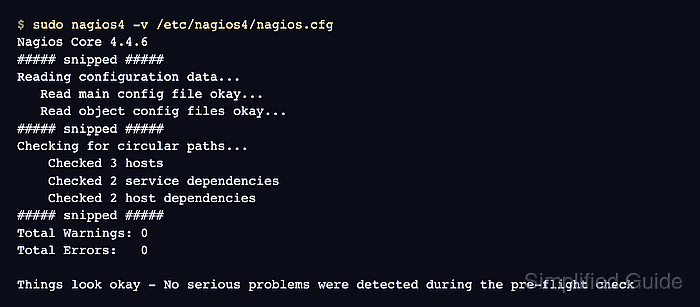
$ sudo nagios4 -v /etc/nagios4/nagios.cfg
Nagios Core 4.4.6
##### snipped #####
Reading configuration data...
   Read main config file okay...
   Read object config files okay...
##### snipped #####
Checking for circular paths...
	Checked 3 hosts
	Checked 2 service dependencies
	Checked 2 host dependencies
	Checked 5 timeperiods
##### snipped #####
Total Warnings: 0
Total Errors:   0

Things look okay - No serious problems were detected during the pre-flight check
Nagios Core stores execution and notification criteria as separate dependency checks internally, so one servicedependency object and one hostdependency object with both criteria can appear as two checked entries each.
Related: How to validate the Nagios Core configuration - Reload Nagios Core to load the validated dependency objects.
$ sudo systemctl reload nagios4
Ubuntu and Debian package installs use the nagios4 service name. Source installs may use a different service path or reload method.
Related: How to manage the Nagios Core system service - Confirm the dependency objects reached the runtime cache.
$ sudo grep -F "dependency {" \
  /var/lib/nagios4/objects.cache
define servicedependency {
define servicedependency {
define hostdependency {
define hostdependency {
The cache should show service and host dependency blocks after the reload. Test notification suppression in a maintenance window or lab before relying on the new dependency policy for production alert routing.

Mohd Shakir Zakaria is a cloud architect with deep roots in software development and open-source advocacy. Certified in AWS, Red Hat, VMware, ITIL, and Linux, he specializes in designing and managing robust cloud and on-premises infrastructures.


