How to validate the Nagios Core configuration
Nagios Core reads its main configuration and object definitions before it starts monitoring hosts and services. A syntax or object-definition error can stop a restart or keep a changed object out of the running daemon, so validate the active config file before applying edits.
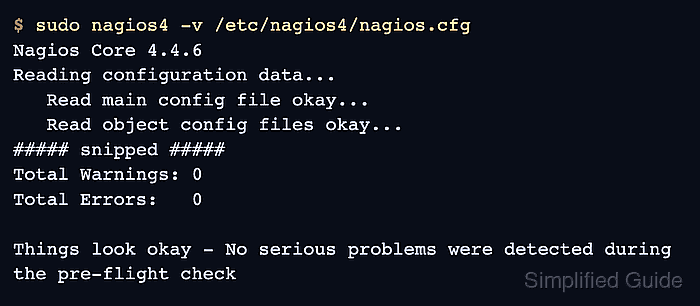
The Debian and Ubuntu package layout uses /etc/nagios4/nagios.cfg and the nagios4 binary. Source installs often use /usr/local/nagios/etc/nagios.cfg and /usr/local/nagios/bin/nagios instead, but the verification mode is the same because the binary runs with -v against the main configuration file.
The pre-flight check follows cfg_file and cfg_dir entries from the main config and reports the first blocking parser or object error with a file and line reference. Warnings still deserve review, but zero errors is the required state before a reload or restart.
Steps to validate Nagios Core configuration:
- Run the Nagios Core pre-flight check against the active main configuration file.
$ sudo nagios4 -v /etc/nagios4/nagios.cfg
Nagios Core 4.4.6
##### snipped #####
Reading configuration data...
   Read main config file okay...
   Read object config files okay...
##### snipped #####
Total Warnings: 0
Total Errors:   0

Things look okay - No serious problems were detected during the pre-flight check
Use sudo /usr/local/nagios/bin/nagios -v /usr/local/nagios/etc/nagios.cfg on source installs that follow the upstream default layout.
- Fix the first reported error before checking the rest of the output.
$ sudo nagios4 -v /etc/nagios4/nagios.cfg
Nagios Core 4.4.6
##### snipped #####
Error: Invalid host object directive 'addres'.
Error: Could not add object property in file '/etc/nagios4/conf.d/config-test-invalid.cfg' on line 5.
Error: Invalid max_check_attempts value for host 'web01'
Error: Could not register host (config file '/etc/nagios4/conf.d/config-test-invalid.cfg', starting on line 1)
   Error processing object config files!
Nagios Core can stop after an early object error, so later mistakes may appear only after the first reported file is fixed.
- Re-run the pre-flight check until the error count is zero.
$ sudo nagios4 -v /etc/nagios4/nagios.cfg
Nagios Core 4.4.6
##### snipped #####
Total Warnings: 0
Total Errors:   0

Things look okay - No serious problems were detected during the pre-flight check
Do not reload or restart Nagios Core while Total Errors is greater than 0; the daemon can refuse the changed configuration.
- Reload Nagios Core after a clean pre-flight check if the edits must take effect now.
$ sudo systemctl reload nagios4
Use sudo systemctl restart nagios4 when the target service does not support reload. Source installs may use the init script or a SIGHUP signal instead.
Related: How to manage the Nagios Core system service - Confirm that Nagios Core is active after applying the validated configuration.
$ sudo systemctl is-active nagios4
active
Check /var/log/nagios4/nagios.log or the journal if the service is not active after the reload.
Related: How to check Nagios Core logs