How to troubleshoot Nagios Core check timeouts
Nagios Core timeout alerts mean a check stopped waiting before the monitored target produced an acceptable result. The timeout can come from the plugin, Nagios Core, or a remote agent such as NRPE or NCPA, so changing every limit at once can hide the layer that is actually slow.
Start with the service alert, then run the same plugin as the nagios user from the monitoring server. Plugin options such as check_http --timeout control one command, while service_check_timeout and host_check_timeout in /etc/nagios4/nagios.cfg cap how long Core lets service and host checks run.
Keep the fixed timeout only as high as the check needs to finish inside its expected window. If the plugin still reaches the new limit, investigate the monitored service, DNS lookup, firewall, credentials, or remote agent instead of turning a slow or hung dependency into a longer Nagios wait.
Steps to troubleshoot Nagios Core check timeouts:
- Confirm the failing check in the Nagios Core log.
$ sudo grep "SERVICE ALERT: web01.example.net;HTTP Health" /var/log/nagios4/nagios.log
[1782090265] SERVICE ALERT: web01.example.net;HTTP Health;CRITICAL;HARD;1;CRITICAL - Socket timeout after 3 seconds
On source installs, read /usr/local/nagios/var/nagios.log instead. The plugin text after the final semicolon identifies the timeout message Core received.
- Run the service plugin manually as the nagios user with the current timeout.
$ time -p sudo -u nagios /usr/lib/nagios/plugins/check_http -H web01.example.net -u /health --timeout=3
CRITICAL - Socket timeout after 3 seconds
real 3.01
user 0.00
sys 0.01
Use the command line from the service's check_command and command definition. For NRPE or NCPA checks, test the remote agent command timeout separately when the local wrapper returns too quickly.
Related: How to run a Nagios plugin manually - Compare the Nagios Core timeout kill switches with the plugin runtime.
$ sudo grep "check_timeout=" /etc/nagios4/nagios.cfg
service_check_timeout=60
host_check_timeout=30
service_check_timeout caps service checks, and host_check_timeout caps host checks. Keep the Core limit above the plugin or agent timeout so Core does not kill a check that would otherwise return.
- Update the timeout at the layer that stopped first.
define command {
    command_name    check_http_health
    command_line    /usr/lib/nagios/plugins/check_http -H $HOSTADDRESS$ -u /health --timeout=8
}
Do not raise every timeout to hide a hung plugin, blocked DNS lookup, unreachable endpoint, or stalled remote agent. Raise only the plugin, agent, service, or host timeout that is lower than the check's expected runtime.
- Validate the Nagios Core configuration.
$ sudo nagios4 -v /etc/nagios4/nagios.cfg
Nagios Core 4.4.6
##### snipped #####
Total Warnings: 0
Total Errors:   0

Things look okay - No serious problems were detected during the pre-flight check
- Restart the Nagios Core service so the command definition or Core timeout takes effect.
$ sudo systemctl restart nagios4
Use the service name for your installation when it differs, such as nagios on some source installs.
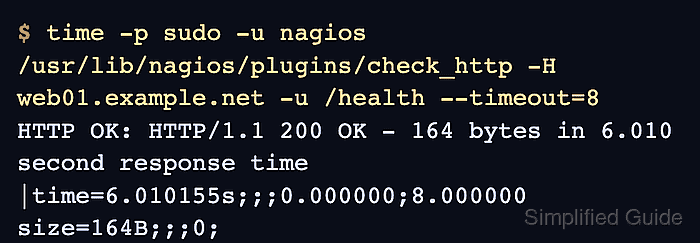
Related: How to manage the Nagios Core system service - Re-run the plugin with the aligned timeout and confirm it finishes before the limit.
$ time -p sudo -u nagios /usr/lib/nagios/plugins/check_http -H web01.example.net -u /health --timeout=8
HTTP OK: HTTP/1.1 200 OK - 164 bytes in 6.010 second response time |time=6.010155s;;;0.000000;8.000000 size=164B;;;0;
real 6.02
user 0.00
sys 0.00
- Confirm the next service result returns OK instead of a timeout.
$ sudo grep "SERVICE ALERT: web01.example.net;HTTP Health" /var/log/nagios4/nagios.log
[1782090265] SERVICE ALERT: web01.example.net;HTTP Health;CRITICAL;HARD;1;CRITICAL - Socket timeout after 3 seconds
[1782090289] SERVICE ALERT: web01.example.net;HTTP Health;OK;HARD;1;HTTP OK: HTTP/1.1 200 OK - 164 bytes in 6.012 second response time
Wait for the next scheduled active check, or reschedule the service check from the web UI when you need immediate proof.
Related: How to reschedule an active check in Nagios Core