How to grant privileges to a MySQL or MariaDB user
Granting database access precisely keeps application accounts, reporting logins, and human operators limited to the tables and schemas they need. When a login fails, reaches the wrong schema, or can change more data than expected, the exact grant attached to that account is the place to fix it.
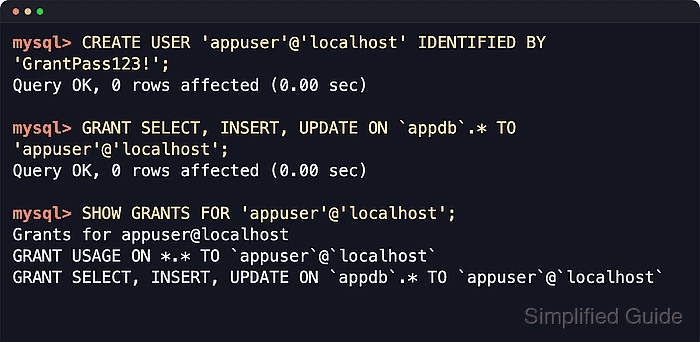
Both MySQL and MariaDB store an account as the full 'user'@'host' identity, so 'appuser'@'localhost' and 'appuser'@'203.0.113.10' can have different privileges. GRANT assigns access at global, schema, table, column, routine, or role scope, and SHOW GRANTS returns the statements that describe the privileges currently attached to that exact account.
Create the account before granting privileges, choose the narrowest object scope that matches the workload, and avoid broad '%' host entries or *.* grants unless an administrative task truly requires them. CREATE USER, GRANT, ALTER USER, and REVOKE take effect without FLUSH PRIVILEGES; reload grant tables only after direct edits to the mysql system grant tables or a server started with --skip-grant-tables.
Steps to grant privileges in MySQL or MariaDB:
- Connect with an administrative account in the mysql or mariadb client.
$ mysql -u root -p
Enter password:
mysql>
Some installations use socket authentication for the local administrator, so sudo mysql or sudo mariadb can be the expected entry point.
- Create the account with the exact host component it should use.
mysql> CREATE USER 'appuser'@'localhost' IDENTIFIED BY 'GrantPass123!';
Query OK, 0 ROWS affected (0.00 sec)
Use the full 'user'@'host' form every time. Omitting the host defaults it to '%', while 'localhost' usually matches local socket connections rather than 127.0.0.1 TCP.
For a TCP client from a fixed remote address, create that separate account entry instead, such as 'appuser'@'203.0.113.10'. Servers with skip_name_resolve enabled match TCP clients more predictably with literal IP-based host values than DNS names.
- Choose the narrowest privilege target for the account before running GRANT.
Access need Grant scope example One schema `appdb`.* One table `appdb`.`orders` Selected columns SELECT (`email`), UPDATE (`status`) ON `appdb`.`customers` Server-wide administration *.* - Grant only the privileges the workload needs on the chosen schema.
mysql> GRANT SELECT, INSERT, UPDATE ON `appdb`.* TO 'appuser'@'localhost';
Query OK, 0 ROWS affected (0.00 sec)
Replace `appdb`.* with `appdb`.`orders` when the account should reach only one table. Add WITH GRANT OPTION only when the account must delegate the same privileges to other accounts.
Prefer schema-level or table-level grants over GRANT ALL PRIVILEGES ON *.* unless the account is a trusted administrator.
- Review the effective grants for the exact account entry.
mysql> SHOW GRANTS FOR 'appuser'@'localhost';
+--------------------------------------------------------------------+
| Grants FOR appuser@localhost                                       |
+--------------------------------------------------------------------+
| GRANT USAGE ON *.* TO `appuser`@`localhost`                        |
| GRANT SELECT, INSERT, UPDATE ON `appdb`.* TO `appuser`@`localhost` |
+--------------------------------------------------------------------+
2 ROWS IN SET (0.00 sec)
MariaDB can also show an IDENTIFIED BY PASSWORD clause in this output, while MySQL 8.4 typically shows the privilege lines without the stored password hash.
- Exit the administrative client before testing the new account.
mysql> exit
Bye
- Verify the new account can connect to the intended schema.
$ mysql --table -u appuser -p -D appdb -e "SELECT CURRENT_USER() AS current_account, DATABASE() AS current_db;"
Enter password:
+-------------------+------------+
| current_account   | current_db |
+-------------------+------------+
| appuser@localhost | appdb      |
+-------------------+------------+
If this test reports an access denied error for a different host such as 'appuser'@'127.0.0.1', create and grant privileges to that exact host-qualified account. Existing sessions may need to reconnect after password or global privilege changes.