How to tune InnoDB buffer pool size in MySQL or MariaDB
Right-sizing the InnoDB buffer pool keeps hot table and index pages in memory, which reduces physical reads and smooths the latency spikes that show up when a database starts falling back to storage too often.
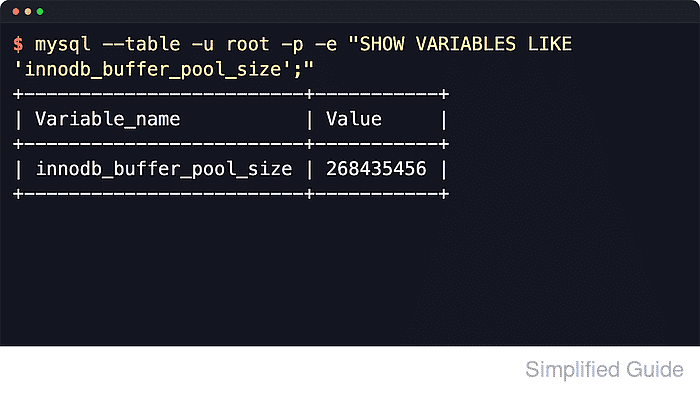
InnoDB uses the buffer pool as its main cache for table pages, index pages, and related control structures. The current size is exposed by innodb_buffer_pool_size, while Innodb_buffer_pool_read_requests and Innodb_buffer_pool_reads show whether the working set is mostly being served from memory or repeatedly missing cache and hitting disk.
A buffer pool that is too small increases read pressure, while a buffer pool that is too large can push the host into swapping and make performance worse instead of better. Current MySQL still supports online resizing, but recent MariaDB releases only grow live up to innodb_buffer_pool_size_max set at startup, so the safest cross-product tuning path is still an on-disk option-file change followed by a controlled restart and verification pass.
Steps to tune InnoDB buffer pool size in MySQL or MariaDB:
- Check total RAM plus swap configuration on the database host.
$ free -h total used free shared buff/cache available Mem: 11Gi 1.9Gi 4.5Gi 30Mi 5.5Gi 9.8Gi Swap: 4.0Gi 0B 4.0Gi - Record the current innodb_buffer_pool_size value.
$ mysql --table -u root -p -e "SHOW VARIABLES LIKE 'innodb_buffer_pool_size';"
+-------------------------+-----------+
| Variable_name           | Value     |
+-------------------------+-----------+
| innodb_buffer_pool_size | 134217728 |
+-------------------------+-----------+
The value is reported in bytes. Use mariadb instead of mysql on MariaDB installations that do not provide the legacy client command name.
- Review the two buffer pool read counters that show cache demand and cache misses.
$ mysql --table -u root -p -e "SHOW GLOBAL STATUS WHERE Variable_name IN ('Innodb_buffer_pool_read_requests','Innodb_buffer_pool_reads');"
+----------------------------------+-------+
| Variable_name                    | Value |
+----------------------------------+-------+
| Innodb_buffer_pool_read_requests | 282   |
| Innodb_buffer_pool_reads         | 152   |
+----------------------------------+-------+
If Innodb_buffer_pool_reads keeps climbing quickly relative to Innodb_buffer_pool_read_requests after the working set is warm, the cache is usually too small for the workload.
- Choose a starting innodb_buffer_pool_size value.
Dedicated database host: start near 70-80% of RAM.
Mixed workloads: start near 40-60% of RAM.
Leave headroom for per-connection memory, other daemons, and the extra overhead that MySQL documents outside the raw buffer pool allocation. - Print the server option-file search order before deciding where to persist the change.
$ mariadbd --verbose --help
mariadbd  Ver 11.4.12-MariaDB-ubu2404 for debian-linux-gnu on aarch64 (mariadb.org binary distribution)
##### snipped #####
Default options are read from the following files in the given order:
/etc/my.cnf /etc/mysql/my.cnf ~/.my.cnf
The following groups are read: mysqld server mysqld-11.4 mariadb mariadb-11.4 mariadbd mariadbd-11.4 client-server galera
##### snipped #####
Use mysqld --verbose --help on MySQL hosts. Use the discovered include chain instead of guessing which directory wins on the local host.
- Add or update a dedicated server override file with the target buffer pool size.
$ sudoedit /etc/mysql/conf.d/buffer-pool.cnf
[mysqld]
innodb_buffer_pool_size = 256M
MySQL on Debian or Ubuntu commonly uses /etc/mysql/mysql.conf.d/mysqld.cnf.
MariaDB on Debian or Ubuntu commonly uses /etc/mysql/mariadb.conf.d/50-server.cnf.
RHEL-family defaults are often /etc/my.cnf.MySQL can grow live when the requested size matches innodb_buffer_pool_chunk_size multiplied by innodb_buffer_pool_instances.
Recent MariaDB releases grow live only up to innodb_buffer_pool_size_max set at startup, and larger requests are truncated to that ceiling with a warning. - Confirm that the server reads the new option before restarting.
$ my_print_defaults mysqld
--innodb_buffer_pool_size=256M
If this returns nothing, the file is in the wrong path, under the wrong option group, or overridden later in the include chain.
- Restart the database service to apply the persisted value.
$ sudo systemctl restart mysql
Restarting the database service drops active connections and interrupts in-flight work.
Replace mysql with mariadb or mysqld when that is the unit name on the host.
- Verify that the running server reports the intended innodb_buffer_pool_size value.
$ mysql --table -u root -p -e "SHOW VARIABLES LIKE 'innodb_buffer_pool_size';"
+-------------------------+-----------+
| Variable_name           | Value     |
+-------------------------+-----------+
| innodb_buffer_pool_size | 268435456 |
+-------------------------+-----------+
- Confirm that InnoDB reports the new buffer pool sizing in status output.
$ mysql -u root -p -e "SHOW ENGINE INNODB STATUS\\G"
*************************** 1. row ***************************
Status:
=====================================
2026-06-06 13:06:29 0xffffa80d3040 INNODB MONITOR OUTPUT
=====================================
##### snipped #####
BUFFER POOL AND MEMORY
----------------------
Total large memory allocated 301989888
Dictionary memory allocated 439960
Buffer pool size   16224
Free buffers       15933
Database pages     291
##### snipped #####
Buffer pool size is shown in pages, where the default page size is typically 16KiB. It may not equal the byte variable divided by page size exactly because server memory accounting includes related buffer-pool structures.
- Watch swap activity during a representative load window after the change.
$ vmstat 1 5
procs -----------memory---------- ---swap-- -----io---- -system-- -------cpu-------
 r  b   swpd   free   buff  cache   si   so    bi    bo   in   cs us sy id wa st gu
 2  0      0 4483660 410988 5371096    0    0   115  2431 1222    2  1  0 99  0  0  0
##### snipped #####
Non-zero si or so under normal workload indicates swapping, where reducing innodb_buffer_pool_size is usually faster than waiting for the host to recover.