How to configure Mimir tenancy and authentication
Configuring Mimir tenancy and authentication isolates metric writes and queries by tenant. Mimir uses tenant IDs such as X-Scope-OrgID for multi-tenancy, while authentication and authorization are normally enforced by a gateway, ingress, reverse proxy, or service mesh in front of Mimir.
Enable Mimir multi-tenancy before serving more than one team or environment from the same cluster. Prometheus remote write clients, Grafana data sources, and automation scripts must send the correct tenant context or use routes that add it after authentication.
Keep tenant names stable and non-secret. Use names such as platform, payments, or prod, and keep bearer tokens or client certificates in secrets rather than values files.
Steps to configure Mimir tenancy and authentication:
- Enable Mimir multi-tenancy in the values file.
- mimir-tenancy.yaml
mimir:
  structuredConfig:
    multitenancy_enabled: true
- Configure the gateway to require authentication before forwarding Mimir requests.
- mimir-gateway-policy.yaml
routes:
  - host: metrics.example.com
    backend: mimir-nginx
    requireAuth: true
    tenantHeader: X-Scope-OrgID
Mimir validates tenant context, but the authentication layer should decide who may use each tenant.
- Apply the gateway policy.
$ kubectl apply --namespace monitoring -f mimir-gateway-policy.yaml
gatewaypolicy.observability.example.com/mimir-tenancy configured
- Upgrade Mimir with multi-tenancy enabled.
$ helm upgrade --install mimir grafana/mimir-distributed \
  --namespace monitoring \
  --values mimir-storage.yaml \
  --values mimir-tenancy.yaml \
  --wait --timeout 20m
Release "mimir" has been upgraded. Happy Helming!
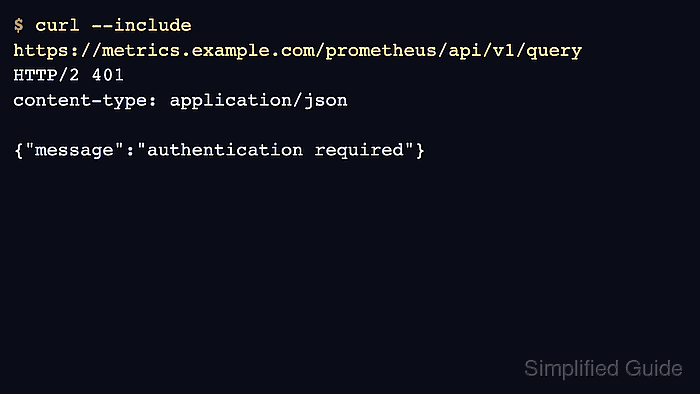
- Confirm unauthenticated requests are rejected by the gateway.
$ curl --silent --include \ 'https://metrics.example.com/prometheus/api/v1/query?query=up' HTTP/2 401 content-type: application/json {"message":"authentication required"} - Confirm requests without tenant context are rejected or blocked.
$ curl --silent --include \
  --header 'Authorization: Bearer <token>' \
  'https://metrics.example.com/prometheus/api/v1/query?query=up'
HTTP/2 400
content-type: text/plain
- Confirm a tenant-scoped query succeeds.
$ curl --silent --include \
  --header 'Authorization: Bearer <token>' \
  --header 'X-Scope-OrgID: payments' \
  'https://metrics.example.com/prometheus/api/v1/query?query=up'
HTTP/2 200
content-type: application/json
- Add the tenant header to the Prometheus remote write configuration.
- prometheus.yaml
remote_write:
  - url: https://metrics.example.com/api/v1/push
    headers:
      X-Scope-OrgID: payments
    authorization:
      credentials_file: /etc/prometheus/secrets/mimir-token
Store tokens in Kubernetes secrets or another approved secret store. Do not place bearer tokens in ConfigMaps or published examples.
- Add the tenant header to the Grafana data source.
- datasources.yaml
apiVersion: 1
datasources:
  - name: Mimir payments
    uid: mimir-payments
    type: prometheus
    access: proxy
    url: https://metrics.example.com/prometheus
    jsonData:
      httpHeaderName1: X-Scope-OrgID
    secureJsonData:
      httpHeaderValue1: payments
- Reload or redeploy Prometheus and Grafana through their normal release path.
$ helm upgrade --install grafana grafana/grafana \
  --namespace monitoring \
  --values values/grafana.yaml \
  --wait
Release "grafana" has been upgraded. Happy Helming!
- Query through the tenant-specific Grafana data source.
$ curl --silent --user admin:<password> \
  https://grafana.example.com/api/datasources/uid/mimir-payments
{"uid":"mimir-payments","type":"prometheus","name":"Mimir payments"}