How to disable folder and printer sharing in Windows
Disabling file and printer sharing reduces exposure of SMB services on untrusted networks and limits the impact of attacks that target open sharing ports such as TCP 445. Keeping sharing disabled on systems that do not intentionally publish shares helps prevent accidental data exposure and lowers the reachable attack surface.
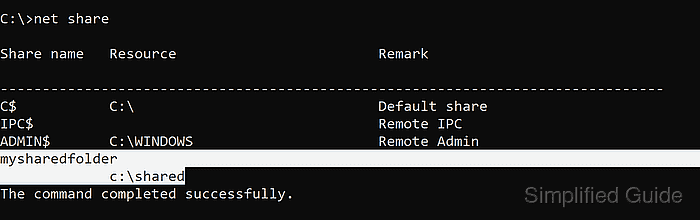
In Windows 11, folder and printer sharing is handled by the SMB server components and Windows Firewall rules in the File and Printer Sharing group. The Advanced sharing settings page controls these rules per network profile (Public, Private, and Domain), determining whether inbound sharing traffic is accepted on the current network.
Turning off sharing prevents other devices from accessing shared folders and shared printers on the PC, but it does not delete existing shares or block outbound access to remote shares. On managed endpoints, Group Policy or security baselines may lock or revert sharing settings, and disabling sharing can break network printer workflows or legacy discovery features until re-enabled.
Steps to disable file and printer sharing in Windows 11:
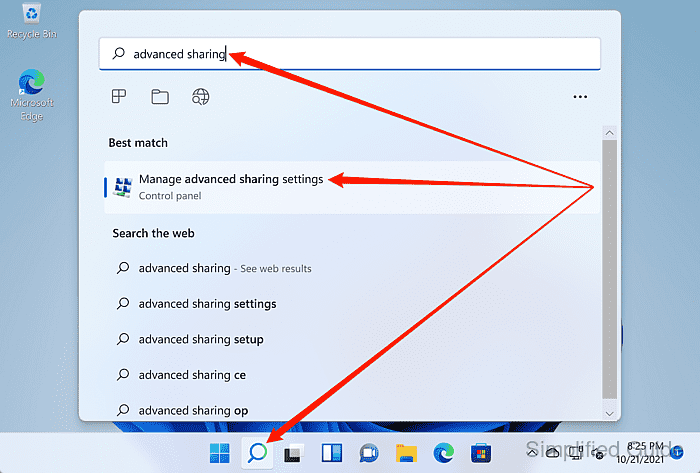
- Launch Manage advanced sharing settings from the Windows search bar.
- Select the network profile to change under Advanced sharing settings.
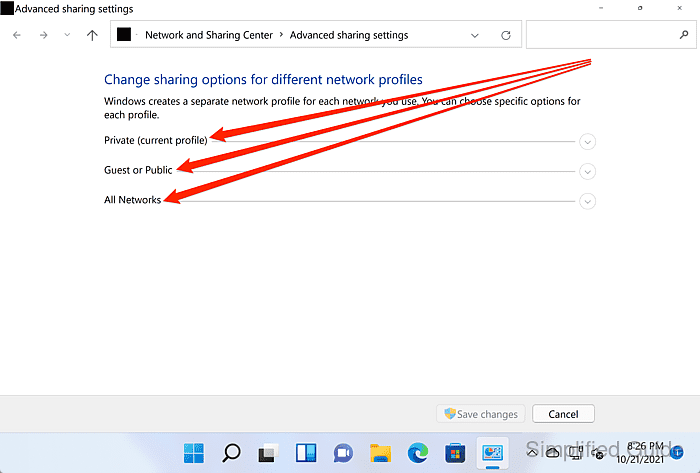
Changes apply per profile, so disabling sharing on Public does not automatically disable it on Private or Domain.
- Select the Turn off file and printer sharing option for the chosen profile.
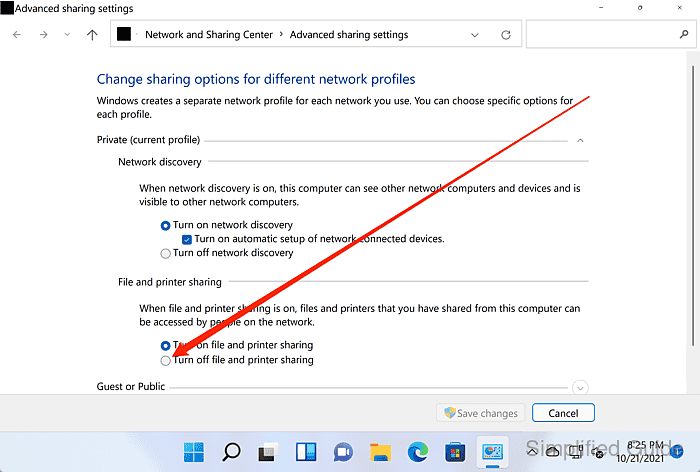
Devices on the same network will no longer be able to connect to shared folders or shared printers on this PC for the selected profile.
- Click Save changes.
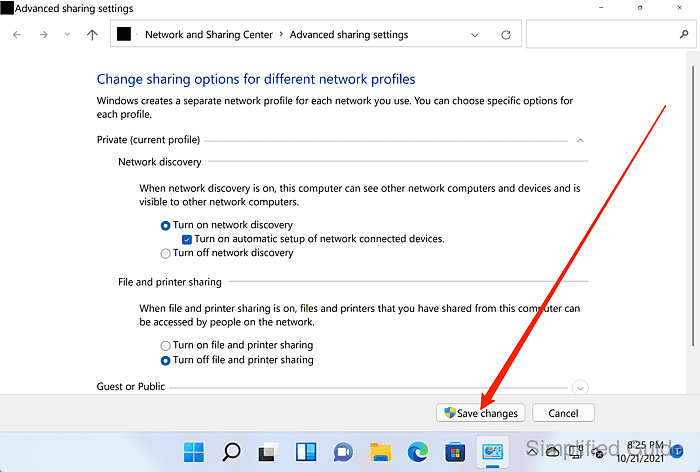
Disabling network discovery further reduces visibility on untrusted networks.